


Do you want to add random header images to your WordPress blog? Most WordPress themes come with built-in support to add header images. These images can completely change your site’s look and feel. In this article, we will show you to how to add random header images to your WordPress blog without writing any code.

Most free and premium WordPress themes come with custom header support. Custom headers in WordPress are a theme feature which allows WordPress themes to designate a header area showing an image.
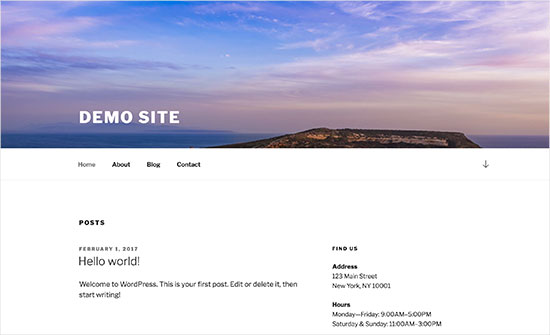
Custom header is different than background image feature which allows you to set a cutom background image on your WordPress site.
Having said that let’s take a look at how to add random header images to your WordPress blog.
Video Tutorial
If you don’t like the video or need more instructions, then continue reading.
Method 1. Random Header Images Using WordPress Theme Customizer
This method is easier and is recommended for most WordPress users.
You need to head over to Appearance » Customize page to launch WordPress theme customizer.
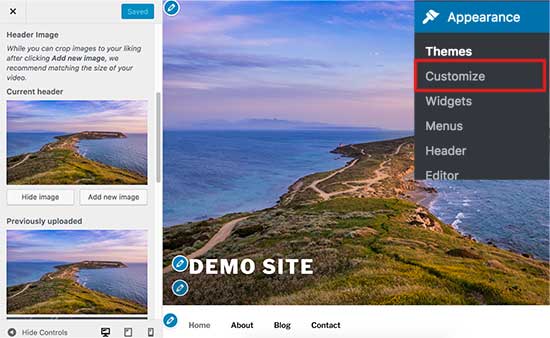
Next, you need to click on ‘Header’ tab to expand it. The header option can also be labeled as header image or header media in your theme.
You will see your site’s current header image, and any other header images available to use.
You need to click on the ‘Add image’ button to upload the images you want to use as header images.
Once you have uploaded a few images, they will appear under recently uploaded images.
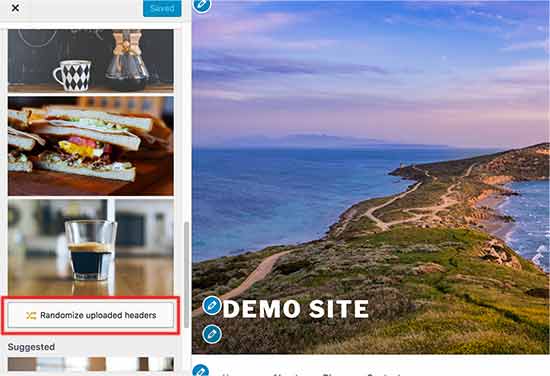
Now you need to click on ‘Randomize uploaded header’ button under recently uploaded images and then save your changes.
You can now visit your website and reload it to see header images change randomly.
Method 2. Add Custom Header Images on Select Pages Using Plugin
This method is more flexible and gives you more control on how to show different or random header images for WordPress posts, pages, category, or tag archives.
First thing you need to do is install and activate the WP Display Header plugin. For more details, see our step by step guide on how to install a WordPress plugin.
Upon activation, you need to edit a post or create a new one. You will notice a new meta box labeled ‘Header’ below the post editor.
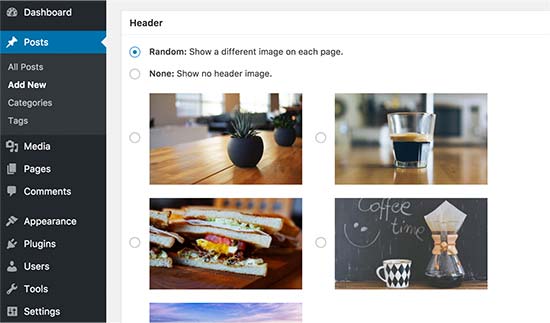
Here you can select a previously uploaded header image to your theme and use it as a header for this post. You can also check the ‘Random’ option to randomly display a background image from your uploaded header images.
If you want to add more header images, then head over to Appearance » Customize and click on the Header tab.
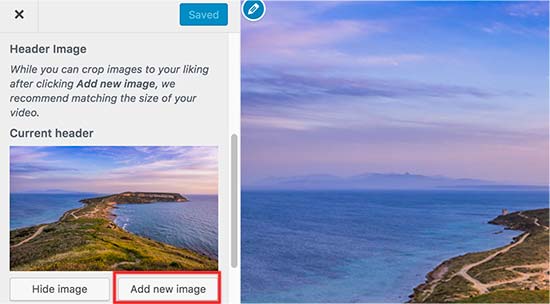
Next, you need to click on the ‘Add image’ button to upload more header images. You don’t need to change the header of your theme just upload the images and exit the customizer.
The plugin also allows you to change header image for your category and tag archive pages.
You will need to go to Posts » Categories page and then click on the Edit button below category you want to change.
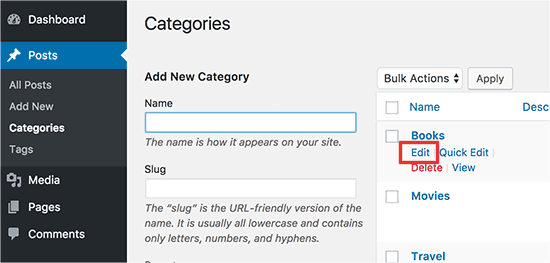
On the category edit screen, you will notice the new header section where you can select a header image or show random header images.
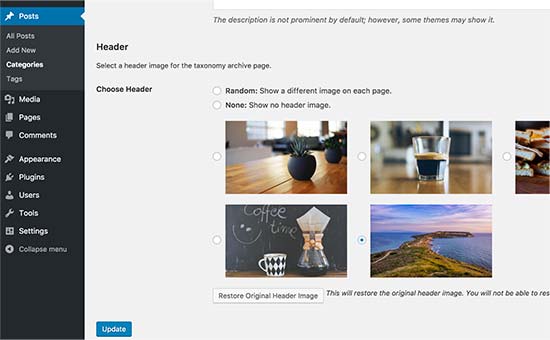
Don’t forget to click on the ‘Update’ button to save your changes.
That’s all, we hope this article helped you learn how to easily add random header images to your WordPress blog. You may also want to see our guide on how to boost WordPress speed and performance.
If you liked this article, then please subscribe to our YouTube Channel for WordPress video tutorials. You can also find us on Twitter and Facebook.





Syed Balkhi says
Hey WPBeginner readers,
Did you know you can win exciting prizes by commenting on WPBeginner?
Every month, our top blog commenters will win HUGE rewards, including premium WordPress plugin licenses and cash prizes.
You can get more details about the contest from here.
Start sharing your thoughts below to stand a chance to win!
Max says
I have 7 header images and would like my site to display a different one each day, in order not randomly. Is there a plugin or code I can use that can achieve this? Thanks.
TPWidt says
This was useful, but i was looking for randomized text, like in your second image, you had the image of the hill and the sky, with the Demo Text to the bottom left corner. I’m curious to see if its possible to have a randomized version of that, so whenever I would refresh the page, it would cycle through text such as “Demo Site” or “Welcome” just for variety.
Miguel says
Can this method be used for place different ads on header ?
Neale says
This looks like a good solution to running my own random promotional messages as part of the header. Thanks for the detailed guidance.