Want better spam protection for your WordPress forms without frustrating your visitors? Imagine your contact forms, signup forms, and comments could block spam without having to show a single CAPTCHA to your real visitors. They fill out the form, hit submit, and move on. No… Read More »
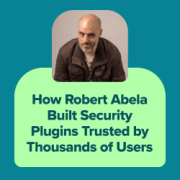
From cleaning hacked WordPress sites to running a 7-person security plugin company, Robert Abela never planned to become an entrepreneur. But when he discovered a critical gap in WordPress security logging, everything changed. That led him to build WP Activity Log, which grew from a… Read More »
Imagine this: You’re trying to check your WordPress website when, suddenly, you’re taken away to a suspicious gambling site or a sketchy pharmaceutical page. Your heart sinks as you realize your site’s been hacked. 😱 We know exactly how terrifying and frustrating this situation can… Read More »
Choosing the right web server software was a huge part of making sure our site stayed fast as our traffic grew. But we know that technical terms like Apache, Nginx, and LiteSpeed can feel completely overwhelming. You just want a website that loads quickly without… Read More »
Picture this: You’re checking your WordPress site’s analytics one morning, and something seems off. Your traffic has dropped, and you discover your site is full of spammy links selling everything from fake designer bags to questionable pharmaceuticals. We have seen this firsthand on client websites.… Read More »
Imagine opening your inbox and seeing an urgent email from “WordPress Security Team.” It warns you about a serious vulnerability and urges you to act fast. You panic. Losing your website could mean losing customers, revenue, or years of hard work. But here’s the catch—this… Read More »
Keeping a website secure is a top priority for any owner, and it’s a big reason our team has trusted WordPress to power our businesses for over a decade. We appreciate that the platform has a dedicated community working to keep it safe. You can… Read More »
Seeing a ‘Deceptive Site Ahead’ warning on your own website is a scary experience. It usually means Google has flagged your site as unsafe for visitors. This can cause your traffic to drop instantly and hurt your reputation. Most people call this the Google Blacklist,… Read More »
Many beginners skip WordPress maintenance to save money, only to face expensive emergency repairs when their site crashes. It’s a painful lesson that ends up costing far more than a regular maintenance plan. At WPBeginner, we manage a large portfolio of websites and have tested… Read More »
Running into WordPress problems can feel overwhelming, especially when you’re not sure where to get help. Many beginners expect a support hotline or live chat, but WordPress doesn’t have an official number you can call. And when you’re already stressed by an error, that makes… Read More »
Used to store interaction and conversion data for campaigns in conjunction with Revenue Attribution.
1 year
_gat_omTracker*
Set, controlled and used by Google Analytics to collect and store data and then send that data to Google Analytics. OptinMonster provides the name if there is no existing tracker found on that page.
-
omCountdown-{id}-{elementId}
Used for countdown elements {elementId} in campaigns {id} to determine when it should complete.
-
om-{id}-closed / omSlideClosed-{id}
Used specifically with slide-in campaigns {id} to determine if it has been closed or not by a visitor.
30 days
om-success-cookie / omSuccessCookie
Used to determine if a visitor has successfully opted in to any campaign on your site to unlock content when using our Content Locking feature.
365 days
om-success-{id} / omSuccess-{id}
Used to determine if a visitor has successfully opted in to a campaign with the ID of {id} on your site.
365 days
omSeen-{id}
Used to determine if a visitor has been shown a campaign by the slug.
30 days
om-{id}
Used to determine if a visitor has interacted with a campaign ID of {id} on your site.
30 days
_omappvs
Used to determine when a new visitor becomes a returning visitor.