Running an eCommerce store requires ongoing effort – it’s not a one-time setup. From security updates to product management, regular maintenance plays a critical role in your store’s long-term success. At WPBeginner, we’ve spent over 16 years helping users build and maintain high-performing online stores.… Read More »
Over the years, many users have reached out to us and our partner companies to ask about fixing broken WordPress databases. Keeping your WordPress website running smoothly requires a healthy database. If your database gets corrupted, then it can lead to many problems, including error… Read More »
In WordPress, you will run into the ‘your PHP installation appears to be missing the MySQL extension which is required by WordPress’ error every now and then. When this error appears, it prevents users from viewing your website. If it occurs frequently, then it can… Read More »
Recently, one of our users asked what the recommended server requirements are for running a WordPress website. The best thing about WordPress is that it will work in almost any kind of environment. However, when you’re picking a hosting solution for your site, it’s important… Read More »
News websites used to be built only by big media companies with big budgets. At least, that’s what we thought, too, until we created our blog back in 2009 and learned that anyone could become a publisher. Over the years, we’ve built dozens of news… Read More »
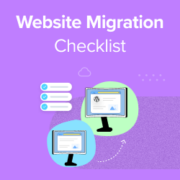
Do you want to migrate your WordPress site but are not sure if everything is ready? Website migration can be complicated as there are many things to look after. Having a checklist can help ensure that you’ve followed all the steps. This also prevents multiple… Read More »
Do you want to improve your WordPress website’s performance and reduce time to first byte (TTFB)? When optimizing a WordPress site’s load time, many people overlook the server side. Reducing TTFB (Time To First Byte) will help speed up your site and provide a better… Read More »
Seeing the ‘414 Request URI Too Long’ error can be a headache on your WordPress site. So, it’s important to understand what causes this issue and how to resolve it. The ‘414 Request URI Too Long’ error usually happens when your web browser and the… Read More »
Nothing makes your heart sink faster than seeing a blank error screen instead of your active website. We have helped countless readers recover from unexpected downtime, so we know exactly how stressful this panic feels. Whether you are staring at a completely blank white screen… Read More »
You have probably noticed that many WordPress plugins ask for permission to collect usage data. One of our readers recently asked whether this is safe for their website’s security and privacy. You may be wondering why developers want to collect data and the sort of… Read More »
Used to store interaction and conversion data for campaigns in conjunction with Revenue Attribution.
1 year
_gat_omTracker*
Set, controlled and used by Google Analytics to collect and store data and then send that data to Google Analytics. OptinMonster provides the name if there is no existing tracker found on that page.
-
omCountdown-{id}-{elementId}
Used for countdown elements {elementId} in campaigns {id} to determine when it should complete.
-
om-{id}-closed / omSlideClosed-{id}
Used specifically with slide-in campaigns {id} to determine if it has been closed or not by a visitor.
30 days
om-success-cookie / omSuccessCookie
Used to determine if a visitor has successfully opted in to any campaign on your site to unlock content when using our Content Locking feature.
365 days
om-success-{id} / omSuccess-{id}
Used to determine if a visitor has successfully opted in to a campaign with the ID of {id} on your site.
365 days
omSeen-{id}
Used to determine if a visitor has been shown a campaign by the slug.
30 days
om-{id}
Used to determine if a visitor has interacted with a campaign ID of {id} on your site.
30 days
_omappvs
Used to determine when a new visitor becomes a returning visitor.