Allowing users to have weak passwords is like leaving your front door wide open. It’s an invitation for thieves and hackers to break in. Users will often choose the same short and insecure password everywhere. Unless you enforce strong passwords on your WordPress site, you… Read More »
Website owners need to prioritize WordPress security to protect their sensitive data and maintain the trust of their users. One very effective way we do this at WPBeginner is by password-protecting our WordPress admin directory. The wp-admin directory is the control center of your WordPress… Read More »
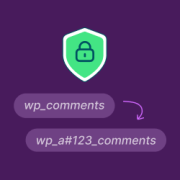
Whenever I set up a new WordPress site, changing the default wp_ database prefix is my first task. It is a quick security trick that many beginners miss, but it makes a massive difference in keeping your hard work safe. Hackers know that most WordPress… Read More »
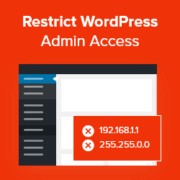
Most people don’t think about securing their WordPress admin area until it’s too late. We’ve helped users recover from attacks where the WordPress admin area was left wide open. That’s why we recommend restricting admin area access by IP. It’s a technique we’ve used on… Read More »
Used to store interaction and conversion data for campaigns in conjunction with Revenue Attribution.
1 year
_gat_omTracker*
Set, controlled and used by Google Analytics to collect and store data and then send that data to Google Analytics. OptinMonster provides the name if there is no existing tracker found on that page.
-
omCountdown-{id}-{elementId}
Used for countdown elements {elementId} in campaigns {id} to determine when it should complete.
-
om-{id}-closed / omSlideClosed-{id}
Used specifically with slide-in campaigns {id} to determine if it has been closed or not by a visitor.
30 days
om-success-cookie / omSuccessCookie
Used to determine if a visitor has successfully opted in to any campaign on your site to unlock content when using our Content Locking feature.
365 days
om-success-{id} / omSuccess-{id}
Used to determine if a visitor has successfully opted in to a campaign with the ID of {id} on your site.
365 days
omSeen-{id}
Used to determine if a visitor has been shown a campaign by the slug.
30 days
om-{id}
Used to determine if a visitor has interacted with a campaign ID of {id} on your site.
30 days
_omappvs
Used to determine when a new visitor becomes a returning visitor.