WPBeginner WordPress tutorials help you learn WordPress, so you can improve your website. Our step by step WordPress tutorials are easy to understand and will help you follow the WordPress best practices. Don't waste your time buying WordPress books or outdated WordPress tutorial PDFs that cover just the basics. Our WordPress tutorials are written by experts with 15+ years of WordPress experience, and it contains real-life examples and tips that allows you to learn WordPress faster. We also keep our tutorials up to date.
You can find our other latest free WordPress tutorials below, and you can always use the search feature on our site to find helpful WordPress tutorials faster.
If you don't see a WordPress tutorial that you're looking for, then please reach out to your team and let us know. All our WordPress tutorial ideas are suggested by our users over the last 13+ years.
Starting an online store in 2026 doesn’t require technical expertise or business experience – we know because we’ve helped countless beginners build successful shops. WordPress makes it easier than ever to create your first online store, even if you don’t have any experience with web… Read More »
Did you just start a blog and want to submit it to Apple News? By becoming an Apple News publisher, you can monetize your news channel while giving your readers the ability to read your blog alongside with their other favorite websites from a single… Read More »
Building an email list is essential for any WordPress website, but connecting forms to your email marketing service can sometimes feel challenging. If that sounds familiar, you’re not alone — many WordPress users have faced the same struggle. The good news is that Constant Contact… Read More »
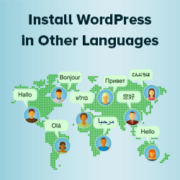
At WPBeginner, we often hear from users who feel intimidated by WordPress because they think it’s only available in English. However, many WordPress beginners don’t realize they can easily install WordPress in other languages. In fact, WordPress supports over 130 languages, making it very accessible… Read More »
Sometimes, you outgrow your website. Maybe you started a personal blog years ago and don’t post anymore, or you built a test site that you no longer need. In other cases, a business may close down, and there’s no reason to keep the site online.… Read More »
Ever wished you could create your own formatting buttons in WordPress, like a special note style or branded quote format? That’s exactly what custom styles do. I’ve spent considerable time testing different approaches to custom styles in WordPress, from simple CSS additions to more advanced… Read More »
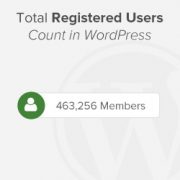
Showing the total number of registered users on your WordPress site is a super easy way to boost social proof and credibility. When potential users see a growing community, they’re more likely to join in. Unfortunately, WordPress doesn’t offer a beginner-friendly way to show this… Read More »
Seeing website visitors leave and never return can feel incredibly discouraging. It takes hard work to get traffic, and losing those people means missing out on potential subscribers and customers. Fortunately, web push notifications offer a highly effective way to bring those visitors back. These… Read More »
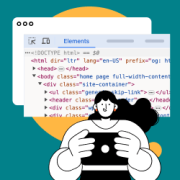
Many of us are curious about understanding a website’s design without the risk of making permanent changes. The Inspect Element tool is a browser feature made for this purpose, allowing you to make temporary changes directly in your browser. It also helps developers debug code… Read More »
If you run a multi-author website, then allowing users to subscribe to their favorite writers can increase author visibility and user engagement. Additionally, it enables you to build a more targeted audience for each author. This can be valuable for marketing efforts, as you can… Read More »
Used to store interaction and conversion data for campaigns in conjunction with Revenue Attribution.
1 year
_gat_omTracker*
Set, controlled and used by Google Analytics to collect and store data and then send that data to Google Analytics. OptinMonster provides the name if there is no existing tracker found on that page.
-
omCountdown-{id}-{elementId}
Used for countdown elements {elementId} in campaigns {id} to determine when it should complete.
-
om-{id}-closed / omSlideClosed-{id}
Used specifically with slide-in campaigns {id} to determine if it has been closed or not by a visitor.
30 days
om-success-cookie / omSuccessCookie
Used to determine if a visitor has successfully opted in to any campaign on your site to unlock content when using our Content Locking feature.
365 days
om-success-{id} / omSuccess-{id}
Used to determine if a visitor has successfully opted in to a campaign with the ID of {id} on your site.
365 days
omSeen-{id}
Used to determine if a visitor has been shown a campaign by the slug.
30 days
om-{id}
Used to determine if a visitor has interacted with a campaign ID of {id} on your site.
30 days
_omappvs
Used to determine when a new visitor becomes a returning visitor.