WPBeginner WordPress tutorials help you learn WordPress, so you can improve your website. Our step by step WordPress tutorials are easy to understand and will help you follow the WordPress best practices. Don't waste your time buying WordPress books or outdated WordPress tutorial PDFs that cover just the basics. Our WordPress tutorials are written by experts with 15+ years of WordPress experience, and it contains real-life examples and tips that allows you to learn WordPress faster. We also keep our tutorials up to date.
You can find our other latest free WordPress tutorials below, and you can always use the search feature on our site to find helpful WordPress tutorials faster.
If you don't see a WordPress tutorial that you're looking for, then please reach out to your team and let us know. All our WordPress tutorial ideas are suggested by our users over the last 13+ years.
RSS makes it easy to automatically pull content from other sites and display it on yours. It is a great way to keep your readers engaged with fresh, relevant information. By displaying RSS feeds, you can automatically feature news, updates, or articles from other sources,… Read More »
Want to add text to your WordPress images? Those attractive titles and quotes you see layered over photos can really make your content stand out. It’s called a text overlay, and it’s a great way to make your images more engaging. If you’ve been wondering… Read More »
Whether you’re organizing an event, running a contest, or collecting survey responses, managing form entries in WordPress is super important. Sometimes, you may need to limit the number of entries to prevent overwhelming your system or to meet specific guidelines. For instance, you might have… Read More »
Would you prefer to eat at an empty restaurant or one that is buzzing with happy customers? Most people would choose the busy one, and the same principle applies to your website. That’s why, at WPBeginner, we display our readership statistics as social proof. This… Read More »
Custom post types are essential for organizing and displaying diverse content like portfolios, testimonials, and products. However, by default, WordPress search results may not include custom post types, potentially leaving valuable content undiscovered. At WPBeginner, we know how important it is to make your entire… Read More »
Want to boost your online store’s sales without spending a fortune? Gift cards could be exactly what you need. They’re more than just store credit – they help attract new customers and keep your current ones shopping with you. We’ve built lots of online stores… Read More »
If you have added multiple bloggers to your site, then a blog post checklist can help ensure everyone writes in the same style and remembers all the important details. ✔ At WPBeginner, we use a blog post checklist ourselves, and it has helped us maintain… Read More »
When visitors use your WordPress website’s search bar, they expect to find helpful, relevant content. But if the results are empty, or worse, completely off target, they may get frustrated and leave your site to find answers elsewhere. That’s why it’s important to fix it… Read More »
Have you ever read a blog post and wanted an easy way to jump to the next one? That is where the next/previous links come in handy. These simple navigation links keep readers engaged by guiding them to more content on your site without making… Read More »
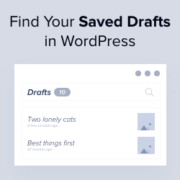
Have you ever written a great blog post, but then couldn’t find it in WordPress? This happens to many people, and it can be very frustrating. Since we run a WordPress blog, we know this problem all too well. Thankfully, we’ve learned some good ways… Read More »
Used to store interaction and conversion data for campaigns in conjunction with Revenue Attribution.
1 year
_gat_omTracker*
Set, controlled and used by Google Analytics to collect and store data and then send that data to Google Analytics. OptinMonster provides the name if there is no existing tracker found on that page.
-
omCountdown-{id}-{elementId}
Used for countdown elements {elementId} in campaigns {id} to determine when it should complete.
-
om-{id}-closed / omSlideClosed-{id}
Used specifically with slide-in campaigns {id} to determine if it has been closed or not by a visitor.
30 days
om-success-cookie / omSuccessCookie
Used to determine if a visitor has successfully opted in to any campaign on your site to unlock content when using our Content Locking feature.
365 days
om-success-{id} / omSuccess-{id}
Used to determine if a visitor has successfully opted in to a campaign with the ID of {id} on your site.
365 days
omSeen-{id}
Used to determine if a visitor has been shown a campaign by the slug.
30 days
om-{id}
Used to determine if a visitor has interacted with a campaign ID of {id} on your site.
30 days
_omappvs
Used to determine when a new visitor becomes a returning visitor.