WPBeginner WordPress tutorials help you learn WordPress, so you can improve your website. Our step by step WordPress tutorials are easy to understand and will help you follow the WordPress best practices. Don't waste your time buying WordPress books or outdated WordPress tutorial PDFs that cover just the basics. Our WordPress tutorials are written by experts with 15+ years of WordPress experience, and it contains real-life examples and tips that allows you to learn WordPress faster. We also keep our tutorials up to date.
You can find our other latest free WordPress tutorials below, and you can always use the search feature on our site to find helpful WordPress tutorials faster.
If you don't see a WordPress tutorial that you're looking for, then please reach out to your team and let us know. All our WordPress tutorial ideas are suggested by our users over the last 13+ years.
Food bloggers often ask us about features that make the biggest difference for their readers. After observing many food blogs over the years, we’ve found that adding a jump to recipe button is one of the most effective improvements you can make. It’s a small… Read More »
Just like many of you, we’ve faced our share of plugin conflicts in WordPress. From broken layouts to mysterious error messages, we’ve seen it all. Recently, one of our friends shared a story that hit close to home. Her new newsletter popup plugin worked perfectly… Read More »
Over the years, we’ve refreshed the design and added new features across WPBeginner and our other websites. And every time we make major updates, we make sure visitors see a helpful maintenance page letting them know the site will be back soon. A good maintenance… Read More »
In the 15+ years WPBeginner has been around, we found there are few things more frustrating than discovering that someone is stealing your content without permission and displaying it on their own website. These individuals may monetize your hard work or divert your audience to… Read More »
When a routine update suddenly freezes your site and puts WordPress into maintenance mode, it can feel like everything is stuck. Many site owners panic when they can’t access their dashboard – especially during busy hours or important updates. The good news is that this… Read More »
Many users now want to move away from Webflow because of its high costs and limited flexibility for website owners. Migrating from Webflow to WordPress can seem complicated, but it’s worth it. WordPress is flexible, more affordable, and offers many customization options through plugins and… Read More »
If your SSL certificate expires, then users will see a warning message in their browsers telling them that your site may be unsafe. This is bad for your site’s user experience and search engine rankings. That’s why we recommend always having an up-to-date SSL certificate… Read More »
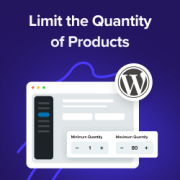
Ever noticed how some online stores seem to have the perfect balance – customers buy just the right amounts, popular items stay in stock longer, and everything runs smoothly? That’s not luck. It’s smart quantity management at work. Setting purchase limits might seem like a… Read More »
Running a WordPress agency means balancing two big tasks: keeping client sites running smoothly and clearly showing the work you do behind the scenes. The tricky part? Clients don’t always notice the updates, security checks, and performance tweaks that keep their website healthy — they… Read More »
Running into the “WordPress Database Error Disk Full” issue can be frustrating, especially when it prevents your site from functioning properly. This error usually happens when your server’s disk space is full, preventing WordPress from accessing or saving essential database files, which can slow down… Read More »
Used to store interaction and conversion data for campaigns in conjunction with Revenue Attribution.
1 year
_gat_omTracker*
Set, controlled and used by Google Analytics to collect and store data and then send that data to Google Analytics. OptinMonster provides the name if there is no existing tracker found on that page.
-
omCountdown-{id}-{elementId}
Used for countdown elements {elementId} in campaigns {id} to determine when it should complete.
-
om-{id}-closed / omSlideClosed-{id}
Used specifically with slide-in campaigns {id} to determine if it has been closed or not by a visitor.
30 days
om-success-cookie / omSuccessCookie
Used to determine if a visitor has successfully opted in to any campaign on your site to unlock content when using our Content Locking feature.
365 days
om-success-{id} / omSuccess-{id}
Used to determine if a visitor has successfully opted in to a campaign with the ID of {id} on your site.
365 days
omSeen-{id}
Used to determine if a visitor has been shown a campaign by the slug.
30 days
om-{id}
Used to determine if a visitor has interacted with a campaign ID of {id} on your site.
30 days
_omappvs
Used to determine when a new visitor becomes a returning visitor.