Post formats is one of the exciting features that are coming in WordPress 3.1. But most beginners have no idea what are post formats, why should they matter to you, and how you can take advantage of this awesome feature.
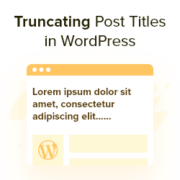
When we launched our first content-heavy WordPress site, we never thought blog post titles would be a problem. Some of our longer titles were breaking our beautiful layout, while others just looked messy on mobile devices. Through years of managing multiple WordPress sites and helping… Read More »
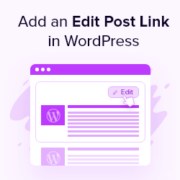
Majority of the top themes have the quick edit button included, but there are still theme designers that fail to include this simple feature in a theme. In this article, we will show you how you can add a quick edit button in your WordPress posts and comments.
WordPress 3.0 introduces a new feature called custom backgrounds for WordPress themes. This feature will give the user an ability to add custom backgrounds to their site which will give their blogs/sites a unique touch. Even though this feature is added to the core, it will only be activated if your theme supports it. In this article, we will show you how you can enable Custom Background in WordPress themes for WordPress 3.0.
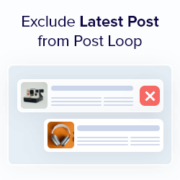
When we help users set up their WordPress blogs, we often get asked about customizing the layout, especially how to make the latest post really stand out. Sometimes, you don’t want that newest post to just blend in with the rest of the blog feed.… Read More »
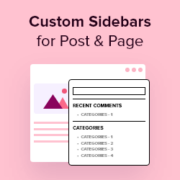
Do you want to show different content in your WordPress sidebar for certain posts and pages? A standard, one-size-fits-all sidebar is often a missed opportunity. By customizing the sidebar for specific content, you can boost user engagement and increase conversions. While this sounds technical, we’ve… Read More »
When we build WordPress sites for clients, we often add custom widgets to the dashboard. It’s a simple way to show helpful notes, links, or instructions right where the user logs in. The default dashboard doesn’t always show the information people actually need. That’s why… Read More »
Do you want to display a list of related posts on your WordPress website and prefer to use code rather than a plugin? At WPBeginner, we often stress the importance of engaging your audience and keeping them exploring your content. One effective strategy we’ve seen… Read More »
Excerpts give visitors a short preview of your content, helping them quickly understand what each post is about and encouraging them to click through to read more. They’re especially helpful on blog listings, archive pages, and search results. Displaying post excerpts can also make your… Read More »
Used to store interaction and conversion data for campaigns in conjunction with Revenue Attribution.
1 year
_gat_omTracker*
Set, controlled and used by Google Analytics to collect and store data and then send that data to Google Analytics. OptinMonster provides the name if there is no existing tracker found on that page.
-
omCountdown-{id}-{elementId}
Used for countdown elements {elementId} in campaigns {id} to determine when it should complete.
-
om-{id}-closed / omSlideClosed-{id}
Used specifically with slide-in campaigns {id} to determine if it has been closed or not by a visitor.
30 days
om-success-cookie / omSuccessCookie
Used to determine if a visitor has successfully opted in to any campaign on your site to unlock content when using our Content Locking feature.
365 days
om-success-{id} / omSuccess-{id}
Used to determine if a visitor has successfully opted in to a campaign with the ID of {id} on your site.
365 days
omSeen-{id}
Used to determine if a visitor has been shown a campaign by the slug.
30 days
om-{id}
Used to determine if a visitor has interacted with a campaign ID of {id} on your site.
30 days
_omappvs
Used to determine when a new visitor becomes a returning visitor.