The most experienced team of WordPress experts and educators.
Over 16+ years of WordPress and web development experience.
The team that advises some of the largest WordPress plugins in the industry used by over 25 million websites.
Led by WPBeginner founder, Syed Balkhi, a well-respected WordPress expert.
Experience
Our editorial staff includes a dedicated team of programmers, writers, video creators, and editors with over 16 years of experience in WordPress, web hosting, eCommerce, SEO, and online marketing.
Our editorial team manages every piece of content we publish at WPBeginner. Unlike other copycat tutorial websites, every person in our team is a true WordPress practitioner. You can learn more about our Editorial Process here.
The team is led by the most well-known and well-respected WordPress expert in the world, Syed Balkhi. He graduated from University of Florida and have been building WordPress websites since 2006.
Syed is also the founder of some of the most popular WordPress plugins in the market.
About WPBeginner
WPBeginner is the largest free WordPress resource for beginners to learn WordPress. We are part of the Awesome Motive family and reach over 100 million visitors every year. Our content is fact checked and reviewed by our Editorial team for accuracy and integrity. You can learn more about us and our editorial process.
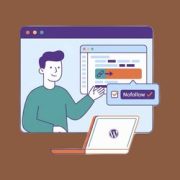
At WPBeginner, one of the most common SEO questions we get from beginners is how to add a nofollow link in WordPress, and whether getting it wrong can hurt their website. It can’t, as long as you know the few places where it actually matters.… Read More »
Ever get frustrated hunting for buttons and options while writing blog posts? We sure did when we first started with WordPress. It felt like playing hide and seek with the post editor! The good news is that you can rearrange the post edit screen in WordPress exactly… Read More »
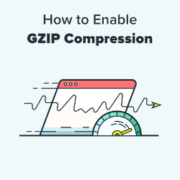
Do you want to enable GZIP compression in WordPress? GZIP compression makes your website faster by compressing the data and delivering it to the user’s browsers much quicker. A faster website improves user experience and brings in more sales and conversions for your business. In… Read More »
Did you know that using push notifications is one of the most effective ways to get visitors back to your website? Web push notifications are a powerful tool for connecting with visitors after they leave your site. They allow you to send targeted messages to… Read More »
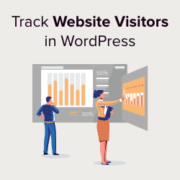
Imagine trying to navigate a vast ocean without a compass. That’s what running a website without visitor tracking feels like. Tracking the number of website visitors on your site can help you get insights to grow your business. You can better understand your audience by… Read More »
Do you want to import and export WordPress users from one website to another? This could be really helpful if you’re merging multiple sites and want to quickly move all your users. It’s also an easy way to add customer information to a new tool… Read More »
You pour hours into creating valuable content for your audience. The last thing you want is for someone to steal it. This is a major concern for many creators, leading them to ask for ways to protect their work in WordPress. Recently, one of our… Read More »
I still remember trying to sell a unique piece of furniture online, but standard photos just couldn’t do it justice. Potential buyers wanted to see every single angle before making a decision. You might worry that adding 360-degree images requires expensive software or will slow… Read More »
Our readers have often asked us about the best GDPR plugins for WordPress that can improve compliance. To help them, we downloaded the most popular GDPR plugins and used them to make our real websites GDPR-compliant. After much trial and error, we realized that not… Read More »
Seeingthe “updating failed” or “publishing failed” message on your WordPress website stops your work in its tracks. Everything seems to be going smoothly, and then, out of nowhere, an error message disrupts your workflow. We’ve been there and understand the confusion that comes with it.… Read More »
Used to store interaction and conversion data for campaigns in conjunction with Revenue Attribution.
1 year
_gat_omTracker*
Set, controlled and used by Google Analytics to collect and store data and then send that data to Google Analytics. OptinMonster provides the name if there is no existing tracker found on that page.
-
omCountdown-{id}-{elementId}
Used for countdown elements {elementId} in campaigns {id} to determine when it should complete.
-
om-{id}-closed / omSlideClosed-{id}
Used specifically with slide-in campaigns {id} to determine if it has been closed or not by a visitor.
30 days
om-success-cookie / omSuccessCookie
Used to determine if a visitor has successfully opted in to any campaign on your site to unlock content when using our Content Locking feature.
365 days
om-success-{id} / omSuccess-{id}
Used to determine if a visitor has successfully opted in to a campaign with the ID of {id} on your site.
365 days
omSeen-{id}
Used to determine if a visitor has been shown a campaign by the slug.
30 days
om-{id}
Used to determine if a visitor has interacted with a campaign ID of {id} on your site.
30 days
_omappvs
Used to determine when a new visitor becomes a returning visitor.