The most experienced team of WordPress experts and educators.
Over 16+ years of WordPress and web development experience.
The team that advises some of the largest WordPress plugins in the industry used by over 25 million websites.
Led by WPBeginner founder, Syed Balkhi, a well-respected WordPress expert.
Experience
Our editorial staff includes a dedicated team of programmers, writers, video creators, and editors with over 16 years of experience in WordPress, web hosting, eCommerce, SEO, and online marketing.
Our editorial team manages every piece of content we publish at WPBeginner. Unlike other copycat tutorial websites, every person in our team is a true WordPress practitioner. You can learn more about our Editorial Process here.
The team is led by the most well-known and well-respected WordPress expert in the world, Syed Balkhi. He graduated from University of Florida and have been building WordPress websites since 2006.
Syed is also the founder of some of the most popular WordPress plugins in the market.
About WPBeginner
WPBeginner is the largest free WordPress resource for beginners to learn WordPress. We are part of the Awesome Motive family and reach over 100 million visitors every year. Our content is fact checked and reviewed by our Editorial team for accuracy and integrity. You can learn more about us and our editorial process.
Many websites use a scrolling line of text at the top of the page to call attention to important updates, like sales, announcements, or breaking news. This feature, often called a news ticker, is an easy way to make sure key messages get seen without… Read More »
Have you ever spotted websites with uniquely styled first and last menu items? That’s not by chance – it’s clever CSS at work. This technique can highlight important links, like your contact page or a special offer. Many of our readers have tried adding custom… Read More »
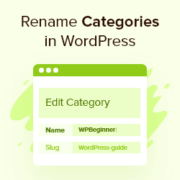
Want to rename categories in WordPress but worried about broken links or lost SEO rankings? Many WordPress users put off this task for exactly that reason. It’s a valid concern, and we’ve certainly seen the 404 errors that can pop up when this process is… Read More »
You sent the perfect welcome email to your new users and subscribers, but it went to the spam folder. This is a frustrating problem for many WordPress users, and we’ve even faced it ourselves. Now, you need to make sure those welcome emails actually reach… Read More »
There’s nothing more confusing than updating your website, hitting refresh, and seeing absolutely nothing change. We’ve been there, and that moment of panic is exactly why mastering your site’s cache is so important for any WordPress user. An outdated cache can mean your visitors see… Read More »
“Your site doesn’t meet our technical requirements.” We remember staring at that frustrating message, feeling completely stuck trying to get our first site listed in Google News. It felt like a technical puzzle we just couldn’t solve. But after finally cracking the code, we saw… Read More »
When we started WPBeginner back in 2009, we chose WordPress because it gave us complete control over our content. But lately, many of our readers have been asking about Substack, especially since it’s become such a popular platform for writers and creators. After spending countless… Read More »
Looking for the best Black Friday and Cyber Monday deals on your favorite WordPress products? The next few days are the perfect time to buy premium WordPress plugins, themes, web hosting, and tools to grow your business. As always, to help you find the best… Read More »
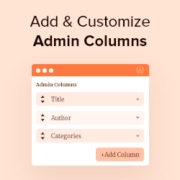
Are you looking for a way to add and customize admin columns in WordPress? By default, the WordPress dashboard has columns for posts, pages, comments, users, and more. However, you may be able to work faster and improve the editorial flow by creating your own… Read More »
By default, WordPress displays the ten latest posts in the RSS feed. Adjusting this number can help tailor the feed to your audience’s needs. You can manage content visibility by controlling the number of posts in the feed. It also ensures readers see the most… Read More »
Used to store interaction and conversion data for campaigns in conjunction with Revenue Attribution.
1 year
_gat_omTracker*
Set, controlled and used by Google Analytics to collect and store data and then send that data to Google Analytics. OptinMonster provides the name if there is no existing tracker found on that page.
-
omCountdown-{id}-{elementId}
Used for countdown elements {elementId} in campaigns {id} to determine when it should complete.
-
om-{id}-closed / omSlideClosed-{id}
Used specifically with slide-in campaigns {id} to determine if it has been closed or not by a visitor.
30 days
om-success-cookie / omSuccessCookie
Used to determine if a visitor has successfully opted in to any campaign on your site to unlock content when using our Content Locking feature.
365 days
om-success-{id} / omSuccess-{id}
Used to determine if a visitor has successfully opted in to a campaign with the ID of {id} on your site.
365 days
omSeen-{id}
Used to determine if a visitor has been shown a campaign by the slug.
30 days
om-{id}
Used to determine if a visitor has interacted with a campaign ID of {id} on your site.
30 days
_omappvs
Used to determine when a new visitor becomes a returning visitor.