The most experienced team of WordPress experts and educators.
Over 16+ years of WordPress and web development experience.
The team that advises some of the largest WordPress plugins in the industry used by over 25 million websites.
Led by WPBeginner founder, Syed Balkhi, a well-respected WordPress expert.
Experience
Our editorial staff includes a dedicated team of programmers, writers, video creators, and editors with over 16 years of experience in WordPress, web hosting, eCommerce, SEO, and online marketing.
Our editorial team manages every piece of content we publish at WPBeginner. Unlike other copycat tutorial websites, every person in our team is a true WordPress practitioner. You can learn more about our Editorial Process here.
The team is led by the most well-known and well-respected WordPress expert in the world, Syed Balkhi. He graduated from University of Florida and have been building WordPress websites since 2006.
Syed is also the founder of some of the most popular WordPress plugins in the market.
About WPBeginner
WPBeginner is the largest free WordPress resource for beginners to learn WordPress. We are part of the Awesome Motive family and reach over 100 million visitors every year. Our content is fact checked and reviewed by our Editorial team for accuracy and integrity. You can learn more about us and our editorial process.
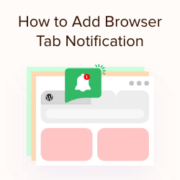
Browser tab notifications are one of those simple but effective features that quietly keep visitors engaged and encourage them to come back. For example, many eCommerce sites use this to gently remind users to return and complete their purchase when they switch tabs. It’s subtle, non-intrusive,… Read More »
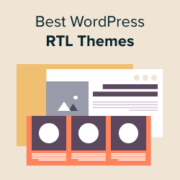
RTL (Right to Left) WordPress themes are built specifically for languages that read from right to left, such as Arabic, Hebrew, Farsi (Persian), Urdu, and more. Without proper RTL support, layouts can feel awkward, navigation can break, and the overall user experience can suffer. At… Read More »
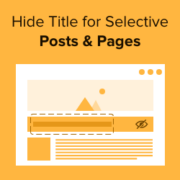
Do you want to hide the title for selective WordPress posts and pages? Titles can be helpful for both search engines and visitors, but not every page needs to display a title depending on its design. In this article, we will show you how to… Read More »
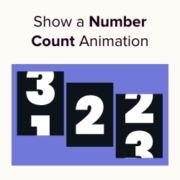
Chances are, your website has impressive numbers to share, like customer count, years of experience, successful projects, or awards won. The challenge is making visitors actually notice and care about these achievements instead of scrolling right past them. That’s where animated number counters shine. When… Read More »
One simple truth about successful WordPress sites: making it easy for visitors to engage with your content is key to growth. Yet so many site owners overlook something as simple as adding a Facebook Like button. While it might seem like a small addition, it’s… Read More »
Choosing the right tool to build your website is crucial. WordPress is known for powering over 43% of all websites, highlighting its popularity and robust features. GoDaddy’s website builder is also a popular choice, and it is known for its simplicity and quick setup. This… Read More »
Recently, a reader came to us with an interesting problem: they wanted to show ads to free users while giving paid subscribers an ad-free experience on their WordPress site. As WordPress developers who’ve been building sites for over a decade, we knew this was a… Read More »
At WPBeginner, we have helped countless readers customize their WordPress sites to improve the user experience, boost branding, and drive conversions. And we have seen that when done right, a one-of-a-kind navigation menu can help increase engagement and keep people on your site longer. The… Read More »
Are you frustrated watching visitors read your WordPress content but never interact with it? You know people are engaging with your posts, the analytics prove it, but getting them to leave comments or share feedback feels nearly impossible. Luckily, there’s a simple fix that actually… Read More »
Want to know what your readers really think about your website? A survey lets you ask them directly, whether you’re looking for feedback on your content, ideas for new features, or ways to improve their experience. We’ve been running surveys on WPBeginner for more than… Read More »
Used to store interaction and conversion data for campaigns in conjunction with Revenue Attribution.
1 year
_gat_omTracker*
Set, controlled and used by Google Analytics to collect and store data and then send that data to Google Analytics. OptinMonster provides the name if there is no existing tracker found on that page.
-
omCountdown-{id}-{elementId}
Used for countdown elements {elementId} in campaigns {id} to determine when it should complete.
-
om-{id}-closed / omSlideClosed-{id}
Used specifically with slide-in campaigns {id} to determine if it has been closed or not by a visitor.
30 days
om-success-cookie / omSuccessCookie
Used to determine if a visitor has successfully opted in to any campaign on your site to unlock content when using our Content Locking feature.
365 days
om-success-{id} / omSuccess-{id}
Used to determine if a visitor has successfully opted in to a campaign with the ID of {id} on your site.
365 days
omSeen-{id}
Used to determine if a visitor has been shown a campaign by the slug.
30 days
om-{id}
Used to determine if a visitor has interacted with a campaign ID of {id} on your site.
30 days
_omappvs
Used to determine when a new visitor becomes a returning visitor.