The most experienced team of WordPress experts and educators.
Over 16+ years of WordPress and web development experience.
The team that advises some of the largest WordPress plugins in the industry used by over 25 million websites.
Led by WPBeginner founder, Syed Balkhi, a well-respected WordPress expert.
Experience
Our editorial staff includes a dedicated team of programmers, writers, video creators, and editors with over 16 years of experience in WordPress, web hosting, eCommerce, SEO, and online marketing.
Our editorial team manages every piece of content we publish at WPBeginner. Unlike other copycat tutorial websites, every person in our team is a true WordPress practitioner. You can learn more about our Editorial Process here.
The team is led by the most well-known and well-respected WordPress expert in the world, Syed Balkhi. He graduated from University of Florida and have been building WordPress websites since 2006.
Syed is also the founder of some of the most popular WordPress plugins in the market.
About WPBeginner
WPBeginner is the largest free WordPress resource for beginners to learn WordPress. We are part of the Awesome Motive family and reach over 100 million visitors every year. Our content is fact checked and reviewed by our Editorial team for accuracy and integrity. You can learn more about us and our editorial process.
Everybody knows that internal linking is good for SEO. It is also good for user experience because it helps the user relate to what is being talked about in a specific article. Ever since WordPress 3.1 introduced internal linking, like many others we have found… Read More »
A little over a week ago, WordPress 3.2 was released. In that release, there were some server incompatibility issues with JSON. This is the main reason why this maintenance release came so fast in which the core team has addressed the JSON issue, and made… Read More »
On July 4th, the independence day of United States of America, Matt Mullenweg announced the release of the most anticipated WordPress 3.2 which was named after George Gershwin. You all should have already upgraded by now, but for those of you who were enjoying the… Read More »
You know when you need to display a WordPress post only if it has a specific custom field? We’ve been there. When we first started with WordPress, seeing any code snippet felt intimidating, especially when all we wanted was to display posts with specific information. But… Read More »
Ever tried adding more than one gallery to a WordPress page, only to find the default options clunky and limited? The built-in Gallery block works for simple setups, but it quickly falls short when you want multiple galleries or more control over their design. That’s… Read More »
As WordPress has evolved from a simple blogging platform to a powerful content management system, we’ve seen countless websites struggle with real-time content delivery. Especially when it comes to live events, breaking news, or ongoing coverage. Through our work with news organizations and media companies,… Read More »
You’ve done it! Your WordPress plugin is ready to go. Now you’re probably wondering how to get it to the plugin repository so that thousands of WordPress users can discover and use it. At WPBeginner, we maintain several popular WordPress plugins in the official directory.… Read More »
Like we did with WordPress 3.1, we are here again to keep you updated with what might be coming ahead in WordPress 3.2. After the delayed release of WordPress 3.1, the goal in the future is to have faster release cycles. Mark Jaquith has taken… Read More »
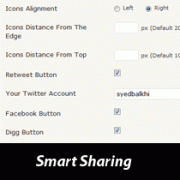
You probably notice that WPBeginner has a floating share box on all posts. We released a plugin over a year ago known as Smart Sharing. Smart Sharing plugin lets you maximize the power of your current readership to get you more votes in social media.… Read More »
Ryan Boren announced that WordPress 3.1.2, a security release for all previous WordPress versions is now available. It is highly recommended that you update your blogs if you have multiple users registered. The issue was discovered by the famous Andrew Nacin, and Benjamin Balter. The… Read More »
Used to store interaction and conversion data for campaigns in conjunction with Revenue Attribution.
1 year
_gat_omTracker*
Set, controlled and used by Google Analytics to collect and store data and then send that data to Google Analytics. OptinMonster provides the name if there is no existing tracker found on that page.
-
omCountdown-{id}-{elementId}
Used for countdown elements {elementId} in campaigns {id} to determine when it should complete.
-
om-{id}-closed / omSlideClosed-{id}
Used specifically with slide-in campaigns {id} to determine if it has been closed or not by a visitor.
30 days
om-success-cookie / omSuccessCookie
Used to determine if a visitor has successfully opted in to any campaign on your site to unlock content when using our Content Locking feature.
365 days
om-success-{id} / omSuccess-{id}
Used to determine if a visitor has successfully opted in to a campaign with the ID of {id} on your site.
365 days
omSeen-{id}
Used to determine if a visitor has been shown a campaign by the slug.
30 days
om-{id}
Used to determine if a visitor has interacted with a campaign ID of {id} on your site.
30 days
_omappvs
Used to determine when a new visitor becomes a returning visitor.