The most experienced team of WordPress experts and educators.
Over 16+ years of WordPress and web development experience.
The team that advises some of the largest WordPress plugins in the industry used by over 25 million websites.
Led by WPBeginner founder, Syed Balkhi, a well-respected WordPress expert.
Experience
Our editorial staff includes a dedicated team of programmers, writers, video creators, and editors with over 16 years of experience in WordPress, web hosting, eCommerce, SEO, and online marketing.
Our editorial team manages every piece of content we publish at WPBeginner. Unlike other copycat tutorial websites, every person in our team is a true WordPress practitioner. You can learn more about our Editorial Process here.
The team is led by the most well-known and well-respected WordPress expert in the world, Syed Balkhi. He graduated from University of Florida and have been building WordPress websites since 2006.
Syed is also the founder of some of the most popular WordPress plugins in the market.
About WPBeginner
WPBeginner is the largest free WordPress resource for beginners to learn WordPress. We are part of the Awesome Motive family and reach over 100 million visitors every year. Our content is fact checked and reviewed by our Editorial team for accuracy and integrity. You can learn more about us and our editorial process.
Recently one of our users asked us what is Markdown? They heard about it from a friend who used Ghost blogging platform. Markdown is a simple markup language that converts plain text into HTML. Think of it as a much simpler text editor. In this… Read More »
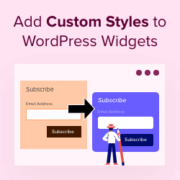
Building WordPress sites has taught us that small details make big differences. Custom widget styling can transform good websites into great ones. At WPBeginner, we make every element work together. Take our sidebar widgets, for example. We’ve customized their appearance to highlight important resources and… Read More »
Want an easy way to make your WordPress page lists more engaging? Adding thumbnails is a simple yet effective technique for boosting visual appeal and improving site navigation. Displaying featured images next to your page titles gives your visitors more information about the content, so they’re… Read More »
If you’re still using PowerPoint for your business presentations, you’re probably spending too much time fighting with formatting instead of focusing on your message. We’ve noticed how presentations often break during sharing, formatting gets messed up between different versions, and simple updates turn into time-consuming… Read More »
By default, WordPress lists your pages in alphabetical order, both in the back-end admin and on the front-end of your website. But if you want them in a different order, then you’ll need to change it yourself. WordPress offers some built-in ways to do this,… Read More »
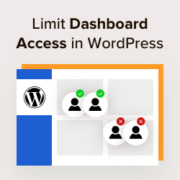
When a user creates an account on a WordPress site, they automatically get access to your WordPress admin area. However, this level of openness may not be ideal for your website. In many cases, you need to be careful about who can see and modify… Read More »
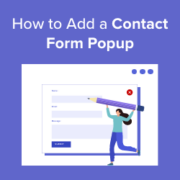
Ever watched visitors browse your site, only to leave without getting in touch? It’s frustrating, especially when you know they’re interested but can’t seem to connect. A simple, well-timed popup can make all the difference. 💡 When placed thoughtfully, it puts your contact form right… Read More »
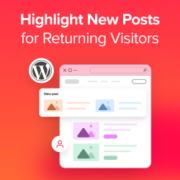
Your returning visitors are your most valuable audience. They’ve already shown interest in your content and are coming back for more. But here’s the thing: when they land on your homepage, they’re looking for one specific thing — what’s new since their last visit. The… Read More »
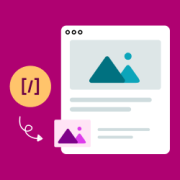
Whether you are a seasoned WordPress user or a complete beginner, using shortcodes can unlock new ways to customize your site without any coding knowledge. Shortcodes allow you to add various functions to posts, pages, and widgets without actually writing any code. Many WordPress plugins… Read More »
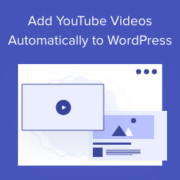
If you’re a YouTube creator, you may be looking for a way to automatically post your videos to WordPress since this can greatly simplify the content creation process. By automating this task, you can save valuable time while expanding your site’s multimedia offerings. Fortunately, there… Read More »
Used to store interaction and conversion data for campaigns in conjunction with Revenue Attribution.
1 year
_gat_omTracker*
Set, controlled and used by Google Analytics to collect and store data and then send that data to Google Analytics. OptinMonster provides the name if there is no existing tracker found on that page.
-
omCountdown-{id}-{elementId}
Used for countdown elements {elementId} in campaigns {id} to determine when it should complete.
-
om-{id}-closed / omSlideClosed-{id}
Used specifically with slide-in campaigns {id} to determine if it has been closed or not by a visitor.
30 days
om-success-cookie / omSuccessCookie
Used to determine if a visitor has successfully opted in to any campaign on your site to unlock content when using our Content Locking feature.
365 days
om-success-{id} / omSuccess-{id}
Used to determine if a visitor has successfully opted in to a campaign with the ID of {id} on your site.
365 days
omSeen-{id}
Used to determine if a visitor has been shown a campaign by the slug.
30 days
om-{id}
Used to determine if a visitor has interacted with a campaign ID of {id} on your site.
30 days
_omappvs
Used to determine when a new visitor becomes a returning visitor.