The most experienced team of WordPress experts and educators.
Over 16+ years of WordPress and web development experience.
The team that advises some of the largest WordPress plugins in the industry used by over 25 million websites.
Led by WPBeginner founder, Syed Balkhi, a well-respected WordPress expert.
Experience
Our editorial staff includes a dedicated team of programmers, writers, video creators, and editors with over 16 years of experience in WordPress, web hosting, eCommerce, SEO, and online marketing.
Our editorial team manages every piece of content we publish at WPBeginner. Unlike other copycat tutorial websites, every person in our team is a true WordPress practitioner. You can learn more about our Editorial Process here.
The team is led by the most well-known and well-respected WordPress expert in the world, Syed Balkhi. He graduated from University of Florida and have been building WordPress websites since 2006.
Syed is also the founder of some of the most popular WordPress plugins in the market.
About WPBeginner
WPBeginner is the largest free WordPress resource for beginners to learn WordPress. We are part of the Awesome Motive family and reach over 100 million visitors every year. Our content is fact checked and reviewed by our Editorial team for accuracy and integrity. You can learn more about us and our editorial process.
In the 15+ years WPBeginner has been around, we found there are few things more frustrating than discovering that someone is stealing your content without permission and displaying it on their own website. These individuals may monetize your hard work or divert your audience to… Read More »
Many beginners skip WordPress maintenance to save money, only to face expensive emergency repairs when their site crashes. It’s a painful lesson that ends up costing far more than a regular maintenance plan. At WPBeginner, we manage a large portfolio of websites and have tested… Read More »
When a routine update suddenly freezes your site and puts WordPress into maintenance mode, it can feel like everything is stuck. Many site owners panic when they can’t access their dashboard – especially during busy hours or important updates. The good news is that this… Read More »
Did you know Google updates its search results around 9 times daily, from changing its rankings to the search interface? Or that keeping visitors on your website just 3 seconds longer can boost your Google rankings? These are just some of the most surprising Google… Read More »
July has been packed with exciting developments in the world of WordPress. Highlights include the release of WordPress 6.6, WPBeginner’s 15th anniversary, and the launch of innovative tools by the WordPress Performance team and WPCode. This month’s news also includes significant acquisitions, such as Awesome… Read More »
Many users now want to move away from Webflow because of its high costs and limited flexibility for website owners. Migrating from Webflow to WordPress can seem complicated, but it’s worth it. WordPress is flexible, more affordable, and offers many customization options through plugins and… Read More »
Ever felt helpless when your WordPress site breaks and you can’t even access the dashboard? Or wished you could fix something quickly without waiting on your hosting provider? That’s where SSH commands become your lifesaver. With SSH, you can handle tasks like troubleshooting, updating files,… Read More »
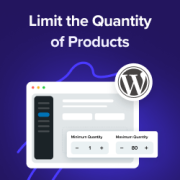
Ever noticed how some online stores seem to have the perfect balance – customers buy just the right amounts, popular items stay in stock longer, and everything runs smoothly? That’s not luck. It’s smart quantity management at work. Limiting purchase quantity in WordPress might seem… Read More »
Running a WordPress agency means balancing two big tasks: keeping client sites running smoothly and clearly showing the work you do behind the scenes. The tricky part? Clients don’t always notice the updates, security checks, and performance tweaks that keep their website healthy — they… Read More »
Today, we are excited to share the latest features in the new WordPress 6.6 release. This version is packed with game-changing features designed to make your site editing faster, stress-free, and easier to manage. You will notice significant improvements in the Block and Site Editor,… Read More »
Used to store interaction and conversion data for campaigns in conjunction with Revenue Attribution.
1 year
_gat_omTracker*
Set, controlled and used by Google Analytics to collect and store data and then send that data to Google Analytics. OptinMonster provides the name if there is no existing tracker found on that page.
-
omCountdown-{id}-{elementId}
Used for countdown elements {elementId} in campaigns {id} to determine when it should complete.
-
om-{id}-closed / omSlideClosed-{id}
Used specifically with slide-in campaigns {id} to determine if it has been closed or not by a visitor.
30 days
om-success-cookie / omSuccessCookie
Used to determine if a visitor has successfully opted in to any campaign on your site to unlock content when using our Content Locking feature.
365 days
om-success-{id} / omSuccess-{id}
Used to determine if a visitor has successfully opted in to a campaign with the ID of {id} on your site.
365 days
omSeen-{id}
Used to determine if a visitor has been shown a campaign by the slug.
30 days
om-{id}
Used to determine if a visitor has interacted with a campaign ID of {id} on your site.
30 days
_omappvs
Used to determine when a new visitor becomes a returning visitor.