The most experienced team of WordPress experts and educators.
Over 16+ years of WordPress and web development experience.
The team that advises some of the largest WordPress plugins in the industry used by over 25 million websites.
Led by WPBeginner founder, Syed Balkhi, a well-respected WordPress expert.
Experience
Our editorial staff includes a dedicated team of programmers, writers, video creators, and editors with over 16 years of experience in WordPress, web hosting, eCommerce, SEO, and online marketing.
Our editorial team manages every piece of content we publish at WPBeginner. Unlike other copycat tutorial websites, every person in our team is a true WordPress practitioner. You can learn more about our Editorial Process here.
The team is led by the most well-known and well-respected WordPress expert in the world, Syed Balkhi. He graduated from University of Florida and have been building WordPress websites since 2006.
Syed is also the founder of some of the most popular WordPress plugins in the market.
About WPBeginner
WPBeginner is the largest free WordPress resource for beginners to learn WordPress. We are part of the Awesome Motive family and reach over 100 million visitors every year. Our content is fact checked and reviewed by our Editorial team for accuracy and integrity. You can learn more about us and our editorial process.
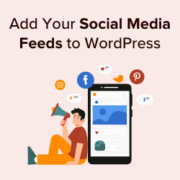
Are you struggling to grow your social media following despite creating great content? The harsh truth is that your website visitors won’t become followers if they can’t see why you’re worth following. At WPBeginner, we’ve found that one of the most effective ways to bridge… Read More »
If you’re new to WordPress, then installing and activating plugins can feel intimidating. The installation process can be confusing if you haven’t done it before. But plugins are what make WordPress so versatile. For example, you could use a plugin to improve your site’s SEO… Read More »
If you’re trying to use regular blog posts for everything – product listings, testimonials, portfolio items – you’ve probably noticed how quickly things become a confusing mess. We’ve been there too. At WPBeginner, we use custom post types for things like our Deals and Glossary… Read More »
WordPress 5.4 is scheduled to be released on March 31, 2020. It will be the first major release of the year and will ship with some significant improvements. We’ve been following the development closely and testing the first beta to try out new features that… Read More »
Picking the right content management system (CMS) can feel overwhelming, and we’ve been there, too. Before WPBeginner became what it is today, our team spent years experimenting with platforms like Joomla, Drupal, and many others across countless projects. That hands-on experience taught us exactly what… Read More »
Improving your WordPress SEO is crucial for getting more traffic to your website. Sadly most WordPress SEO guides are too technical for new users to get started. If you are serious about increasing your website traffic, then you need to pay attention to the WordPress… Read More »
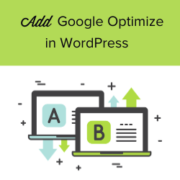
Are you looking to add Google Optimize to your WordPress site? Google Optimize is a free tool by Google that helps website owners optimize their sites by running A/B split tests. It allows you to compare two versions of a page and see which one… Read More »
Many beginners struggle to choose between WordPress.com and WordPress.org. In fact, this is one of the most frequently asked questions by our readers. Due to the similarity of the names, users are not sure what the difference is and which one is better for their… Read More »
If you have recently switched your WordPress theme, then you may want to remove the old one. Unused themes can impact a site’s performance and security, yet many WordPress users don’t realize the potential risks. We’ve helped hundreds of site owners clean up their WordPress… Read More »
A membership site on WordPress gives you a powerful way to sell courses and build a community around your expertise. We’ve been running our own free video membership site for years, and it’s helped many WordPress beginners launch and improve their own websites. When you’re… Read More »
Used to store interaction and conversion data for campaigns in conjunction with Revenue Attribution.
1 year
_gat_omTracker*
Set, controlled and used by Google Analytics to collect and store data and then send that data to Google Analytics. OptinMonster provides the name if there is no existing tracker found on that page.
-
omCountdown-{id}-{elementId}
Used for countdown elements {elementId} in campaigns {id} to determine when it should complete.
-
om-{id}-closed / omSlideClosed-{id}
Used specifically with slide-in campaigns {id} to determine if it has been closed or not by a visitor.
30 days
om-success-cookie / omSuccessCookie
Used to determine if a visitor has successfully opted in to any campaign on your site to unlock content when using our Content Locking feature.
365 days
om-success-{id} / omSuccess-{id}
Used to determine if a visitor has successfully opted in to a campaign with the ID of {id} on your site.
365 days
omSeen-{id}
Used to determine if a visitor has been shown a campaign by the slug.
30 days
om-{id}
Used to determine if a visitor has interacted with a campaign ID of {id} on your site.
30 days
_omappvs
Used to determine when a new visitor becomes a returning visitor.