As the year comes to an end, we’re taking a moment to look back at some of the best tutorials we’ve published on WPBeginner in 2025. While 2025 brought us plenty of exciting WordPress updates and new features, one topic naturally stood out this year:… Read More »
December has been an incredible month for the WordPress community as we wrap up a landmark year. From the excitement of AI developments to the launch of WordPress 6.9, this issue covers the major innovations shaping the future of the web. We are diving into… Read More »
Automating processes on your WordPress website doesn’t have to be complicated. Tools like n8n are powerful, but they often require extra hosting, webhooks, and a lot of technical setup. That’s why many beginners feel stuck before they even get started. The good news is that… Read More »
Managing a WooCommerce store can feel like a lot of busy work. I’ve worked with store owners who spent countless hours writing product descriptions, answering the same customer questions, and trying to make sense of sales data, all while packing and shipping orders. It often… Read More »
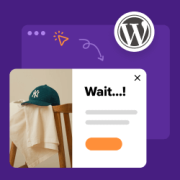
Most visitors will leave your website quietly without signing up, purchasing, or even giving it a second thought. Exit-intent popups change that by catching people right before they close the tab and offering a compelling reason to stay. When used well, they can help you… Read More »
Getting customers to leave reviews isn’t always easy, even when they’re happy with your product or service. Without enough positive reviews, your business can look less trustworthy and may even struggle to rank in local search results. The good news is that you don’t need… Read More »
Ever looked at the search filters on Amazon or Airbnb and wished you could make the content on your own website just as easily discoverable? Imagine if your visitors could simply click a few options in the search filter, like “Price: Low to High,” “Rating:… Read More »
Cart abandonment is one of the most frustrating challenges for any online store owner. You’ve done the hard work to attract shoppers, but many still leave before completing their purchases. One common reason? Shoppers get annoyed when they have to leave the product page just… Read More »
You shouldn’t have to lose control of your donor data and rely on a third-party platform just to create a fundraising campaign. But that’s exactly what happens when you hit ‘launch’ on GoFundMe. Thankfully, there are plenty of GoFundMe alternatives out there. Some let you… Read More »
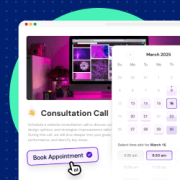
Tired of losing clients because your booking system is clunky, costly, or confusing? Often, it’s because the booking form felt overwhelming, or your scheduling tool sent customers off-site to finish the booking — breaking the flow and costing you conversions. Now imagine an appointment booking… Read More »
Used to store interaction and conversion data for campaigns in conjunction with Revenue Attribution.
1 year
_gat_omTracker*
Set, controlled and used by Google Analytics to collect and store data and then send that data to Google Analytics. OptinMonster provides the name if there is no existing tracker found on that page.
-
omCountdown-{id}-{elementId}
Used for countdown elements {elementId} in campaigns {id} to determine when it should complete.
-
om-{id}-closed / omSlideClosed-{id}
Used specifically with slide-in campaigns {id} to determine if it has been closed or not by a visitor.
30 days
om-success-cookie / omSuccessCookie
Used to determine if a visitor has successfully opted in to any campaign on your site to unlock content when using our Content Locking feature.
365 days
om-success-{id} / omSuccess-{id}
Used to determine if a visitor has successfully opted in to a campaign with the ID of {id} on your site.
365 days
omSeen-{id}
Used to determine if a visitor has been shown a campaign by the slug.
30 days
om-{id}
Used to determine if a visitor has interacted with a campaign ID of {id} on your site.
30 days
_omappvs
Used to determine when a new visitor becomes a returning visitor.