An SEO dashboard acts as your personal command center, giving you a clear view of your website’s SEO health. We use it daily to track our SEO progress, identify areas for improvement, and drive more organic traffic to our sites. Here at WPBeginner, we’re all… Read More »
Getting people to visit your website’s landing page is just half the battle. Once people are on your site, you’ll want them to actually convert. In my years of experience building landing pages, I have learned that intelligent landing page optimization makes a real difference.… Read More »
At WPBeginner, we manage a lot of customer and team emails across different projects and websites. Along the way, we’ve tried many shared inbox tools to find the best ones for ourselves and small businesses in general. Keeping track of your team’s communication can be… Read More »
Running a nonprofit often feels like a constant race to find new donors before resources run dry. Peer-to-peer fundraising solves this by empowering your most loyal supporters to raise money on your behalf. However, setting up the technical side of these individual campaign pages can… Read More »
The theme.json file is an important part of WordPress block themes, controlling many aspects of your site’s appearance and functionality. If you recently switched from a classic theme to a block one, you may be wondering what this file is all about and whether you… Read More »
Writing affiliate product reviews on your WordPress site allows you to earn money online. It can also help your audience make an informed decision about the product that you are reviewing. However, crafting a review that is both authentic and persuasive requires more than just… Read More »
Wouldn’t it be great if you could attract more visitors from around the world to your website and increase traffic? As the president of a popular WordPress SEO plugin, I’ve seen a growing trend toward the need for localization (adapting your content to a specific… Read More »
There’s nothing more frustrating than clicking a link on your own site only to land on a “Page Not Found” error. It’s a small issue that can cause big problems, from confusing your visitors to hurting your hard-earned search engine rankings. Here at WPBeginner, we’ve… Read More »
We’ve developed and launched many successful websites from the ground up. So, we know that whether you’re an experienced WordPress developer or a beginner, having the right development tools can help you customize your site and add different functionality with ease. From our years of… Read More »
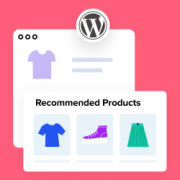
Helping our clients and readers build WordPress eCommerce stores has shown us how valuable smart product recommendations can be. The best stores use them to help customers find items they might not discover through search alone. Many WooCommerce shops recommend similar products, upgraded versions, or… Read More »
Used to store interaction and conversion data for campaigns in conjunction with Revenue Attribution.
1 year
_gat_omTracker*
Set, controlled and used by Google Analytics to collect and store data and then send that data to Google Analytics. OptinMonster provides the name if there is no existing tracker found on that page.
-
omCountdown-{id}-{elementId}
Used for countdown elements {elementId} in campaigns {id} to determine when it should complete.
-
om-{id}-closed / omSlideClosed-{id}
Used specifically with slide-in campaigns {id} to determine if it has been closed or not by a visitor.
30 days
om-success-cookie / omSuccessCookie
Used to determine if a visitor has successfully opted in to any campaign on your site to unlock content when using our Content Locking feature.
365 days
om-success-{id} / omSuccess-{id}
Used to determine if a visitor has successfully opted in to a campaign with the ID of {id} on your site.
365 days
omSeen-{id}
Used to determine if a visitor has been shown a campaign by the slug.
30 days
om-{id}
Used to determine if a visitor has interacted with a campaign ID of {id} on your site.
30 days
_omappvs
Used to determine when a new visitor becomes a returning visitor.