Here at WPBeginner, we know how important it is to hear from our readers. We often ask them what they want to learn about, which helps us create better tutorials. This approach has helped us become the biggest WordPress teaching site for beginners. Getting feedback… Read More »
Ensuring your emails are delivered is very important for maintaining communication with your WordPress site’s users. This is where SMTP plugins are handy for making sure that emails don’t end up in the spam folder. By configuring your site to send emails via SMTP, you… Read More »
Imagine finding the perfect photo for your website. You upload it, hit publish, and then realize your page takes forever to load. It is frustrating when a single image hurts your site’s speed. Using the wrong format can also make your pictures look blurry or… Read More »
When we finally secured our Google knowledge panel for WPBeginner, it felt like getting a major stamp of approval. Seeing our brand in that official box instantly boosted our credibility. It is frustrating to build a business you love, only to watch it get buried… Read More »
We’ve run everything from small personal blogs to high-traffic business sites. Every time, we had to figure out the ideal server setup to keep things fast and reliable. Picking the right server size can feel a bit like guessing how much space you’ll need in… Read More »
Zapier lets you connect your WordPress site to more than 9,000 apps. But there’s a catch: not every WordPress automation works the same way, and choosing the wrong Zapier plugin can mean paying for features you don’t actually need. In this guide, I’ll show you… Read More »
“How much is your website really worth?” If you’ve asked yourself this question even after using online calculators or receiving offers that feel off, then you’ve come to the right place. We’ve seen firsthand how website values can vary wildly depending on the niche, traffic… Read More »
The WordPress full site editor (FSE) opens up a world of design possibilities, letting you customize your site’s header, footer, templates, and more, all in one place. But what happens when this powerful tool greets you with nothing but a blank screen? Don’t panic, you… Read More »
A plain, clunky WordPress form can make even the best-designed website feel unfinished and look completely out of place. The worst part? Visitors might feel unsure about filling it out if it doesn’t match the rest of your site. Throughout our journey running a WordPress… Read More »
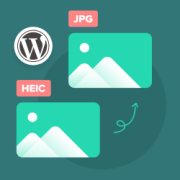
You just snapped the perfect photo on your iPhone, ready to upload it to your WordPress site. But then you see the file format is HEIC, and a moment of panic sets in. Will this even work online? It is a common worry. For a… Read More »
Used to store interaction and conversion data for campaigns in conjunction with Revenue Attribution.
1 year
_gat_omTracker*
Set, controlled and used by Google Analytics to collect and store data and then send that data to Google Analytics. OptinMonster provides the name if there is no existing tracker found on that page.
-
omCountdown-{id}-{elementId}
Used for countdown elements {elementId} in campaigns {id} to determine when it should complete.
-
om-{id}-closed / omSlideClosed-{id}
Used specifically with slide-in campaigns {id} to determine if it has been closed or not by a visitor.
30 days
om-success-cookie / omSuccessCookie
Used to determine if a visitor has successfully opted in to any campaign on your site to unlock content when using our Content Locking feature.
365 days
om-success-{id} / omSuccess-{id}
Used to determine if a visitor has successfully opted in to a campaign with the ID of {id} on your site.
365 days
omSeen-{id}
Used to determine if a visitor has been shown a campaign by the slug.
30 days
om-{id}
Used to determine if a visitor has interacted with a campaign ID of {id} on your site.
30 days
_omappvs
Used to determine when a new visitor becomes a returning visitor.