Yoast SEO is widely known as a top plugin for WordPress, but it isn’t always the best choice. Many site owners look for tools that are easier to use or offer better features for less money. We faced this exact situation at WPBeginner. After we… Read More »
When helping businesses set up their WordPress stores, one of the most common questions we hear is about shipping costs. Store owners want a clear way to show shipping fees without surprising customers at checkout. That’s why we often recommend adding a shipping calculator. Stores… Read More »
Building anticipation for a new product or service is a powerful marketing strategy. A well-designed waitlist page generates buzz and captures the interest of potential customers. It also collects their contact information, so you can stay in touch with them. We’ve launched plenty of plugins… Read More »
When Google rolls out a new metric like INP (Interaction to Next Paint), it is completely normal to feel a bit overwhelmed. You might be worried about your WordPress site’s rankings dropping or confused by the technical jargon. We completely understand the frustration. Our team… Read More »
Every few years, a new rumor pops up claiming that WordPress is finally dying. If you are starting a new website, then this might make you worry about making a bad choice. You might wonder if you are betting your business on the wrong technology.… Read More »
Want to connect your physical store with your WooCommerce website? After testing various point of sale (POS) plugins, I’ve discovered which solutions offer the smoothest integration between online and offline operations. I’ve thoroughly tested different WooCommerce POS plugins in my demo environments, while analyzing real… Read More »
Artificial Intelligence is making a significant impact on the SEO industry. So, it makes sense that a lot of website owners are interested in how to use AI for SEO in WordPress. The good news is that there are already excellent AI SEO tools that… Read More »
If you have long and unreadable URLs on your website, then a URL shortener can reduce them to a few characters. This makes it easier to share them on any platform. You can also track how many times they’re clicked and more. On WPBeginner, we’ve… Read More »
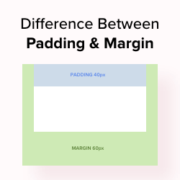
In WordPress, padding is the space between the content and the border within a block, while a margin is the space between two separate blocks. Understanding the difference between the two is important for anyone looking to refine the layout of their WordPress site. We’ve… Read More »
It is important to choose a web hosting service that gives your website the best chance of success and fast performance. Bluehost and GoDaddy are two of the most popular and affordable hosting providers available. It can be challenging for beginners to determine which service… Read More »
Used to store interaction and conversion data for campaigns in conjunction with Revenue Attribution.
1 year
_gat_omTracker*
Set, controlled and used by Google Analytics to collect and store data and then send that data to Google Analytics. OptinMonster provides the name if there is no existing tracker found on that page.
-
omCountdown-{id}-{elementId}
Used for countdown elements {elementId} in campaigns {id} to determine when it should complete.
-
om-{id}-closed / omSlideClosed-{id}
Used specifically with slide-in campaigns {id} to determine if it has been closed or not by a visitor.
30 days
om-success-cookie / omSuccessCookie
Used to determine if a visitor has successfully opted in to any campaign on your site to unlock content when using our Content Locking feature.
365 days
om-success-{id} / omSuccess-{id}
Used to determine if a visitor has successfully opted in to a campaign with the ID of {id} on your site.
365 days
omSeen-{id}
Used to determine if a visitor has been shown a campaign by the slug.
30 days
om-{id}
Used to determine if a visitor has interacted with a campaign ID of {id} on your site.
30 days
_omappvs
Used to determine when a new visitor becomes a returning visitor.