When we first started WPBeginner, we thought having more content was always better. We kept every single blog post live, even the completely outdated ones. This turned out to be a big mistake. We quickly learned that old, irrelevant content can actually hurt your website’s… Read More »
WordPress 6.3 has been released as the second major WordPress release of 2023. This new WordPress version has several significant updates, new features, enhancements, and bug fixes that make WordPress even more powerful and useful. In this article, we’ll show what’s new in WordPress 6.3… Read More »
Each product in your WooCommerce store has a unique identity number assigned to it. Knowing how to find these product IDs can help you apply specific settings, manage inventory, configure custom plugins, or troubleshoot issues. We’ve helped create a lot of eCommerce stores, and there… Read More »
Do you ever wonder why your WordPress site feels slow, even after you have optimized every image? Often, invisible connections to other websites are dragging down your page speed. These ‘third-party domain requests’ usually come from plugins, analytics, or embedded content. If left unchecked, they… Read More »
Finding the perfect image for your WordPress post is a great feeling. But it often comes with a nagging worry about slowing down your website or hurting your SEO. It is a valid concern. The wrong approach can lead to frustrated visitors and lower search… Read More »
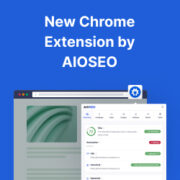
Do you think SEO is hard and tedious? Ever wished there was an easy way to point out nitty-gritty details of your SEO, so you don’t have to worry about it? Every minor detail can fluctuate search rankings, but ensuring they’re in place is not… Read More »
Used to store interaction and conversion data for campaigns in conjunction with Revenue Attribution.
1 year
_gat_omTracker*
Set, controlled and used by Google Analytics to collect and store data and then send that data to Google Analytics. OptinMonster provides the name if there is no existing tracker found on that page.
-
omCountdown-{id}-{elementId}
Used for countdown elements {elementId} in campaigns {id} to determine when it should complete.
-
om-{id}-closed / omSlideClosed-{id}
Used specifically with slide-in campaigns {id} to determine if it has been closed or not by a visitor.
30 days
om-success-cookie / omSuccessCookie
Used to determine if a visitor has successfully opted in to any campaign on your site to unlock content when using our Content Locking feature.
365 days
om-success-{id} / omSuccess-{id}
Used to determine if a visitor has successfully opted in to a campaign with the ID of {id} on your site.
365 days
omSeen-{id}
Used to determine if a visitor has been shown a campaign by the slug.
30 days
om-{id}
Used to determine if a visitor has interacted with a campaign ID of {id} on your site.
30 days
_omappvs
Used to determine when a new visitor becomes a returning visitor.