


Use our exclusive RewardsWP coupon to get 60% OFF the best referral reward plugin for WooCommerce. Just follow our instructions below to redeem the RewardsWP coupon code and pay less for the RewardsWP plugin.
Editor’s Note: Click on our exclusive RewardsWP Coupon link to get 60% OFF the RewardsWP WooCommerce plugin. No coupon code required. 🎉
First, you need to visit our RewardsWP coupon link and click on the ‘Start Rewarding’ button.
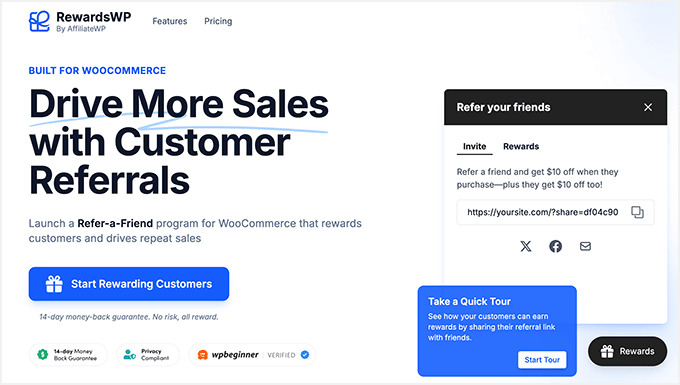
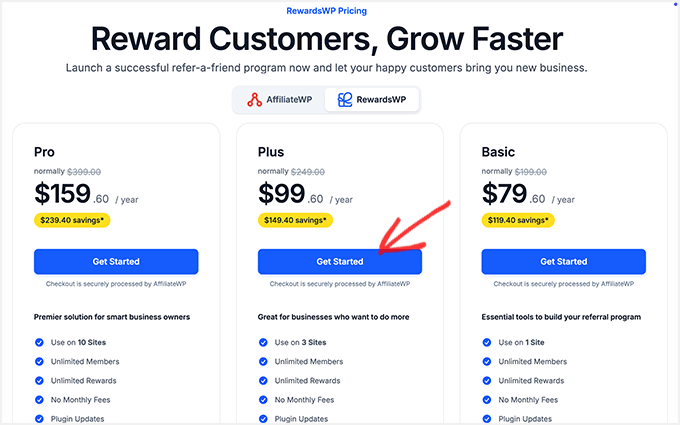
This will take you to the pricing page. RewardsWP offers three plans: Basic, Plus, and Pro.
We recommend the RewardsWP Plus plan.
The RewardsWP Plus plan lets you add the plugin to up to 3 WooCommerce sites. It’s the best plan for online business owners with more than 1 website.
If you have more sites, you can select the RewardsWP Pro plan. It allows you to install the RewardsWP plugin on 10 sites, and you also get priority customer support.
Click on the ‘Get Started’ button below the plan you want to purchase.
This will take you to the RewardsWP checkout page.
You will see your chosen RewardsWP plan with the original price and our exclusive RewardsWP discount applied automatically. There’s no need to enter a RewardsWP coupon manually.
✅ REMINDER: Since you clicked on our RewardsWP coupon link, our exclusive RewardsWP coupon is applied automatically. Get 60% off RewardsWP Pro today!
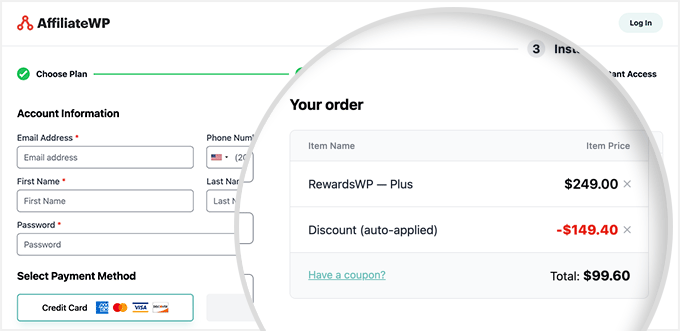
On the left side, you need to enter your new account information. This includes your email address, phone number, name, and so on.
You also need to select a payment method to continue the process.
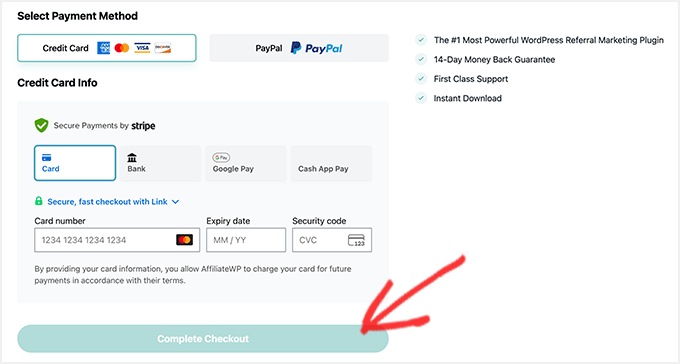
RewardsWP supports multiple payment methods. Make sure to add your credit card details carefully and click on the ‘Complete Checkout’ button.
Upon successfully purchasing the RewardsWP plugin, you can start creating your refer-a-friend campaigns in WooCommerce.
WordPress Plugin Coupons & Deals
Check out some other recommended WordPress plugin coupons and deals for your website:
| WordPress Plugin | Coupon Code |
|---|---|
| Weglot Coupon (Exclusive) | 15% OFF — Coupon: WPBEG19 |
| WPForms Coupon | 50% OFF |
| AIOSEO Coupon | 50% OFF |
| WP Mail SMTP Coupon | $50 OFF [EXCLUSIVE] |
| SEOBoost Coupon | 60% OFF |
We hope you found our RewardsWP coupon code helpful! At WPBeginner, we work hard to negotiate exclusive discounts and coupon codes for our users.
Please take a look at our other WordPress coupons and deals to find some more great offers for your website.


