WPBeginner WordPress tutorials help you learn WordPress, so you can improve your website. Our step by step WordPress tutorials are easy to understand and will help you follow the WordPress best practices. Don't waste your time buying WordPress books or outdated WordPress tutorial PDFs that cover just the basics. Our WordPress tutorials are written by experts with 15+ years of WordPress experience, and it contains real-life examples and tips that allows you to learn WordPress faster. We also keep our tutorials up to date.
You can find our other latest free WordPress tutorials below, and you can always use the search feature on our site to find helpful WordPress tutorials faster.
If you don't see a WordPress tutorial that you're looking for, then please reach out to your team and let us know. All our WordPress tutorial ideas are suggested by our users over the last 13+ years.
Losing access to your WordPress admin area can be a nightmare, especially when you’re facing a tight deadline or managing a client’s site. At WPBeginner, we’ve helped countless users regain control of their websites after being locked out due to forgotten passwords, security plugin mishaps,… Read More »
Excluding specific categories from your WordPress RSS feed can give you more control over what content gets shared. It’s useful if you have certain posts that don’t fit your main feed, like private updates or announcements for a small audience. This way, those posts stay… Read More »
Password management in WordPress can be tricky, especially for websites with multiple users or those requiring tight security controls. We’ve seen numerous situations where clients accidentally locked themselves out after messing with password settings. While the password reset feature is helpful for regular users, it… Read More »
Filling out a long form can feel overwhelming, especially when all the questions appear on one page. Many users lose interest partway through, which can lower your conversion rates. By breaking a long form into smaller, bite-sized pages, you make the process feel much easier… Read More »
Sometimes the most helpful thing you can do for your readers is point them to the right resource – even if it’s not on your own WordPress site. But by default, WordPress doesn’t make that easy. Every post title links back to your post, even… Read More »
While RSS (Really Simple Syndication) isn’t as popular as it used to be, some WPBeginner readers still use it to follow their favorite blogs. We’ve gotten questions about offering special content just for RSS subscribers. Giving exclusive content to RSS subscribers can be good for… Read More »
When I managed other blog writers, I had a list of guidelines they were supposed to follow, but it worried me that these guidelines, like forbidden words, would be missed. Even with clear instructions, writers would sometimes use titles that didn’t match our brand voice… Read More »
By default, WordPress saves the IP address of every visitor who leaves a comment on your site. While this helps reduce spam, it can create privacy concerns and even put your site at risk of breaking data protection rules like GDPR. At WPBeginner, we don’t… Read More »
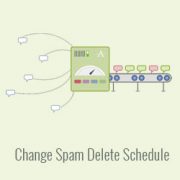
Dealing with spam comments in WordPress is like swatting flies. What happens to those flies once you swat them? Akismet, the popular spam-fighting plugin, holds onto them in your database for 15 days by default in case you need to review them. One of our… Read More »
Have you heard about Facebook Instant Articles and want to add them to your WordPress site? Instant Articles are excellent for delivering content quickly to Facebook users. They load 10 times faster and use a mobile format. This helps provide an exceptional user experience and… Read More »
Used to store interaction and conversion data for campaigns in conjunction with Revenue Attribution.
1 year
_gat_omTracker*
Set, controlled and used by Google Analytics to collect and store data and then send that data to Google Analytics. OptinMonster provides the name if there is no existing tracker found on that page.
-
omCountdown-{id}-{elementId}
Used for countdown elements {elementId} in campaigns {id} to determine when it should complete.
-
om-{id}-closed / omSlideClosed-{id}
Used specifically with slide-in campaigns {id} to determine if it has been closed or not by a visitor.
30 days
om-success-cookie / omSuccessCookie
Used to determine if a visitor has successfully opted in to any campaign on your site to unlock content when using our Content Locking feature.
365 days
om-success-{id} / omSuccess-{id}
Used to determine if a visitor has successfully opted in to a campaign with the ID of {id} on your site.
365 days
omSeen-{id}
Used to determine if a visitor has been shown a campaign by the slug.
30 days
om-{id}
Used to determine if a visitor has interacted with a campaign ID of {id} on your site.
30 days
_omappvs
Used to determine when a new visitor becomes a returning visitor.