The most experienced team of WordPress experts and educators.
Over 16+ years of WordPress and web development experience.
The team that advises some of the largest WordPress plugins in the industry used by over 25 million websites.
Led by WPBeginner founder, Syed Balkhi, a well-respected WordPress expert.
Experience
Our editorial staff includes a dedicated team of programmers, writers, video creators, and editors with over 16 years of experience in WordPress, web hosting, eCommerce, SEO, and online marketing.
Our editorial team manages every piece of content we publish at WPBeginner. Unlike other copycat tutorial websites, every person in our team is a true WordPress practitioner. You can learn more about our Editorial Process here.
The team is led by the most well-known and well-respected WordPress expert in the world, Syed Balkhi. He graduated from University of Florida and have been building WordPress websites since 2006.
Syed is also the founder of some of the most popular WordPress plugins in the market.
About WPBeginner
WPBeginner is the largest free WordPress resource for beginners to learn WordPress. We are part of the Awesome Motive family and reach over 100 million visitors every year. Our content is fact checked and reviewed by our Editorial team for accuracy and integrity. You can learn more about us and our editorial process.
Do you want to show different content in your WordPress sidebar for certain posts and pages? A standard, one-size-fits-all sidebar is often a missed opportunity. By customizing the sidebar for specific content, you can boost user engagement and increase conversions. While this sounds technical, we’ve… Read More »
Guest posting is a great way to keep your WordPress site fresh. It’s also a good way to attract new readers. That’s one of the key reasons why we publish guest posts from WordPress experts on our own blog. But you might not want to… Read More »
After sitting through Jane Well’s presentation and talking with her after her speech, we have decided to share with the WPBeginner community what is coming in WordPress 3.0 in terms of features.
When we build WordPress sites for clients, we often add custom widgets to the dashboard. It’s a simple way to show helpful notes, links, or instructions right where the user logs in. The default dashboard doesn’t always show the information people actually need. That’s why… Read More »
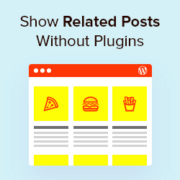
Do you want to display a list of related posts on your WordPress website and prefer to use code rather than a plugin? At WPBeginner, we often stress the importance of engaging your audience and keeping them exploring your content. One effective strategy we’ve seen… Read More »
In our many years of working with WordPress, one strategy we’ve consistently seen deliver results is targeting ads to search engine visitors. It seems that search engine visitors are more likely than your regular readers to click on targeted advertisements. By showing ads only to… Read More »
Are your WordPress RSS feeds too basic, giving you little control over how your content appears on other platforms? This lack of customization often leads to lost traffic, frustrating content theft by scrapers, and missed opportunities to reinforce your brand. We have spent countless hours… Read More »
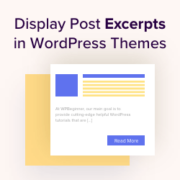
Excerpts give visitors a short preview of your content, helping them quickly understand what each post is about and encouraging them to click through to read more. They’re especially helpful on blog listings, archive pages, and search results. Displaying post excerpts can also make your… Read More »
Used to store interaction and conversion data for campaigns in conjunction with Revenue Attribution.
1 year
_gat_omTracker*
Set, controlled and used by Google Analytics to collect and store data and then send that data to Google Analytics. OptinMonster provides the name if there is no existing tracker found on that page.
-
omCountdown-{id}-{elementId}
Used for countdown elements {elementId} in campaigns {id} to determine when it should complete.
-
om-{id}-closed / omSlideClosed-{id}
Used specifically with slide-in campaigns {id} to determine if it has been closed or not by a visitor.
30 days
om-success-cookie / omSuccessCookie
Used to determine if a visitor has successfully opted in to any campaign on your site to unlock content when using our Content Locking feature.
365 days
om-success-{id} / omSuccess-{id}
Used to determine if a visitor has successfully opted in to a campaign with the ID of {id} on your site.
365 days
omSeen-{id}
Used to determine if a visitor has been shown a campaign by the slug.
30 days
om-{id}
Used to determine if a visitor has interacted with a campaign ID of {id} on your site.
30 days
_omappvs
Used to determine when a new visitor becomes a returning visitor.