


Adding a tip jar to your WordPress site should be simple, but free plugins can come with surprising limits. Some don’t let supporters choose their own amount, while others take up to 5% of every tip.
I installed seven popular tip jar plugins on a test site, created a tip form with each one, and tested how far you can go with them.
In this guide, I’ll show you our handpicked list of the best tip jar plugins for WordPress.

Quick Overview: 7 Best Tip Jar Plugins for WordPress
| # | Plugin | Best For | Free Version | Pricing |
|---|---|---|---|---|
| 🥇 | Charitable | Starting small and growing into full fundraising | ✅ | Free with 3% fee (paid from $69/yr) |
| 🥈 | Buy Me a Coffee | Adding a floating tip button quickly | ✅ | Free, 5% of each tip |
| 🥉 | Tip Jar WP | Letting supporters pick amount and schedule | ✅ | Free, 1% of each tip |
| 4 | WPForms | Giving supporters something in return | ✅ | Free with 3% fee (paid from $49.50/yr) |
| 5 | WP Simple Pay | Supporting more Stripe payments | ✅ | Free with 3% fee (paid from $49.50/yr) |
| 6 | GiveWP | Fundraising goals and progress bars | ✅ | Free, 2% of each tip |
| 7 | WP Payment Pal | PayPal and Venmo tips | ❌ | From $49.50/yr |
Why Use a Tip Jar on Your Website?
A virtual tip jar works similarly to a physical tip jar. It gives your audience a way to send a few dollars as a ‘thank you’ for your work, and it works particularly well in several common scenarios:
- You’re a musician, artist, or writer who shares your work freely online, but you’d like some extra funding.
- You create free software and want to give your users a chance to support your work, so you can keep providing that software at zero cost.
- You run a virtual class online that you don’t charge for, and donations would help you keep it going.
- You want to experiment with a tip jar as a way to make money online from your blog.
A good tip jar should make the process as simple as possible: visitors should be able to choose an amount, pay without unnecessary steps, and get a clear confirmation when the payment is complete.
Note: Payment plugins need an SSL certificate before they will process a live payment. If you don’t have a certificate yet, then see our tutorial on how to get a free SSL certificate.
How I Tested and Reviewed Tip Jar Plugins for WordPress
I installed every plugin on this list on a test site running the current version of WordPress, created a tip form with each one, and tested how far I could go with the free version.
Here’s what I looked for:
- Can the supporter choose the amount? I checked whether visitors could enter their own tip or were limited to preset amounts.
- What does the free version actually do? I tested each free tier to see exactly which features worked out of the box, and which settings were locked behind a paid upgrade.
- What does each tip cost you? I checked whether the plugin adds a platform fee on top of the payment processor’s standard fees.
- Where does the payment happen? I checked whether supporters can complete checkout on your site or are sent to an external payment page.
1. Charitable – Best for Starting Small and Growing Into Full Fundraising
| Charitable Pros | ✅ Donors can type their own amount in the free version ✅ Free version covers Stripe, Square, PayPal and offline donations ✅ The same plugin can grow from a tip jar into campaigns, goals, and donor records |
| Charitable Cons | ❌ Recurring donations need the Plus plan ($99/year) or higher ❌ The free version takes 3% of every tip, on top of the payment processor’s own fee |
| Pricing | Free version available. Paid plans start at $69/year |
| Best For | Creators who want a simple tip jar now but may expand into larger fundraising campaigns later |
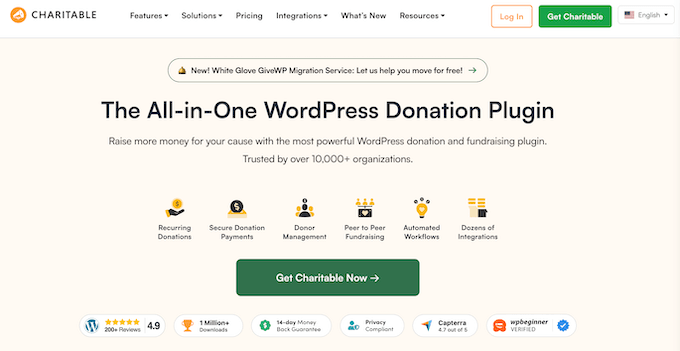
Charitable is a fundraising and donation plugin used by over 10,000 non-profits to raise money online. It isn’t just for non-profits, though. You can also use Charitable as a virtual tip jar to accept donations for your personal cause or project.
The best thing is that unlike other tip jar plugins, it won’t take your donors out of your site to complete the payment.
My Experience
I wanted to test if the free version allow donors to enter their own tip amount. That’s the main point of a tip jar, but several plugins lock this feature behind a paid upgrade.
The free version supports Stripe, Square, PayPal, and offline donations, and payments can be completed without sending donors to another website.
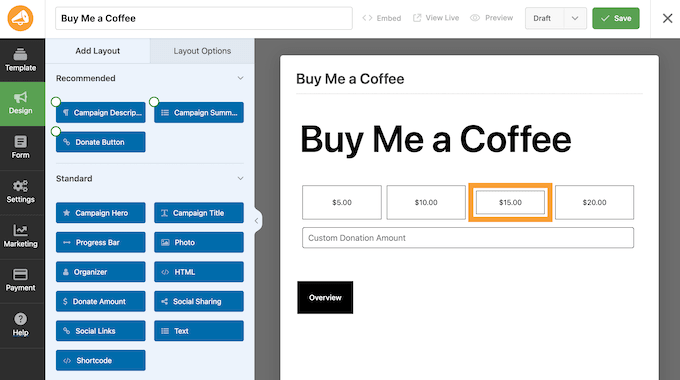
Charitable also integrates with Easy Digital Downloads, so you can sell digital products like eBooks right alongside your tip jar. This is a useful way to raise additional funds.
The catch on the free plan is a 3% Charitable fee on every tip, on top of the payment processor’s own charge. A paid plan removes this extra fee.
Recurring tips are also locked behind the Plus plan. So while the free version works well for one-time tips, you’ll need to upgrade if you want supporters to make automatic weekly or monthly donations.
🧑💻 Why I Recommend Charitable: It gives you a simple way to accept tips now while leaving room for more advanced fundraising later. If you eventually need campaigns, goals, or donor records, you can keep using the same plugin instead of starting over with a new one.
2. Buy Me a Coffee – Best for a Floating Tip Button in Minutes
| Buy Me a Coffee Pros | ✅ Setup is one field, just enter your Buy Me a Coffee username ✅ Supporters can type any amount they like, with quick-select buttons for +10, +25, and +50 ✅ The payment panel opens directly over your page, so visitors don’t navigate away |
| Buy Me a Coffee Cons | ❌ Takes 5% of every tip, which is the highest platform cut on this list ❌ You can’t set or customize tip amounts from inside your WordPress dashboard ❌ No block or shortcode, so block themes only get the floating button |
| Pricing | Free. Buy Me a Coffee keeps 5% of each tip, plus payment processing fees |
| Best For | Writers and creators who want to get a tip button live today and don’t mind skipping deep design customizations on their site |
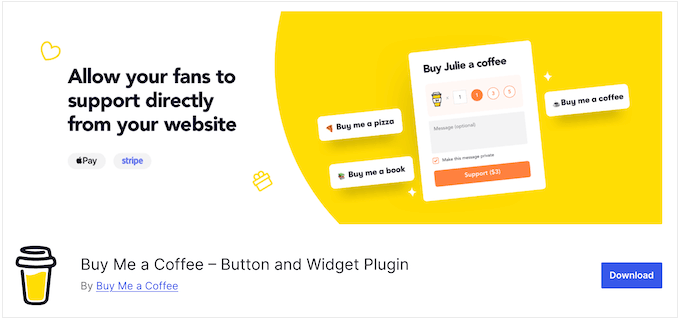
The Buy Me a Coffee plugin connects your WordPress site to the Buy Me a Coffee platform. You’ll need a free Buy Me a Coffee account before you can accept tips. Your supporters can tip you using credit and debit cards, Apple Pay, Google Pay, Cash App, and other payment methods.
My Experience
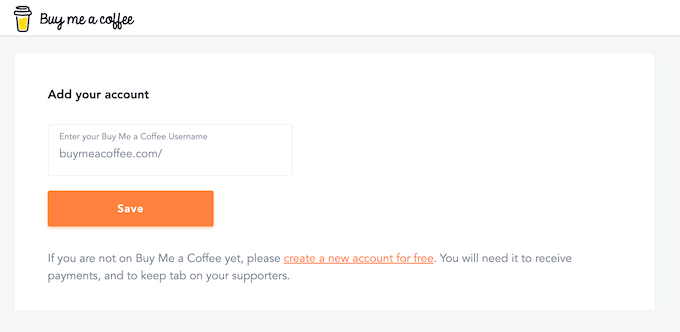
Setup was quick. I entered my Buy Me a Coffee username in the plugin settings and saved it.
After pasting your Buy Me a Coffee username into the settings and clicking save, you must manually turn on the floating widget, as the plugin leaves it off by default.
Once enabled, visitors see a small orange button in the bottom-right corner of your site.
The main attraction is the floating tip widget, which stays visible in the bottom-right corner of your site. It gives supporters the flexibility to enter any amount, with optional fields for their name and a short message, plus quick-select buttons for common tip amounts.
However, the WordPress plugin has no payout or tier settings. Instead, every financial rule is managed directly on the Buy Me a Coffee website.
Also, keep in mind that what Buy Me a Coffee calls a ‘widget’ isn’t a standard WordPress sidebar widget. It floats across all pages automatically.
Documentation for the WordPress plugin is also thin compared with the online platform.
🧑💻 Why I Recommend Buy Me a Coffee: If you want a simple floating tip button that you can get running quickly, this is one of the easiest options to set up. The trade-off is the 5% platform fee and limited control from inside WordPress.
3. Tip Jar WP – Best for Letting Supporters Pick Amount and Schedule
| Tip Jar WP Pros | ✅ Supporters can choose both the tip amount and payment schedule in the free version ✅ Offers the lowest platform cut on this list at just 1% per transaction ✅ Includes a dedicated block and shortcode, with card fields displayed directly on your site |
| Tip Jar WP Cons | ❌ Only supports Stripe ❌ Won’t process payments without an active SSL certificate (HTTPS) encrypting your site data |
| Pricing | Free. Tip Jar WP keeps 1% of each tip, plus Stripe’s standard payment processing fees |
| Best For | Creators who want flexible tip amounts and recurring payments while keeping platform fees low |
Tip Jar WP is built specifically for accepting tips, rather than trying to combine tipping with a broader donation or form system.
While it lacks the advanced features of larger plugins like WPForms or GiveWP, it’s still a solid option for creating tip jars on your WordPress site.
My Experience
The free version gives supporters control over both how much they tip and how often they tip. The form starts with a $5 suggested amount, while allowing visitors to enter their own figure and choose between a one-time or recurring payment.

The card fields appear directly on your site, so supporters don’t have to leave your website to complete the payment. It also includes built-in currency controls for accepting tips from supporters in different countries.
The main limitation is payment support. Tip Jar WP works with Stripe but doesn’t support PayPal or other payment processors.
It’s also the smallest project on this list, with around 200 active installs. That’s worth considering if you’re looking for a plugin with a larger user base and a longer track record of development.
🧑💻 Why I Recommend Tip Jar WP: If you want supporters to choose both the amount and whether their tip is one-time or recurring, Tip Jar WP offers those options in its free version. Its 1% platform fee is also the lowest among the plugins I tested.
4. WPForms – Best for Giving Supporters Something Back

| WPForms Pros | ✅ The free version includes a ‘Buy Me a Coffee Form’ template with an open donation amount field ✅ Tips are saved as standard form entries, making it easy to trigger automated thank-you emails or deliver a reward ✅ Supports Stripe, PayPal, and Square with a beginner-friendly drag-and-drop editor |
| WPForms Cons | ❌ The 3% platform fee applies to both the free version and lower-paid tiers. ❌ Sending rewards through an email marketing service needs the Plus plan or higher ❌ Authorize.net integration requires an Elite license |
| Pricing | Free version available with a 3% fee. A Basic plan is $49.50 |
| Best For | Creators who want to give supporters a downloadable file, exclusive content, or another reward in return for their tip |
WPForms is a forms plugin that lets you create a custom tip jar matched to your site’s branding.
The plugin gives you more flexibility than a simple payment button, especially if you want to collect information or send something to supporters afterward.
My Experience
The free version includes a Buy Me a Coffee Form template with preset donation amounts and a field where supporters can enter any amount they want. Visitors can enter any custom tip amount alongside preset suggested donations.
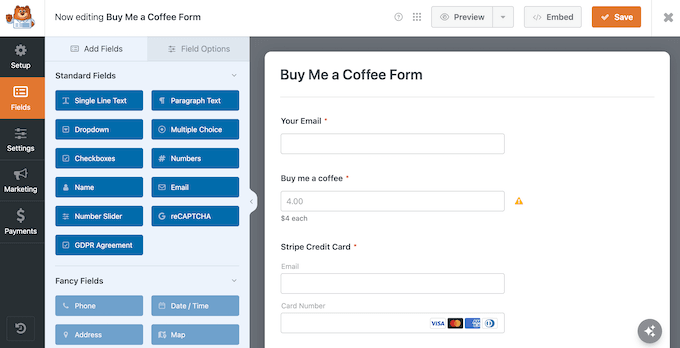
Automated rewards are where WPForms really stands out. Because it processes tips as form entries, you can automatically send supporters a bonus file, like an unreleased song or beta software link. The Plus plan connects WPForms to your email marketing service.
The biggest thing to watch out for is transaction fees. WPForms Lite takes a 3% cut on Stripe transactions, and you’ll need the Pro plan to remove those extra fees.
If you’re a registered non-profit, make sure to check out the WPForms non-profit program before upgrading, as it offers a discount on paid licenses.
🧑💻 Why I Recommend WPForms: Choose WPForms when your tip jar needs to do more than collect money. Its form entries can trigger follow-up emails and digital rewards, giving you a way to turn a simple tip into an ongoing relationship with your supporters.
5. WP Simple Pay – Best for Klarna, Cash App and Other Stripe Methods
| WP Simple Pay Pros | ✅ Accepts alternative payment methods like Klarna, Afterpay, Cash App, iDEAL, and Apple Pay alongside standard cards ✅ Focuses purely on payment processing, so there is less to set up than in a full form builder ✅ Handles both one-off and recurring tips, even on the free version |
| WP Simple Pay Cons | ❌ The free version won’t let supporters enter custom tip amounts ❌ Free checkout forms redirect your supporter offsite to a Stripe Checkout page instead of collecting payments directly on your site ❌ Pre-built donation templates require a paid plan, and the free plugin adds a 3% platform fee |
| Pricing | Free version available with a 3% fee. Paid plans start at $49.50/year |
| Best For | Site owners whose supporters prefer paying with regional or modern checkout methods like Klarna, iDEAL, or Cash App |
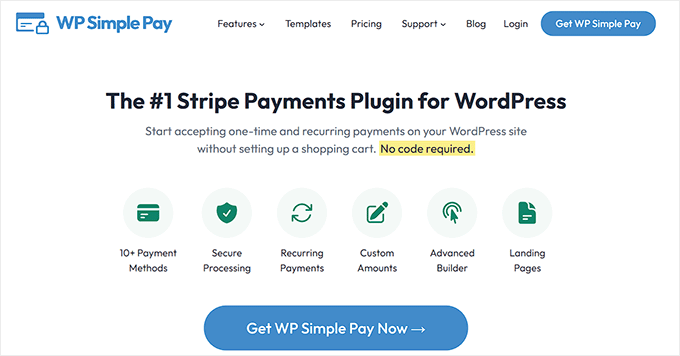
WP Simple Pay is a Stripe payment tool, rather than an advanced form builder. If you only need to collect payments and nothing else, it keeps the setup short. That makes it a good fit if you mainly need a payment form and want to offer more payment methods than standard credit cards.
My Experience
The free version works well for a basic fixed-amount tip jar. It supports one-time and recurring payments, but supporters can’t enter their own tip amount.
The biggest advantage is its range of Stripe payment methods. Depending on your country and Stripe account, you can offer options such as Klarna, Afterpay, Cash App, iDEAL, and Apple Pay alongside standard card payments. iDEAL and Apple Pay are available on every plan, while Klarna, Afterpay, and Cash App require the Professional plan.
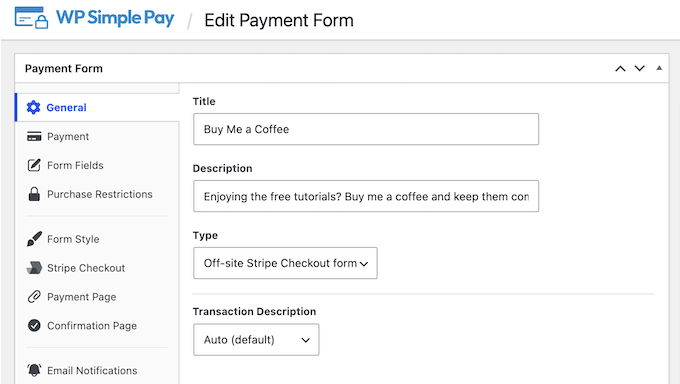
The free version also sends supporters to a Stripe-hosted checkout page rather than processing the payment directly on your site. If you want custom tip amounts, on-site checkout, and a more flexible form, you’ll need the Personal plan or higher.
Another cost to consider is the 3% platform fee on the free version.
🧑💻 Why I Recommend WP Simple Pay: If offering more payment methods is important to your audience, WP Simple Pay gives you options that many basic tip jar plugins don’t. The free version is useful for testing fixed-amount tips, while the paid plans add custom amounts and on-site checkou
💡 Alternative: If you want to accept tips through Square instead of Stripe, check out MyPayKit. It’s a great Square payment form plugin for WordPress, and it offers a free version to help you get started.
6. GiveWP – Best for Fundraising Goals and Progress Bars
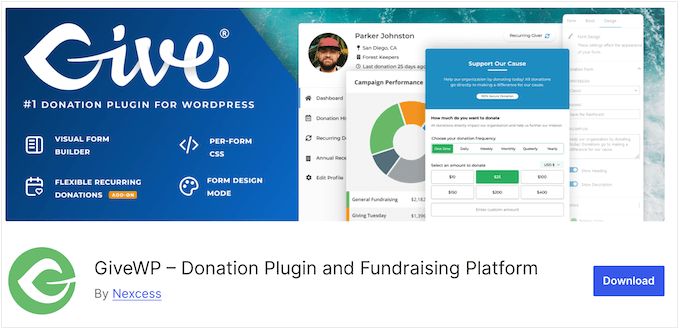
| GiveWP Pros | ✅ Fundraising goals and progress bars are available in the free version ✅ Donors can pick from preset amounts or type their own custom figure out of the box ✅ Includes donor dashboards, reports, and campaign management |
| GiveWP Cons | ❌ Keeps 2% of every tip you collect through Stripe ❌ Lacks recurring tip support in the free version ❌ Ships with only Stripe, PayPal, and offline donations |
| Pricing | Free. GiveWP keeps 2% of each tip taken through Stripe |
| Best For | Creators and organizations that want to tie their tips to a fundraising goal or campaign |
GiveWP is a fully-featured donation plugin for WordPress. This makes it a good choice when your tip jar is part of a larger fundraising push.
GiveWP is mainly built for non-profits, but it works just as well for personal projects, creative causes, or small businesses looking to accept tips and contributions.
My Experience
The biggest difference I noticed was the built-in focus on fundraising goals. You can display a target and progress bar alongside your donation form, giving supporters a clear view of how much has been raised and how much remains.
The free version also gives supporters preset amounts ranging from $10 to $500, along with a custom amount field. You don’t need to upgrade to create a basic donation form.
GiveWP also includes donor dashboards, donation reports, and campaign management in the free version. These features make it much more suitable for an ongoing fundraising campaign than a simple one-time tip button.
The main limitation is the 2% platform fee on Stripe payments. You can avoid that particular fee by processing tips through PayPal. Recurring tips are another limitation of the free version and require a paid upgrade.
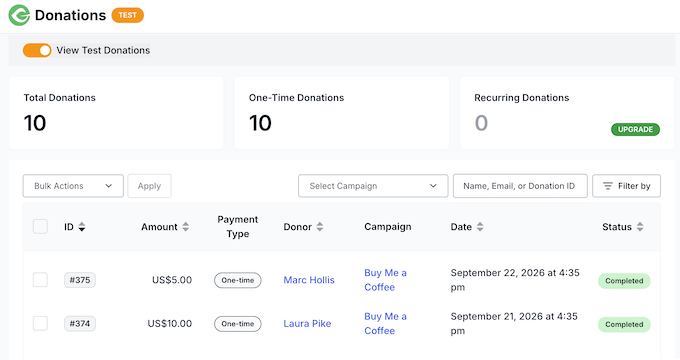
🧑💻 Why I Recommend GiveWP: If you’re using a tip jar as part of a larger fundraising campaign, GiveWP gives you tools such as progress bars, donor records, and reporting that simpler tip plugins don’t provide. For a basic tip jar, though, those extra features may be more than you need.
7. WP Payment Pal – Best for PayPal and Venmo Tips
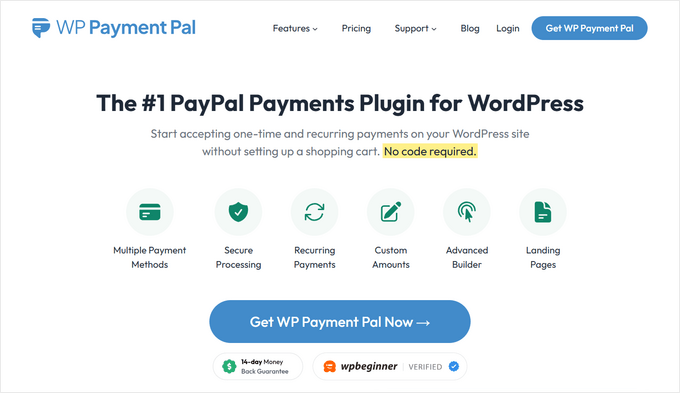
| WP Payment Pal Pros | ✅ Supports preset and custom tip amounts ✅ Keeps the PayPal checkout experience on your page instead of using a full-page redirect ✅ Supports PayPal, Venmo, credit cards, and recurring tips |
| WP Payment Pal Cons | ❌ No free version available ❌ Enabling Venmo forces credit card inputs into a secondary pop-up window ❌ Advanced features like free trials, installment plans, and setup fees require a Professional or Elite plan |
| Pricing | No free version. Plans start at $49.50/year |
| Best For | Creators whose audience prefers paying with PayPal or Venmo over entering a credit card |
WP Payment Pal is designed specifically around PayPal payments, while still giving you more control than a basic PayPal donate button. You can offer preset tip amounts alongside a field for supporters to enter their own amount.
You can embed the form directly into any post or page, drop it into your sidebar or footer with a block or shortcode, or display it as a popup.
My Experience
The biggest advantage I found was the checkout experience. Instead of sending supporters to a separate PayPal page, the plugin displays the PayPal login inside an overlay on your site.
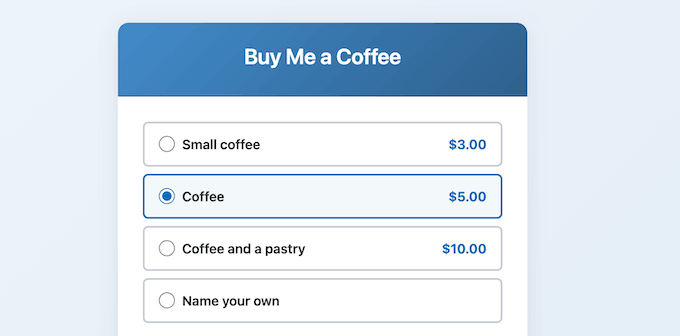
Supporters can pay through PayPal, Venmo, or a credit card, and the form also supports recurring tips. This gives you more payment flexibility than a basic PayPal button.
The biggest downside is that there is no free version. WP Payment Pal has four paid plans, so unlike the other free options in this article, you can’t install it and test the basic tipping experience before purchasing a license.
🧑💻 Why I Recommend WP Payment Pal: If PayPal or Venmo is important to your audience, this plugin gives you a more flexible tipping form than a basic PayPal button, including custom amounts and recurring payments.
FAQs About WordPress Tip Jar Plugins
How do you accept donations on your website?
You need a plugin and a payment gateway like Stripe or PayPal. The plugin builds the form, and the gateway moves the money from your supporter’s card into your bank account.
Most plugins on this list walk you through connecting a gateway during setup, so you don’t need a developer.
What is the best donation plugin for WordPress?
Charitable is my overall pick because it handles everything from a casual tip jar to a full fundraising drive.
That said, a true donation plugin and a simple tip jar plugin aren’t quite the same thing, and that distinction matters when picking a tool.
Donation plugins focus on campaigns, goal tracking, and managing long-term donor records. Tip jar plugins focus on one thing: letting a reader send a quick, small payment in seconds.
For a fuller comparison, see our guide to the best WordPress donation plugins.
Do I need an SSL certificate to accept tips?
Yes. An SSL certificate encrypts sensitive payment data passing between your site and your readers. Payment plugins treat HTTPS as a strict requirement, not an optional bonus.
When I tested Tip Jar WP on a site without one, its setup wizard refused to proceed until I installed a certificate. Fortunately, almost every web host includes a free SSL certificate with their hosting plans.
Best WordPress Guides to Grow Your Donations
- Best WordPress Donation and Fundraising Plugins
- Best Crowdfunding Plugins for WordPress (Expert Pick)
- Must-Have WordPress Plugins for Every Website
If you liked this article, then please subscribe to our YouTube Channel for WordPress video tutorials. You can also find us on Twitter and Facebook.



kzain
While PayPal offers a convenient way to integrate donations on a website, its fees can be a consideration. This is why exploring alternative solutions like Stripe or Donorbox can be beneficial. These platforms may offer lower fees or additional functionalities tailored specifically for receiving donations.
THANKGOD JONATHAN
Based on my own experience WPForms is the best tip jar Wordpress Plugin and PayPal is the worst of all. Although I believe my experience with PayPal is due to regional restrictions.
Jiří Vaněk
Paypal is very easy to add to your website and start collecting donations quickly. But what is very unpleasant about him are definitely very high fees. I also agree that PayPal is not a very suitable tool for this purpose, because it takes a really large amount of money that belongs to the author just in fees.
Dennis Muthomi
Totally with you on that one. PayPal’s fees can really eat into donations, which is a bummer.
I am currently researching for another payment option to replace PayPal.
Jiří Vaněk
If I could advise you, start using Stripe. The implementation is essentially straightforward, and there is a great and detailed guide on WPBeginner on how to do it. In this context, Stripe is a more suitable and efficient tool than PayPal. I have done it myself as well. I have kept PayPal as an alternative, but I am thinking of cancelling it completely due to fees and keeping only Stripe.
Moinuddin Waheed
it’s nice way to accept generous donations for the value one provide free of costs online.
I have noticed people accepting small donations through creating a button like Buy me a coffee and others.
I will explore Tip Jar wp to see how it works and it’s effectiveness.
wpforms is also a good way to explore this as it has other forms related utilities.
Thanks for this complete list to explore generous donations.
however, I will need to investigate whether is there any government directives for accepting such payments.
Jiří Vaněk
I also addressed the donation form and ultimately decided to create an account on PayPal’s side. I resolved it with a short text and a link to a page where I describe the donation process. There, I placed a PayPal button allowing people to send any amount via PayPal. For those without PayPal, I included several QR codes on the page with different amounts for making payments through a regular bank transfer. Simply put, it’s simplified using QR codes to avoid complicating things for anyone. And those who want to, occasionally send a donation that way.