By default, WordPress adds the ‘Private’ or ‘Protected’ prefix to post titles when you make them private or password protected. While they’re functional, in our experience, these default labels can sometimes be confusing or unprofessional. Imagine sharing a password-protected post with a client, only to… Read More »
Managing a WordPress site often means juggling multiple tasks, and keeping track of featured images can be a real challenge. We’ve been there—wondering which posts have eye-catching visuals and which ones don’t. It’s like trying to remember if you’ve added salt to a recipe. You… Read More »
If you have been blogging for a few years, then the list of your published posts might be too long to fit in your WordPress sidebar. A cluttered sidebar might not make the best impression on readers, either. Compact archives are an excellent way to… Read More »
As always, we are back to give you the update on the new WordPress 3.3 release. Not too long ago we talked about what might be coming in WordPress 3.3 but now, after the feature freeze and the beta version, we can show you what… Read More »
Scheduled posts are invisible to visitors until they go live. Every article you have lined up is a missed chance to build anticipation and keep readers coming back. Sharing your upcoming content gives visitors a reason to subscribe so they don’t miss out on future… Read More »
Putting banner ads on your site is one of the best ways to make money from your blog. Many bloggers use ad management software like AdRotate to maximize their earnings without ruining the user experience. We’ve thoroughly tested it on a real website to see… Read More »
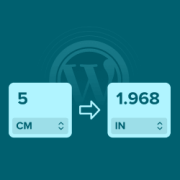
Have you ever landed on a recipe or product page and found yourself wondering, “How many cups is 500 milliliters?” or “What’s 3 meters in feet?” 🤔 If your WordPress site gets visitors from around the world, confusing measurements can quickly frustrate your audience and… Read More »
Used to store interaction and conversion data for campaigns in conjunction with Revenue Attribution.
1 year
_gat_omTracker*
Set, controlled and used by Google Analytics to collect and store data and then send that data to Google Analytics. OptinMonster provides the name if there is no existing tracker found on that page.
-
omCountdown-{id}-{elementId}
Used for countdown elements {elementId} in campaigns {id} to determine when it should complete.
-
om-{id}-closed / omSlideClosed-{id}
Used specifically with slide-in campaigns {id} to determine if it has been closed or not by a visitor.
30 days
om-success-cookie / omSuccessCookie
Used to determine if a visitor has successfully opted in to any campaign on your site to unlock content when using our Content Locking feature.
365 days
om-success-{id} / omSuccess-{id}
Used to determine if a visitor has successfully opted in to a campaign with the ID of {id} on your site.
365 days
omSeen-{id}
Used to determine if a visitor has been shown a campaign by the slug.
30 days
om-{id}
Used to determine if a visitor has interacted with a campaign ID of {id} on your site.
30 days
_omappvs
Used to determine when a new visitor becomes a returning visitor.