By default, WordPress does not show categories that are empty, meaning those without posts. However, there are times when you might want to display these categories, such as when you are planning to add posts soon or want to maintain your site’s visual consistency. We… Read More »
When we first started WPBeginner, we quickly realized that readers wanted to connect with the real people behind the tutorials. It felt impersonal to publish content without giving our audience an easy way to reach out on social media. Displaying social links on profile pages… Read More »
2009 has been a great year. It was the year this site was formed, it is the very same year that WordPress 2.9 was launched. During the year, many helpful articles were written on this site. In this article we will be highlighting Best of Best WordPress Tutorials of 2009.
List of most notable and mind-blowing features that are expected in WordPress 2.9. Download WordPress 2.9 release candidate now and play your role in the community by downloading the release candidate and testing all features.
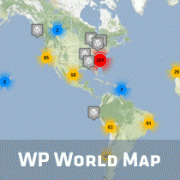
This interesting idea was brought to our attention during WordCamp NYC. WP World Map created by Oliver Schlobe allows you to geo tag yourself on a World Map. Using this map, you can get connected with local WordPress users in your area. This is a great tool for both developers and WordPress users.
Used to store interaction and conversion data for campaigns in conjunction with Revenue Attribution.
1 year
_gat_omTracker*
Set, controlled and used by Google Analytics to collect and store data and then send that data to Google Analytics. OptinMonster provides the name if there is no existing tracker found on that page.
-
omCountdown-{id}-{elementId}
Used for countdown elements {elementId} in campaigns {id} to determine when it should complete.
-
om-{id}-closed / omSlideClosed-{id}
Used specifically with slide-in campaigns {id} to determine if it has been closed or not by a visitor.
30 days
om-success-cookie / omSuccessCookie
Used to determine if a visitor has successfully opted in to any campaign on your site to unlock content when using our Content Locking feature.
365 days
om-success-{id} / omSuccess-{id}
Used to determine if a visitor has successfully opted in to a campaign with the ID of {id} on your site.
365 days
omSeen-{id}
Used to determine if a visitor has been shown a campaign by the slug.
30 days
om-{id}
Used to determine if a visitor has interacted with a campaign ID of {id} on your site.
30 days
_omappvs
Used to determine when a new visitor becomes a returning visitor.