The most experienced team of WordPress experts and educators.
Over 16+ years of WordPress and web development experience.
The team that advises some of the largest WordPress plugins in the industry used by over 25 million websites.
Led by WPBeginner founder, Syed Balkhi, a well-respected WordPress expert.
Experience
Our editorial staff includes a dedicated team of programmers, writers, video creators, and editors with over 16 years of experience in WordPress, web hosting, eCommerce, SEO, and online marketing.
Our editorial team manages every piece of content we publish at WPBeginner. Unlike other copycat tutorial websites, every person in our team is a true WordPress practitioner. You can learn more about our Editorial Process here.
The team is led by the most well-known and well-respected WordPress expert in the world, Syed Balkhi. He graduated from University of Florida and have been building WordPress websites since 2006.
Syed is also the founder of some of the most popular WordPress plugins in the market.
About WPBeginner
WPBeginner is the largest free WordPress resource for beginners to learn WordPress. We are part of the Awesome Motive family and reach over 100 million visitors every year. Our content is fact checked and reviewed by our Editorial team for accuracy and integrity. You can learn more about us and our editorial process.
We’ve helped many businesses go global, including those expanding into the Southeast Asia region. One thing that often comes up when entering this market is the need to support local payment methods, like GrabPay. It’s a trusted and widely used option across Southeast Asia, and… Read More »
After managing WordPress sites for over a decade, we’ve discovered that the most successful website owners all share one common trait: they have solid backup systems in place. That’s why we’ve become strong advocates for using Amazon S3 as your backup destination—it’s reliable, affordable, and… Read More »
As the year comes to an end, we’re taking a moment to look back at some of the best tutorials we’ve published on WPBeginner in 2024. This year has been full of exciting WordPress updates, new features, and creative solutions to common challenges. Our goal… Read More »
The December 2024 edition of WPBeginner Spotlight is here, bringing you all the important updates from the WordPress ecosystem. This month, we’re diving into highlights from the State of the Word 2024, exciting acquisitions, and new tools designed to make WordPress even better. This issue… Read More »
WordPress multisite lets you run multiple websites from a single WordPress installation. This makes it a popular choice for managing networks like blogs, schools, or client sites. But that convenience also comes with added responsibility—especially when it comes to backups. Backing up a multisite network… Read More »
Running a WordPress site means staying connected with how your customers prefer to pay. We’ve helped many site owners add various payment methods, and Cash App has become one of the most requested options, especially for businesses targeting younger demographics. The good news is that… Read More »
Building and maintaining WordPress sites means you’ll eventually need to move them, back them up, or clone them for testing. Whether you’re switching hosts, creating a staging site, or just want peace of mind with regular backups, having the right plugin makes everything so much… Read More »
In general, we don’t recommend using the built-in WordPress theme file editor to make changes to your theme files. It is not safe or efficient, and you can even end up breaking your website. However, if you are actively looking for a missing theme file… Read More »
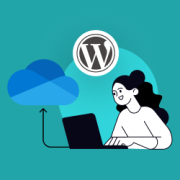
If you’re looking for a reliable way to back up your WordPress site to OneDrive, then you’re in luck. We know a lot of our readers are Microsoft Windows users, so we’ve done the research and found 2 easy ways to back up WordPress to… Read More »
Have you ever tried to log in to your WordPress site only to see the error message ‘Cookies are blocked due to unexpected output’? This is a common WordPress error that prevents you from logging in or accessing the WordPress dashboard. In this guide, we… Read More »
Used to store interaction and conversion data for campaigns in conjunction with Revenue Attribution.
1 year
_gat_omTracker*
Set, controlled and used by Google Analytics to collect and store data and then send that data to Google Analytics. OptinMonster provides the name if there is no existing tracker found on that page.
-
omCountdown-{id}-{elementId}
Used for countdown elements {elementId} in campaigns {id} to determine when it should complete.
-
om-{id}-closed / omSlideClosed-{id}
Used specifically with slide-in campaigns {id} to determine if it has been closed or not by a visitor.
30 days
om-success-cookie / omSuccessCookie
Used to determine if a visitor has successfully opted in to any campaign on your site to unlock content when using our Content Locking feature.
365 days
om-success-{id} / omSuccess-{id}
Used to determine if a visitor has successfully opted in to a campaign with the ID of {id} on your site.
365 days
omSeen-{id}
Used to determine if a visitor has been shown a campaign by the slug.
30 days
om-{id}
Used to determine if a visitor has interacted with a campaign ID of {id} on your site.
30 days
_omappvs
Used to determine when a new visitor becomes a returning visitor.