


We typed the same three keywords into every domain name generator below and counted how many available .com names each one returned in its first 20 results. Scores ranged from 57 out of 60 down to zero.
Some of these tools invent short brand names, others combine your keywords, and one is better at checking extensions than generating ideas. Here are the six worth your time.
If you’re looking for a domain name, you’ll also need web hosting to build your website. See our guide on the difference between domain names and web hosting.
We recommend Bluehost, an officially recommended WordPress hosting provider. They offer WPBeginner users a free domain name and discounted hosting starting at $2.99 per month.
Note: This offer only works when you click the link from our site. Use the generators below to find a name you like, then come back here to claim it.
In a hurry? Here are our picks, in the order our test ranked them:
| Pick | Best For | Checks availability |
|---|---|---|
| Lean Domain Search | Quick keyword pairings | Yes, only lists available names in its suggestions |
| Instant Domain Search | Ideas and availability as you type | Yes, in the results |
| Namelix | Short brandable names | Yes, with a .com badge |
| Nameboy | Keyword combinations | Yes, in the results |
| Namecheap Beast Mode | Bulk search and filters | Yes, in the results |
| Domainr | Exploring every extension | Yes, in the results |
All six tools are free. You only pay when you register a domain.
How We Tested
On October 22, 2026, we ran three keywords through each tool: “bakery” (generic), “dog training” (two-word niche), and “nova” (brand-style). We also ran Namify as a control.
For each tool, we counted the available .com names in the first 20 results. A .com is a domain extension, the ending after the dot in a web address. We timed how long the first results took, noted the filters, and checked whether the tool sends you to a registrar, the company that actually sells and registers domain names.
Some tools focus on brandable names. These are invented or blended words that are easy to remember and trademark but don’t describe what you do. Our editorial process explains how we review tools.
| Tool | Available .com names* | Total (out of 60) | Seconds to first result | Filters | Sends you to |
|---|---|---|---|---|---|
| Lean Domain Search | 19 / 19 / 19 | 57 | Under 1 | Popularity, length, A-Z, keyword at start or end | WordPress.com |
| Instant Domain Search | 19 / 17 / 11 | 47 | Under 1 | Extension, available, premium, aftermarket, or taken | Your pick of 20+ registrars (GoDaddy in our test) |
| Namelix | 10 / 9 / 8 | 27 | About 7 | Name style, randomness, brand info, extension | Namecheap |
| Nameboy | 5 / 8 / 0 | 13 | Under 4 | All, generator, extensions view | Network Solutions |
| Namecheap Beast Mode | 2 / 5 / 0 | 7 | About 4 | Price range, word transforms, prefixes and suffixes, extension groups | Namecheap |
| Domainr | 0 / 0 / 0 | 0 | Under 2 | None | A list of registrars |
| Namify (control) | 0 / 0 / 0 | 0 | Under 10 | All or available only | Namify |
*in first 20 (bakery / dog training / nova)
1. Lean Domain Search
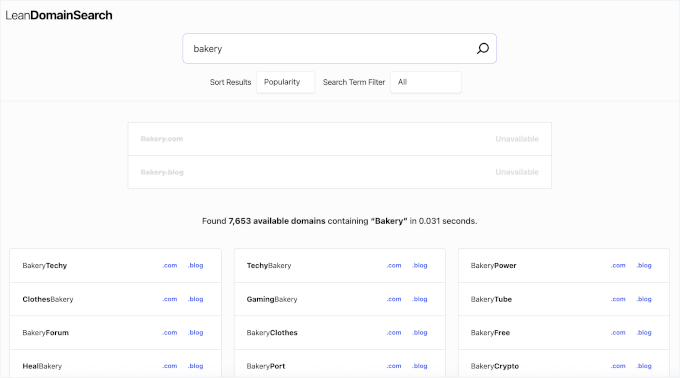
Lean Domain Search pairs one keyword with hundreds of common words and only lists available names in its suggestions. It’s now run by Automattic, the company behind WordPress.com, and you don’t need an account.
Each result shows the .com and .blog version, and clicking one sends you to WordPress.com to register it. It scored highest partly because its suggestions skip names that are taken, so they’re simple pairings like “BakeryTracker” rather than invented brand names.
In our test: 57 available .com names across the three keywords, with first results in under 1 second.
2. Instant Domain Search
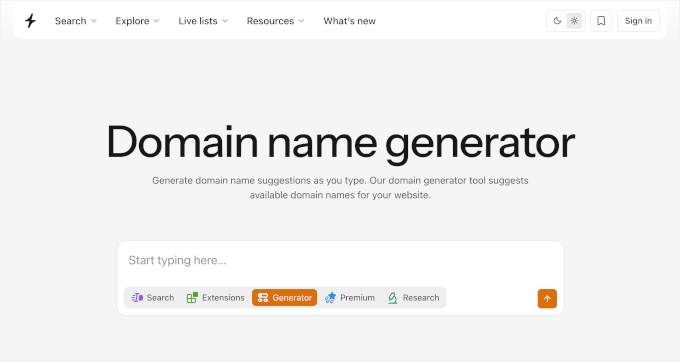
Instant Domain Search is a domain generator and availability checker in one. Results update as you type, and it checks more than 800 extensions. You can filter results by extension and by status: available, premium, aftermarket, or taken.

When you pick a name, you choose which registrar to buy it from. It connects to more than 20 registrars and shows their prices side by side. In our test, it sent us to GoDaddy.
In our test: 47 available .com names across the three keywords, with first results in under 1 second.
3. Namelix
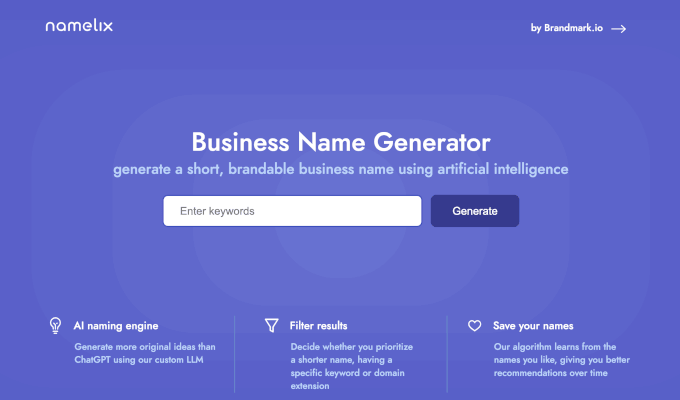
Namelix uses AI to write short, brandable names from your keyword. You can pick a name style, such as brandable, compound words, or real words, and set how random the ideas should be. Each name comes with a logo preview so you can see how it might look as a brand.
Names with an available .com get a badge in the results, so you can spot them without opening each one.
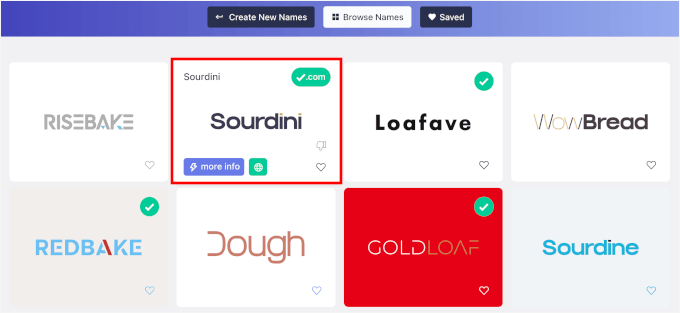
In our test: 27 available .com names across the three keywords, with first results in about 7 seconds.
Alternative: Namify also uses AI and checks social media handles, but in our test it suggested other extensions instead of .com.
4. Nameboy
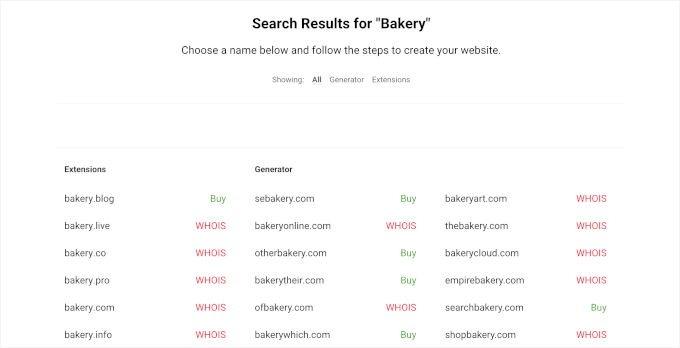
Nameboy is our own tool. It combines your keywords with related words, prefixes, and suffixes, and it has separate generators for blog names, store names, and brand names. Clicking Buy sends you to Network Solutions to register the name.
The IsItWP and BlogTyrant generators are also ours and run on the same engine, so you’ll get the same results there.
In our test: 13 available .com names across the three keywords, with first results in under 4 seconds.
5. Namecheap Beast Mode
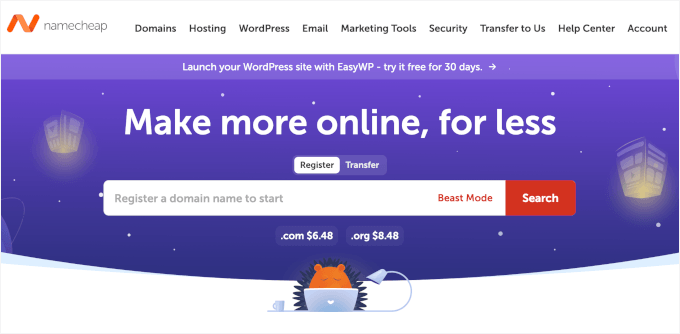
Beast Mode is Namecheap‘s advanced search, and it’s the pick when you want to check lots of names at once. You can filter by price range, transform words with prefixes and suffixes, and search whole groups of extensions in one go.
Namecheap is a registrar, so every result shows Namecheap’s own prices. A .com costs $11.28 for the first year ($14.98 without the current sale) and $18.48 a year to renew. New customers can get the first year for $6.48 with a promo code.
In our test: 7 available .com names across the three keywords, with first results in about 4 seconds. With its default prefixes and suffixes, it only returned about 10 names per keyword, so add your own for more ideas.
6. Domainr
Domainr is the pick for exploring every extension. Type a name and it shows where it’s available across .co, .io, country codes, and domain hacks, where the extension finishes the word.
Domainr doesn’t generate ideas, so you need to bring the name yourself. It’s best used after one of the tools above gives you a shortlist.
In our test: As expected for a checker, it returned 0 available .com names, since the exact .com for each keyword was taken. It did find an available domain hack, dogtr.ai/ning, and listed registrars like Porkbun and Dynadot to buy it from.
How to Name a Blog (With Examples)
Say the name out loud. If you’d have to spell it for a friend, keep looking. Keep it under three words if you can, and leave room to grow beyond your first topic so the name still fits when your blog does.
We generated these with Namelix during our test, and each .com was available on October 22, 2026. For more ideas in your niche, try Nameboy’s blog name generator.
- Food: BitesForDays.com, MyBellyDiary.com
- Travel: TrippingTales.com, TheWorldDiary.com
- Personal finance: PennyWiseDiary.com, MyMoneyTales.com
- Parenting: LittleStepsMom.com, FirstStepsNest.com
- Tech: DecodedDev.com, SiliconPosts.com
SEO-Friendly Domain Names: What Still Matters
If you’re new to this, start with our beginner’s guide on domain names. Then check your shortlist against these points:
- Choose .com first: It’s the extension people type by default.
- Keep it short and easy to say: Fewer letters mean fewer typos.
- Skip hyphens: People forget them when typing your address.
- Use a keyword only if it fits naturally: It helps visitors understand your site, but it’s no longer a ranking shortcut.
- Check trademarks: Search your country’s trademark database before you buy.
Once you’ve picked a name, see our guide on how to register a domain name. After that, you can install WordPress and create a business email address that matches your new domain.
Frequently Asked Questions About Domain Name Generators
1. Can I get a free domain name?
Yes. The easiest way to get a free .com is to sign up for web hosting that includes one. Bluehost gives WPBeginner readers a free domain name with hosting, as covered at the top of this article.
2. Can AI create domain names?
Yes. Namelix uses AI to write new brandable words instead of adding common prefixes and suffixes to your keyword. In our test, 27 of its first 60 names had the .com available, and it marks those with a badge.
3. How do I come up with a domain name?
Write down two or three words that describe your site. Run them through a generator and shortlist the available names you like. Then check your shortlist against our domain name tips before you register.
4. Which domain name generator is the best?
Lean Domain Search found the most available .com names in our test, with 57 out of 60. Instant Domain Search came second with 47.
5. How do I come up with a blog name?
Keep it easy to say, short, and broad enough to grow with your blog. See our blog naming tips and examples above.
If you liked this article, then please subscribe to our YouTube Channel for WordPress video tutorials. You can also find us on Twitter and Facebook.




Dennis Muthomi
Nameboy has been a total game-changer for one of my client projects. It’s super quick at coming up with creative domain ideas.
Also for me, I paired Nameboy with a thesaurus for even better results. Recently did this for a client’s eco-friendly products, and it worked great! Got them a perfect domain that really fits their brand.
Mrteesurez
Great job for the compilation of these name generators and checkers, I didn’t know WPbeginner also has a took for generating name ideas. Choosing a good name for one’s brand is a crucial step in business startup. Thanks for this helpful guide.
WPBeginner Support
Glad our list was helpful
Admin
Madhuri
So many name generator out their but nameming is best thank you wpbeginner
WPBeginner Support
Thanks for sharing your preferred option
Admin
Ashley Vance
Thank you
Ashley
Thx it was helpful
Michael Quinn
“14 Best” sounds like a list of all the ones you could find.
“2-3 Best” would be a “Best List” where you have actually compared and come up with the Best ones.
But nice lice
Awontis
This can be interesting to check out, even we have domain name.