August has been full of exciting updates in the WordPress ecosystem. From new features in major plugins to early previews of the redesigned admin interface, WordPress site owners have plenty to look forward to. This month’s highlights cover tools for creating professional forms, accepting modern… Read More »
I’ve been running WordPress blogs for years, and one thing that used to frustrate me was seeing my visitors get stuck on archive pages. They’d land on a category or date archive, scroll for a bit, and then leave without finding what they needed. People… Read More »
The phrase “Would you like fries with that?” is more than just a famous question. It’s a clever sales move that has added billions to a single company’s revenue. And that same idea can help grow your own WooCommerce store, too. It’s all about making… Read More »
If you’ve been part of the WordPress community for a while, then you’ve almost certainly heard of OceanWP. Launched as a free theme with premium-level features, it quickly became a staple for freelancers, agencies, and DIY site owners. The creator, Nicolas Lecocq, stepped away from… Read More »
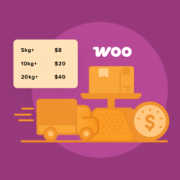
Unexpected shipping costs are one of the biggest reasons customers abandon their carts. If your WooCommerce store charges too much or the pricing feels confusing, then you could be losing sales without realizing it. That’s why it’s so important to offer clear, fair shipping rates.… Read More »
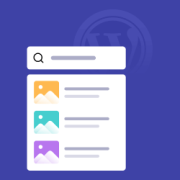
When visitors can’t find what they’re looking for, they don’t stick around – they click away, often for good. The default WordPress search doesn’t make it easy. It’s slow, clunky, and outdated: type a keyword, hit Enter, wait for a full page reload… only to… Read More »
I’ll be honest: there was a time when privacy compliance felt overwhelming. Between GDPR, CCPA, VCDPA, and other regulations, it seemed like I needed a law degree just to run a simple WordPress site. But after spending a lot of time helping website owners figure… Read More »
A few years ago, I got my first data deletion request from a user. I’ll admit, I panicked a little. I knew I needed to respect their privacy rights, but I had no idea how to actually remove their data from my WordPress site without… Read More »
Used to store interaction and conversion data for campaigns in conjunction with Revenue Attribution.
1 year
_gat_omTracker*
Set, controlled and used by Google Analytics to collect and store data and then send that data to Google Analytics. OptinMonster provides the name if there is no existing tracker found on that page.
-
omCountdown-{id}-{elementId}
Used for countdown elements {elementId} in campaigns {id} to determine when it should complete.
-
om-{id}-closed / omSlideClosed-{id}
Used specifically with slide-in campaigns {id} to determine if it has been closed or not by a visitor.
30 days
om-success-cookie / omSuccessCookie
Used to determine if a visitor has successfully opted in to any campaign on your site to unlock content when using our Content Locking feature.
365 days
om-success-{id} / omSuccess-{id}
Used to determine if a visitor has successfully opted in to a campaign with the ID of {id} on your site.
365 days
omSeen-{id}
Used to determine if a visitor has been shown a campaign by the slug.
30 days
om-{id}
Used to determine if a visitor has interacted with a campaign ID of {id} on your site.
30 days
_omappvs
Used to determine when a new visitor becomes a returning visitor.