Often beginners get confused when trying to pick the best WordPress plugins amongst so many that are available. We frequently get questions like what is the best WordPress plugin for SEO, Social Media, Performance, etc. Unlike other sites, WPBeginner test and review the best WordPress plugins and offer step by step installation guides to make your life easier. We know that everyone hates Top 10 WordPress plugins list, so we have taken a different approach. We do the research, so you don't have to.
Are you looking for a way to add excerpts to your pages in WordPress? Excerpts are short extracts from your content that can add a description, summary, or small details about a post or page. By default, excerpts are only available for posts in WordPress.… Read More »
Are you looking for the best plugins to improve WordPress comments? Comments can help boost user engagement and build a community. The default WordPress commenting system is good, but it’s quite basic. Luckily, there are tons of plugins that can help you create a more… Read More »
Are you looking to find the best voice message plugins for WordPress? There are hundreds of voice message plugins available on the market, making it difficult to choose the right one for your website. To help you out, we have tested the most popular voice… Read More »
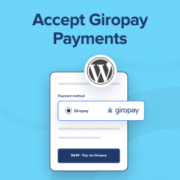
Do you want to easily accept Giropay payments on your WordPress site? Giropay is a popular payment method, with over 40 million users in Germany and Austria. By offering this preferred payment method, you can build trust and increase conversions on your website in some… Read More »
Are you looking for the best WordPress business directory plugin for your website? A business directory helps users discover service providers in a particular niche or category. At the same time, it helps those businesses find customers and opportunities. As a website owner, you can… Read More »
Are you looking for the best WordPress popup plugin? A good WordPress popup plugin helps you convert website visitors into email subscribers and paying customers. There are dozens of WordPress popup plugins that can help you improve conversion rates. However, most of them will either… Read More »
Are you looking for a way to add Facebook like reactions to your WordPress blog posts? Facebook like reactions offer users a more interesting way to share their feedback on your articles than just a simple thumbs up or down. This can enhance the user… Read More »
Do you want to block disposable email addresses in WordPress? Some of our readers are concerned about protecting their websites against problematic users who can abuse their services. Disposable email addresses are one source of this problem, so it’s important to block them on your… Read More »
Are you looking to create a photo gallery with albums in WordPress? With photo albums, your visitors can quickly navigate to the specific set of images they are interested in on your website. That helps to improve the user experience and can even lead to… Read More »
Are you wondering how to add a video slider to your WordPress site? If you are seeing high bounce rates, then maybe your website is boring or poorly designed. Video sliders are a good way to liven up your home page or any other page… Read More »