


You need to use our WC Vendors coupon to get up to 60% off WC Vendors, the best WooCommerce multi-vendor plugin. Just follow our instructions below to redeem the WC Vendors coupon code and get the maximum discount on WC Vendors.
Editor’s Note: Simply click on our WC Vendors coupon link, and you’ll get 60% off WC Vendors. This is an exclusive WC Vendors Pro coupon. 🎉
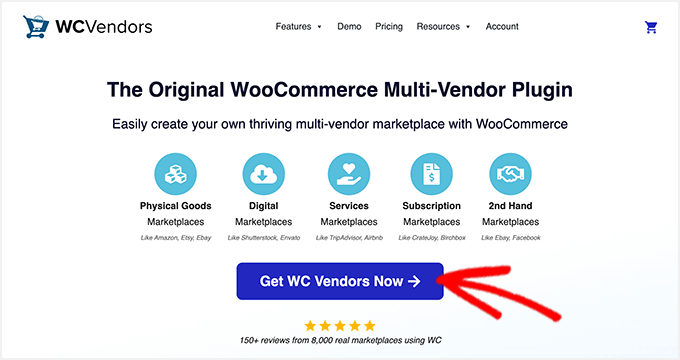
First, you’ll need to click on our WCVendors.com discount link. Then, click on the ‘Get WC Vendors Now’ button.
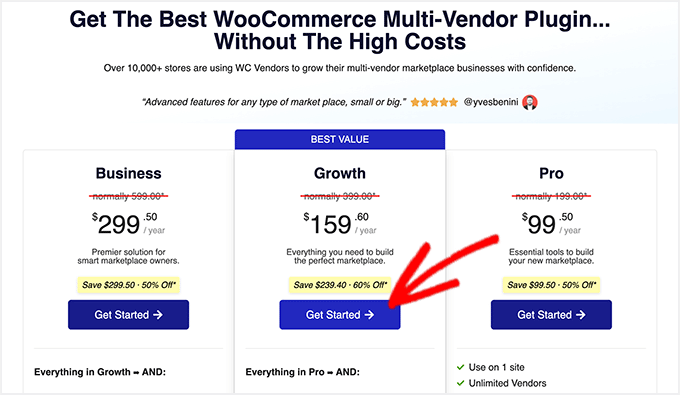
This will take you to the pricing page. WC Vendors has 3 pricing plans: Pro, Growth, and Business.
Pro: If you’re just getting started with your multivendor business, then the WC Vendors Pro plan is ideal. It lets you add unlimited vendors, supports flat rates and table rates, provides powerful reports, and allows you to manage commissions and taxes.
Growth: WC Vendors Growth plan comes with everything from the Pro plan. It also includes a subscription compatibility addon and official integration with the WooCommerce Subscriptions plugin. You can add memberships and accept subscription payments easily. Plus, it has other features like verified sellers, vendor levels, and more.
We recommend the WC Vendors Growth plan. Our readers also get a 60% discount on the Growth plan.
Business: The Business plan comes with advanced features and addons. It also includes official integration with WooCommerce Bookings and WooCommerce Simple Auction plugins.
Click on the ‘Get Started’ button below the plan you want to purchase.
This will take you to the WC Vendors checkout page.
On the right side of the screen, you can review your full order summary, which includes the price of your selected plan and the exclusive WC Vendors coupon applied automatically.
✅ REMINDER: Since you clicked on our WC Vendors coupon link, the 60% off WC Vendors coupon has been applied to their Growth plan. If you want to purchase the Pro or Business plan, you’ll also get a 50% discount. But the best deal is available on the WC Vendors Growth plan!
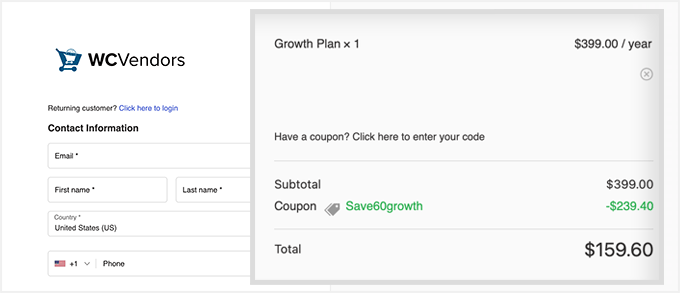
You need to enter your contact information, including your email address, name, country, phone number, and other relevant details. This will be used to create your new account on the WC Vendors site.
Scroll down to select a payment method and add your credit card details.
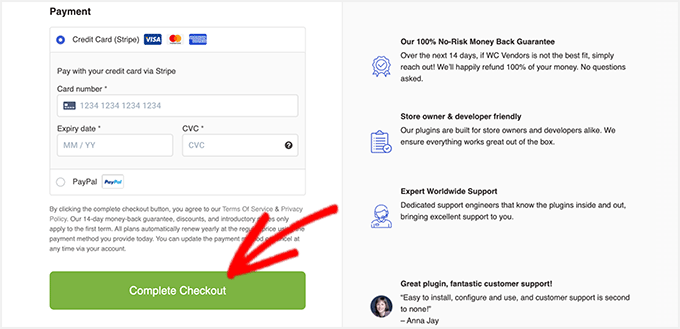
After carefully adding your payment details, click on the ‘Complete Checkout’ button. You can now use the WC Vendors plugin to set up your WooCommerce multi-vendor store.
Other WordPress Coupons and Deals
Check out some other recommended WordPress coupons and deals for your business website:
| WordPress Plugin | Coupon Code |
|---|---|
| Weglot Coupon (Exclusive) | 15% OFF — Coupon: WPBEG19 |
| WPForms Coupon | 50% OFF |
| Wholesale Suite Coupon | 50% OFF |
| Advanced Coupons Deal | 50% OFF |
| AdTribes Coupon | 50% OFF |
We hope you found our WC Vendors coupon code to be helpful. At WPBeginner, we work hard to negotiate exclusive discounts for our users.
Please check out other WordPress coupons and deals.


