One thing we’ve found helpful while running our multi-author WordPress blog is customizing author profiles. Sometimes, the default profile fields just don’t fit our needs. Removing these default fields can give you more control over how authors are presented, which is important if you’re representing… Read More »
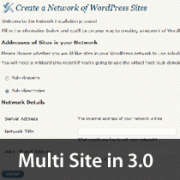
WordPress 3.0 is when the big merge happens. The core of WPMU is incorporated in WordPress which means that you can now run multiple blogs from one installation of WordPress. This new feature is being called Network or Multi-site option. By default this feature is disabled. If you want to use this option in your WordPress, then you would have to enable it.
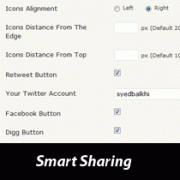
Smart sharing adds a floating box with social media buttons in single posts only. By default, you can pick between retweet, facebook, digg, and stumbleupon. But you are not limited to these choices because there is an option to add your own custom codes.
WordPress 3.0 is coming out very soon (May 1, 2010). The first beta version of WordPress 3.0 is already out for users to try out. You should try it on a test blog to see all the cool features. For those who do not want to test the beta version, you can read this post to see the overview of WordPress 3.0.
Used to store interaction and conversion data for campaigns in conjunction with Revenue Attribution.
1 year
_gat_omTracker*
Set, controlled and used by Google Analytics to collect and store data and then send that data to Google Analytics. OptinMonster provides the name if there is no existing tracker found on that page.
-
omCountdown-{id}-{elementId}
Used for countdown elements {elementId} in campaigns {id} to determine when it should complete.
-
om-{id}-closed / omSlideClosed-{id}
Used specifically with slide-in campaigns {id} to determine if it has been closed or not by a visitor.
30 days
om-success-cookie / omSuccessCookie
Used to determine if a visitor has successfully opted in to any campaign on your site to unlock content when using our Content Locking feature.
365 days
om-success-{id} / omSuccess-{id}
Used to determine if a visitor has successfully opted in to a campaign with the ID of {id} on your site.
365 days
omSeen-{id}
Used to determine if a visitor has been shown a campaign by the slug.
30 days
om-{id}
Used to determine if a visitor has interacted with a campaign ID of {id} on your site.
30 days
_omappvs
Used to determine when a new visitor becomes a returning visitor.