Often beginners get confused when trying to pick the right WordPress plugins for their needs. We frequently get questions like what is the best WordPress plugin to build an online store, add testimonials, accept payments, create a contact form, and so much more. Unlike other sites, our expert team at WPBeginner tests and review the best WordPress plugins for each task and create step-by-step installation guides to make your life easier. We do the research, so you don't have to.
If you're just getting started, then you may want to start with our popular WordPress plugin guides:
We also have a WPBeginner Solutions Center where we have our expert reviews and our community reviews of top WordPress plugins and tools.
You can find our other latest WordPress plugin guides below, and you can always use the search feature on our site to find helpful WordPress tutorials faster.
If you don't see a WordPress plugin guide that you're looking for, then please reach out to your team and let us know. All our WordPress content ideas are suggested by our users over the last 15+ years.
Have you ever published a blog post, optimized it carefully for SEO, but it got almost no traffic from Google? Before you rewrite it, check whether any other page on your site links to it. A page with no internal links pointing to it is… Read More »
Meta started rolling out its WhatsApp AI agent (officially called Meta Business Agent) to eligible businesses worldwide. Its AI agent can answer questions, recommend products, and qualify leads for your business around the clock. For small businesses, that means you don’t have to hire additional… Read More »
Every time you upload a photo, WordPress creates five or ten different hidden size variations to fit your theme. These extra files consume your storage and slow your site backups. Plus, most of these extra image sizes are never used on your site. They sit… Read More »
When I started running a multi-author WordPress blog, I learned something important: readers develop favorite writers. But when they type an author’s name into your WordPress search box, nothing shows up, even if that author has published many posts. This happens because the default WordPress… Read More »
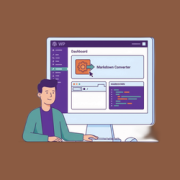
If you want your website to show up in AI search results, then you need to make sure that tools like ChatGPT and Claude can easily read your content. AI crawlers and agents prefer Markdown over HTML because it uses fewer tokens (units of text… Read More »
Web content doesn’t stay the same forever. Over time, pages get moved, deleted, or taken offline, which leaves behind broken links and missing references. This problem is known as link rot, and it affects every corner of the internet. If you run a WordPress site,… Read More »
I once helped a friend whose WooCommerce store spent more on ads than it earned in sales. It is a frustrating trap that catches many online business owners. We added a simple refer-a-friend system, and their word-of-mouth sales nearly doubled in just a few months.… Read More »
Creating a website that people trust starts with protecting their personal information. Privacy laws like GDPR and CCPA are designed to help with that, but they can feel confusing when you’re just trying to do the right thing. Many of these rules ask you to… Read More »
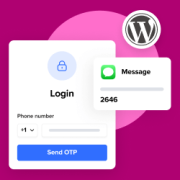
Remember when email and password were the only way to log into websites? Times have changed, and now many users expect the convenience of logging in with their phone numbers. After helping different people set up phone-based login systems on their WordPress sites, I’ve learned… Read More »
People often share their Netflix logins with friends. To prevent password sharing from getting out of hand, online services have now started limiting the number of devices that can use one account at a time. Many of our readers run membership websites and offer online… Read More »
Used to store interaction and conversion data for campaigns in conjunction with Revenue Attribution.
1 year
_gat_omTracker*
Set, controlled and used by Google Analytics to collect and store data and then send that data to Google Analytics. OptinMonster provides the name if there is no existing tracker found on that page.
-
omCountdown-{id}-{elementId}
Used for countdown elements {elementId} in campaigns {id} to determine when it should complete.
-
om-{id}-closed / omSlideClosed-{id}
Used specifically with slide-in campaigns {id} to determine if it has been closed or not by a visitor.
30 days
om-success-cookie / omSuccessCookie
Used to determine if a visitor has successfully opted in to any campaign on your site to unlock content when using our Content Locking feature.
365 days
om-success-{id} / omSuccess-{id}
Used to determine if a visitor has successfully opted in to a campaign with the ID of {id} on your site.
365 days
omSeen-{id}
Used to determine if a visitor has been shown a campaign by the slug.
30 days
om-{id}
Used to determine if a visitor has interacted with a campaign ID of {id} on your site.
30 days
_omappvs
Used to determine when a new visitor becomes a returning visitor.