


Our exclusive WPChat coupon gets you 50% OFF. It’s the best price for this powerful WordPress live chat plugin. Just follow our instructions below to redeem the WPChat coupon code and save extra money on the WPChat plugin.
Editor’s Note: Use our exclusive WPChat coupon link to get 50% OFF WPChat. No coupon code required. 🎉
First, you need to visit WPChat.com using our referral discount link on WPBeginner. Once you’re there, just click on the ‘Get WPChat Now’ button.
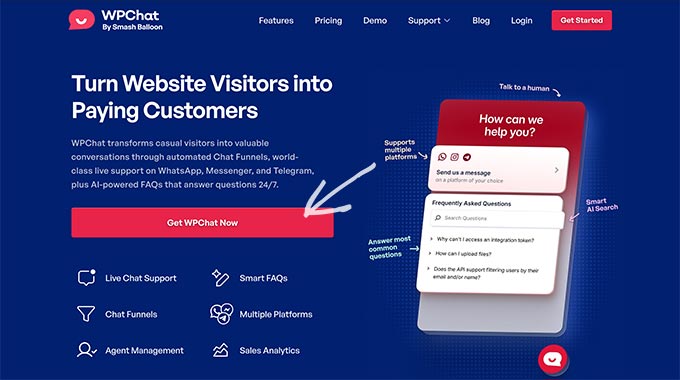
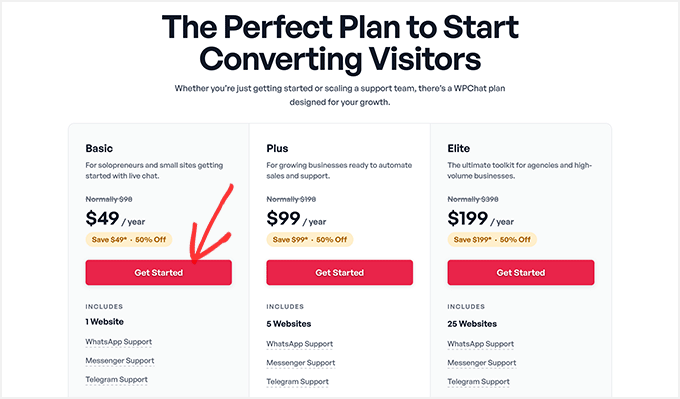
This will take you to the pricing page. WPChat has 3 pricing plans: Basic, Plus, and Elite.
We recommend the WPChat Basic plan for small businesses.
The WPChat Basic plan supports WhatsApp, Messenger, and Telegram. It works for up to 1 WordPress site, and you can add multiple chat agents, AI-powered FAQs, and more.
Click on the ‘Get Started’ button below the plan you want to purchase.
This will take you to the WPChat checkout page.
You will notice a custom message on the page that says, “Special Offer: Save 50% on your purchase today”.
It also shows your full order summary here. This includes the original price of your selected plan (WPChat Pro basic plan in our example), our exclusive WPChat coupon for 50%, and the total price you’ll pay at checkout.
✅ REMINDER: Since you clicked on our WPChat discount link, our exclusive WPChat coupon has been applied automatically. You get 50% OFF WPChat Pro!
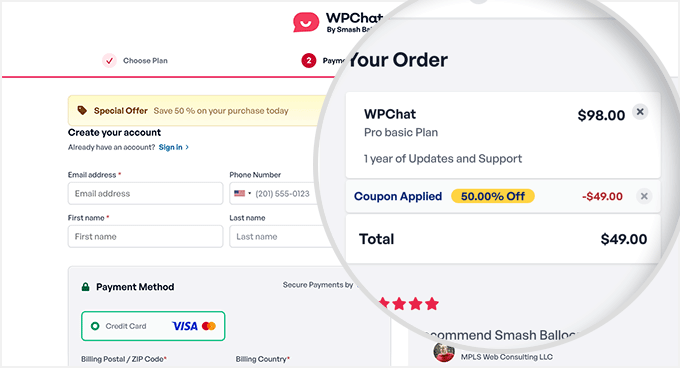
On the left side, simply enter your personal details to create a new account on the WPChat.com website.
Scroll down a bit to select a payment method, then carefully enter your credit card details.
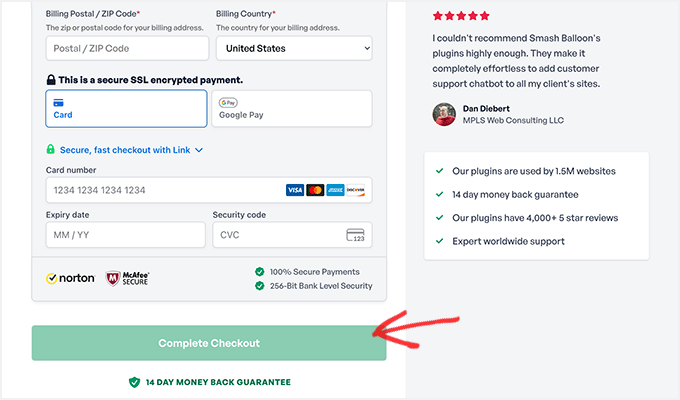
After adding all the payment details, click on the ‘Complete Checkout’ button. You can now add the powerful WordPress chat plugin to your site.
WordPress Plugin Coupons & Deals
Check out some other recommended WordPress plugin coupons and deals for your website:
| WordPress Plugin | Coupon Code |
|---|---|
| Weglot Coupon (Exclusive) | 15% OFF — Coupon: WPBEG19 |
| WPForms Coupon | 50% OFF |
| AIOSEO Coupon | 50% OFF |
| WP Mail SMTP Coupon | $50 OFF [EXCLUSIVE] |
| SEOBoost Coupon | 60% OFF |
We hope you found our WPChat coupon code helpful! At WPBeginner, we work hard to negotiate exclusive discounts and coupon codes for our users.
Please take a look at our other WordPress coupons and deals to find some more great offers for your website.


