Welcome to the January 2026 edition of WPBeginner Spotlight! This month, we’re looking at new tools to help you clean up your WordPress media library, fine-tune cookie consent banners, and preview design changes faster. We’re also covering fresh updates across forms, fundraising, and site management,… Read More »
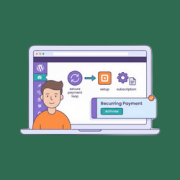
Square makes it easy to accept recurring payments on your WordPress site, even without setting up a full online store. If you’ve ever wanted to add subscriptions, memberships, or donation forms but felt overwhelmed by WooCommerce, then you’re in the right place. In this guide,… Read More »
Ever wondered why your WordPress site takes up so much disk space? Often, it’s because your WordPress site is quietly hoarding thousands of image files you’ve NEVER actually used. Every time you upload a single image, WordPress automatically creates 5-10 different size variations, like thumbnails,… Read More »
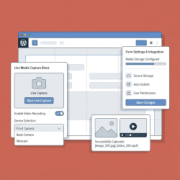
I used to ask people to email me their photos for my website. Profile pictures for membership sites, headshots for team pages, even simple ID verification images – and every single time, it turned into a back-and-forth mess. People would forget to attach the file.… Read More »
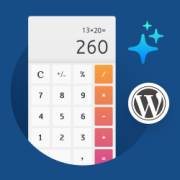
Interactive calculators are quietly becoming some of the most powerful tools on the web. They keep visitors on your site longer, build trust instantly, and convert visitors into leads and customers. Your visitors engage with them because they get personalized results, and that engagement turns… Read More »
A few months ago, I needed to add WhatsApp chat to my WordPress site. It sounded simple at first, but once I started looking, things got messy quickly. There were dozens of plugins that looked similar, vague feature lists, and very little clarity about which… Read More »
I know how stressful it is to watch the news about AI and wonder if your website will survive. That’s why choosing the right SEO plugin for the AI search era can feel like a high-stakes decision for your business. I’ve spent months testing Rank… Read More »
Used to store interaction and conversion data for campaigns in conjunction with Revenue Attribution.
1 year
_gat_omTracker*
Set, controlled and used by Google Analytics to collect and store data and then send that data to Google Analytics. OptinMonster provides the name if there is no existing tracker found on that page.
-
omCountdown-{id}-{elementId}
Used for countdown elements {elementId} in campaigns {id} to determine when it should complete.
-
om-{id}-closed / omSlideClosed-{id}
Used specifically with slide-in campaigns {id} to determine if it has been closed or not by a visitor.
30 days
om-success-cookie / omSuccessCookie
Used to determine if a visitor has successfully opted in to any campaign on your site to unlock content when using our Content Locking feature.
365 days
om-success-{id} / omSuccess-{id}
Used to determine if a visitor has successfully opted in to a campaign with the ID of {id} on your site.
365 days
omSeen-{id}
Used to determine if a visitor has been shown a campaign by the slug.
30 days
om-{id}
Used to determine if a visitor has interacted with a campaign ID of {id} on your site.
30 days
_omappvs
Used to determine when a new visitor becomes a returning visitor.