


Use our exclusive BuddyBoss coupon to get up to 25% off the best WordPress community platform. Just follow our instructions below to redeem the BuddyBoss coupon and get the maximum discount on the BuddyBoss plugin!
Editor’s Note: Use our BuddyBoss coupon link to get up to 25% OFF. The most exclusive BuddyBoss coupon code will be applied automatically. 🎉
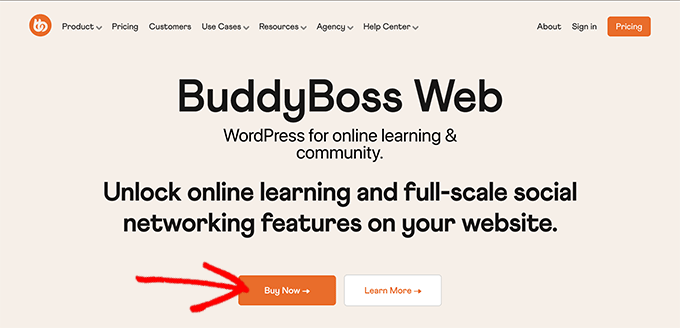
First, you need to visit BuddyBoss.com using our referral discount link and click on the ‘Buy Now’ button to continue.
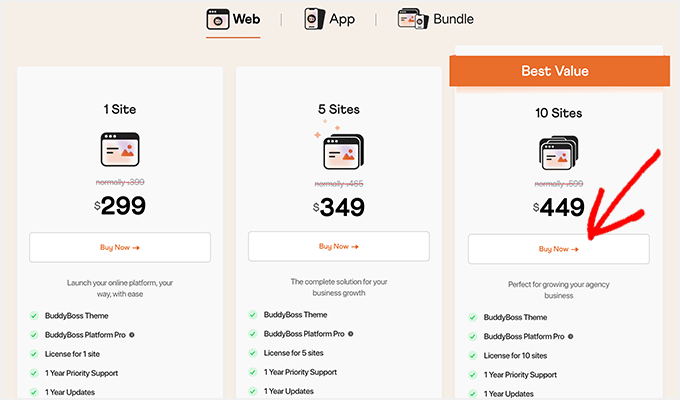
This will take you to the BuddyBoss pricing page. There are 3 licenses available.
We recommend the BuddyBoss 10 Sites license.
This license includes the BuddyBoss theme, BuddyBoss Platform Pro, and more. And you can also use BuddyBoss on up to 10 WordPress sites.
BuddyBoss also offers an app and bundle plans. But for this guide, we will pick the BuddyBoss Web community platform.
Just click on the ‘Get Started’ button below the plan you want to purchase.
This will take you to the BuddyBoss checkout page.
You can review your order summary and selected plan on the right side of the screen. It also automatically applies the exclusive BuddyBoss coupon to their theme.
🟢 REMINDER: Since you clicked on our BuddyBoss coupon link, the 25% BuddyBoss theme discount is applied automatically. No additional coupon is needed!
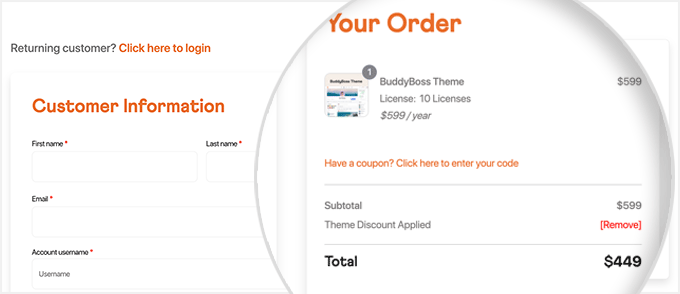
You can enter your personal information and account details on the left side. This will help you set up a new account on the BuddyBoss site, where you can download the BuddyBoss theme and community platform plugin.
After adding your personal details, scroll down to the payment section.
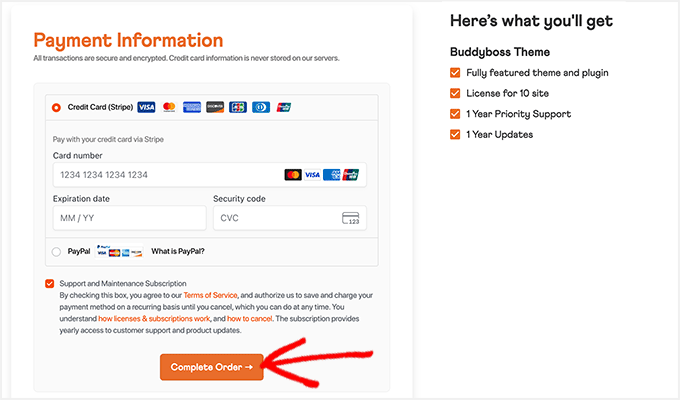
Now, select a payment method and carefully add your credit card details.
Finally, click on the ‘Complete Order’ button to successfully purchase the BuddyBoss license for 10 WordPress sites. You can start using the BuddyBoss community platform by adding it to WordPress.
We hope you found our BuddyBoss coupon code to be helpful. At WPBeginner, we work hard to negotiate exclusive discounts for our users.
Please check out other WordPress coupons and deals.


