Ti sei mai chiesto quali importanti attività di manutenzione dovresti eseguire regolarmente sul tuo sito WordPress? Non sei solo, questa domanda ci viene posta da molti dei nostri lettori. La buona notizia è che le attività di manutenzione di routine di WordPress richiedono pochissimo tempo. Inoltre, possono... Leggi di più »
Una delle maggiori sfide che le organizzazioni no-profit devono affrontare è rendere facile per i sostenitori donare. Se il processo risulta confuso o richiede troppi passaggi, le persone spesso rinunciano prima di completare la loro donazione. Ecco perché raccomandiamo spesso i pulsanti di donazione PayPal. Sono veloci da impostare... Leggi di più »
Su WPBeginner, parliamo ogni giorno con i proprietari di siti e un punto di confusione comune è il link 'nofollow'. È un argomento che suona tecnico e molti principianti temono di sbagliare. Vediamo spesso utenti preoccupati che un semplice errore possa danneggiare il loro... Leggi di più »
Ti sei mai sentito frustrato a cercare pulsanti e opzioni mentre scrivi post sul blog? Anche noi lo eravamo quando abbiamo iniziato con WordPress. Sembrava di giocare a nascondino con l'editor dei post! La buona notizia è che puoi configurare la tua schermata di modifica esattamente...
Una mailing list è il modo migliore per rimanere in contatto con il tuo pubblico molto tempo dopo che hanno lasciato il tuo sito. Pensaci: anche se qualcuno non ha pensato al tuo marchio per mesi, la tua mailing list è ancora una linea diretta con loro. Permette… Leggi di più »
Hai mai creato il video perfetto per il tuo pubblico, solo per bloccarti su come inserirlo nel tuo post del blog di WordPress? Può essere frustrante e potresti preoccuparti che l'aggiunta di video rallenti il tuo sito o richieda di armeggiare con complicati... Leggi di più »
Ti è mai capitato di incollare del testo in WordPress e il tuo post, attentamente pianificato, appare improvvisamente completamente diverso? I font non corrispondono, la spaziatura è sbagliata e, in qualche modo, hai stili di testo multipli che stonano con il design del tuo sito web. Noi siamo stati... Leggi di più »
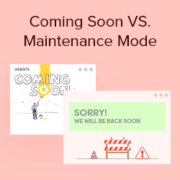
Scegliere tra la modalità "coming soon" e la modalità "manutenzione" può creare confusione, specialmente se stai lanciando o aggiornando un sito WordPress per la prima volta. Potrebbero sembrare simili, ma usarne una sbagliata può influire su come il tuo sito appare ai visitatori e ai motori di ricerca, il che può... Leggi di più »
Visualizzare post in primo piano nella barra laterale di WordPress è un ottimo modo per evidenziare contenuti importanti, coinvolgere i visitatori e aumentare le visualizzazioni di pagina. Ad esempio, su WPBeginner, visualizziamo i nostri ultimi post, guide utili e pagine di coupon nella nostra barra laterale. Questo motiva gli utenti a esplorare di più... Leggi di più »
Scrivere equazioni matematiche in WordPress può essere difficile poiché l'editor predefinito non supporta completamente la formattazione matematica. Tuttavia, ci sono modi per aggiungere facilmente equazioni al tuo sito. In questo articolo, ti guideremo attraverso tre diversi metodi per scrivere equazioni matematiche in WordPress. Sia che tu... Leggi di più »
Stores the traffic source or campaign that explains how the user reached your site.
6 months
_gat
Used to throttle request rate.
1 minute
_gid
Used to distinguish users.
24 hours
__utma
Used to distinguish users.
Persistent
__utmb
Used to determine new sessions/visits.
30 minutes
__utmc
Used to determine if the user is in a new session/visit.
Session
__utmt
Used to throttle request rate.
10 minutes
__utmv
Used to store visitor-level custom variable data.
2 years
_ga
Used to distinguish users.
2 years
I cookie di marketing vengono utilizzati per seguire i visitatori sui siti web. L'intenzione è quella di mostrare annunci pertinenti e coinvolgenti per il singolo utente.
OptinMonster è un potente strumento di generazione di lead che aiuta le aziende a convertire i visitatori in abbonati e clienti.
Used to store interaction and conversion data for campaigns in conjunction with Revenue Attribution.
1 year
_gat_omTracker*
Set, controlled and used by Google Analytics to collect and store data and then send that data to Google Analytics. OptinMonster provides the name if there is no existing tracker found on that page.
-
omCountdown-{id}-{elementId}
Used for countdown elements {elementId} in campaigns {id} to determine when it should complete.
-
om-{id}-closed / omSlideClosed-{id}
Used specifically with slide-in campaigns {id} to determine if it has been closed or not by a visitor.
30 days
om-success-cookie / omSuccessCookie
Used to determine if a visitor has successfully opted in to any campaign on your site to unlock content when using our Content Locking feature.
365 days
om-success-{id} / omSuccess-{id}
Used to determine if a visitor has successfully opted in to a campaign with the ID of {id} on your site.
365 days
omSeen-{id}
Used to determine if a visitor has been shown a campaign by the slug.
30 days
om-{id}
Used to determine if a visitor has interacted with a campaign ID of {id} on your site.
30 days
_omappvs
Used to determine when a new visitor becomes a returning visitor.