After pouring hours into writing a fantastic blog post, the last thing you want is for it to go unread. Your title is the ultimate deciding factor in whether your hard work gets noticed and draws readers in from search results or social media. Luckily,… Read More »
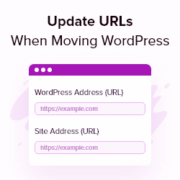
Moving a WordPress site to a new domain is exciting, but seeing a screen full of broken links afterward can be terrifying. We know the sinking feeling of finding missing images and 404 errors that hurt your search rankings. After migrating hundreds of websites across… Read More »
Are you frustrated with how the images look on your WordPress website? Maybe your featured images show up blurry and pixelated, or they’re so large that your pages load slowly. We’ve seen this happen on many different WordPress sites, and it’s one of the most… Read More »
If you run a WordPress blog, you’ve probably seen this happen: a reader searches for a post you know exists, but the default search shows unrelated results — or nothing at all. It skips key content, feels inconsistent, and doesn’t give you much control. On… Read More »
If you’ve ever tried to accept payments on your WordPress site, then you know it’s not always as simple as it should be. Customers expect to pay quickly and securely, and a clunky checkout can quickly cost you sales. That’s why so many website owners… Read More »
In the past, we accepted guest posts on WPBeginner. Although we’ve since retired this program, we still remember how managing guest posts can become a complete mess. We’d get submissions through email, Google Docs, and even social media messages. Keeping track of everything was a… Read More »
Tracking email performance is important for understanding how your audience interacts with your content so you can improve your email marketing efforts. By setting up email tracking in WordPress, you can monitor metrics like opens, clicks, and other engagement data to optimize your campaigns and… Read More »
Used to store interaction and conversion data for campaigns in conjunction with Revenue Attribution.
1 year
_gat_omTracker*
Set, controlled and used by Google Analytics to collect and store data and then send that data to Google Analytics. OptinMonster provides the name if there is no existing tracker found on that page.
-
omCountdown-{id}-{elementId}
Used for countdown elements {elementId} in campaigns {id} to determine when it should complete.
-
om-{id}-closed / omSlideClosed-{id}
Used specifically with slide-in campaigns {id} to determine if it has been closed or not by a visitor.
30 days
om-success-cookie / omSuccessCookie
Used to determine if a visitor has successfully opted in to any campaign on your site to unlock content when using our Content Locking feature.
365 days
om-success-{id} / omSuccess-{id}
Used to determine if a visitor has successfully opted in to a campaign with the ID of {id} on your site.
365 days
omSeen-{id}
Used to determine if a visitor has been shown a campaign by the slug.
30 days
om-{id}
Used to determine if a visitor has interacted with a campaign ID of {id} on your site.
30 days
_omappvs
Used to determine when a new visitor becomes a returning visitor.