Hai mai voluto far risaltare le tue categorie di WordPress? Forse vuoi che la tua sezione "Notizie" sia diversa dalle tue categorie "Tutorial" o "Recensioni" 🎨 A dire il vero, stilizzare le categorie in modo diverso non è un problema urgente per la maggior parte dei blog. Noi stessi non lo facciamo nemmeno… Leggi di più »
Parliamo degli autori del tuo sito web. Non sono solo nomi su una pagina. Sono gli esperti, i narratori e le voci dietro il tuo marchio. Mostrare la loro esperienza e competenza può creare un legame più forte con il tuo pubblico e persino aiutare a migliorare il posizionamento del tuo sito web nei motori di ricerca… Leggi di più »
Se stai cercando di ridimensionare le immagini Gravatar sul tuo sito WordPress, sei nel posto giusto. Ci sono state occasioni in cui abbiamo dovuto ridimensionare le dimensioni personalizzate di Gravatar sui siti WordPress su cui stavamo lavorando, ma il metodo differisce a seconda del tema che stai… Leggi di più »
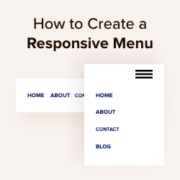
Più della metà di tutto il traffico web proviene da dispositivi mobili. Se il tuo menu di navigazione non funziona bene su smartphone e tablet, una grossa fetta del tuo pubblico potrebbe avere difficoltà a orientarsi sul tuo sito. Con anni di esperienza nella creazione di siti WordPress,… Leggi di più »
Un tema starter di WordPress offre agli sviluppatori una base pulita per creare temi personalizzati senza scelte di design non necessarie o funzionalità gonfie che intralciano. Invece di rimuovere elementi, puoi concentrarti sulla scrittura di codice solido, sulla creazione di layout personalizzati e sull'avanzamento più rapido su progetti reali.… Leggi di più »
Vuoi aggiungere un tocco di interesse visivo ai tuoi post del blog di WordPress? L'aggiunta di classi dispari e pari può rendere il tuo layout più accattivante, spezzando lunghi elenchi di post con sottili modifiche di design che attirano l'attenzione. Riceviamo frequentemente domande dai nostri lettori...
Le immagini in evidenza sono spesso la prima cosa che le persone notano su un blog. Catturano l'attenzione, attirano i lettori e definiscono il tono del tuo post. Ma in alcuni temi di WordPress, fare clic sull'immagine in evidenza non porta i visitatori da nessuna parte. Invece di aprire il tuo post, semplicemente...
Quando abbiamo iniziato a personalizzare i temi di WordPress, spostare la barra laterale da destra a sinistra sembrava un'operazione semplice. Eppure abbiamo scoperto che molti utenti hanno difficoltà con questa modifica di base del layout perché ogni tema la gestisce in modo diverso, e alcuni non rendono l'opzione ovvia. Dopo aver aiutato...
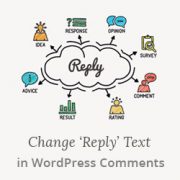
Ho passato del tempo a sperimentare con diversi testi di risposta per i commenti di WordPress sul mio blog, cercando qualcosa che riflettesse meglio il mio marchio e si sentisse più personale per i miei lettori. La risposta predefinita "Rispondi" funziona bene, ma non cattura il tono amichevole e conversazionale che desidero… Leggi tutto »
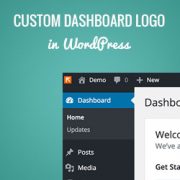
Su WPBeginner riceviamo molte domande dagli utenti che vogliono personalizzare WordPress. Una delle richieste più comuni? Cambiare il logo predefinito di WordPress con un logo personalizzato della dashboard. Sostituire il logo di WordPress con il tuo logo personalizzato è un ottimo… Leggi tutto »
Stores the traffic source or campaign that explains how the user reached your site.
6 months
_gat
Used to throttle request rate.
1 minute
_gid
Used to distinguish users.
24 hours
__utma
Used to distinguish users.
Persistent
__utmb
Used to determine new sessions/visits.
30 minutes
__utmc
Used to determine if the user is in a new session/visit.
Session
__utmt
Used to throttle request rate.
10 minutes
__utmv
Used to store visitor-level custom variable data.
2 years
_ga
Used to distinguish users.
2 years
I cookie di marketing vengono utilizzati per seguire i visitatori sui siti web. L'intenzione è quella di mostrare annunci pertinenti e coinvolgenti per il singolo utente.
OptinMonster è un potente strumento di generazione di lead che aiuta le aziende a convertire i visitatori in abbonati e clienti.
Used to store interaction and conversion data for campaigns in conjunction with Revenue Attribution.
1 year
_gat_omTracker*
Set, controlled and used by Google Analytics to collect and store data and then send that data to Google Analytics. OptinMonster provides the name if there is no existing tracker found on that page.
-
omCountdown-{id}-{elementId}
Used for countdown elements {elementId} in campaigns {id} to determine when it should complete.
-
om-{id}-closed / omSlideClosed-{id}
Used specifically with slide-in campaigns {id} to determine if it has been closed or not by a visitor.
30 days
om-success-cookie / omSuccessCookie
Used to determine if a visitor has successfully opted in to any campaign on your site to unlock content when using our Content Locking feature.
365 days
om-success-{id} / omSuccess-{id}
Used to determine if a visitor has successfully opted in to a campaign with the ID of {id} on your site.
365 days
omSeen-{id}
Used to determine if a visitor has been shown a campaign by the slug.
30 days
om-{id}
Used to determine if a visitor has interacted with a campaign ID of {id} on your site.
30 days
_omappvs
Used to determine when a new visitor becomes a returning visitor.