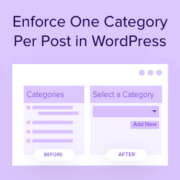
Are categories secretly sabotaging your site’s SEO? Categories are a great way to organize your content and help visitors find what they’re looking for. However, if your posts have multiple categories, then this can actually hurt your search engine rankings without you realizing it. If… Read More »
Adding visual elements like timelines to your site used to mean hours of custom coding or hiring expensive developers. That’s why we were excited to discover a plugin that lets you add a Facebook-style timeline to your site in minutes. If you want to showcase… Read More »
If you’ve ever run into WordPress storage limits or struggled with slow media loading, you’re not alone. As your site grows, uploading more images, videos, or PDFs can start to bog things down — both for you and your visitors. One of the best ways… Read More »
When writing your posts in WordPress, you will notice that the Publish meta box disappears if you scroll down a little. In order to hit the publish or update button, a user needs to scroll up and then click on those buttons. This little UI… Read More »
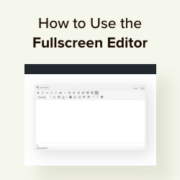
Writing quality content requires focus and a distraction-free environment. The Distraction-Free Fullscreen Editor in WordPress is designed to help you achieve just that. It hides unnecessary elements and gives you a full screen canvas to create content. Many of our team members have found the… Read More »
You’ve found the perfect image for your website, but there’s just one problem: it’s too small. When you try to make it bigger, it becomes a blurry, pixelated mess that looks completely unprofessional. We’ve all been there, and it’s incredibly frustrating. What many people don’t… Read More »
Finally the much anticipated, WordPress 4.0 arrived today. It is a major release, packed with lots of improvements and some new features. At WPBeginner, we closely followed the development and wrote about what’s coming in WordPress 4.0. There are many new things that we are… Read More »
Inserting WordPress page content into another page or post allows you to show the same information in multiple locations across your website. Reusing content in this way can save time and ensure consistency. It can also help you boost your productivity when updating old material.… Read More »
Used to store interaction and conversion data for campaigns in conjunction with Revenue Attribution.
1 year
_gat_omTracker*
Set, controlled and used by Google Analytics to collect and store data and then send that data to Google Analytics. OptinMonster provides the name if there is no existing tracker found on that page.
-
omCountdown-{id}-{elementId}
Used for countdown elements {elementId} in campaigns {id} to determine when it should complete.
-
om-{id}-closed / omSlideClosed-{id}
Used specifically with slide-in campaigns {id} to determine if it has been closed or not by a visitor.
30 days
om-success-cookie / omSuccessCookie
Used to determine if a visitor has successfully opted in to any campaign on your site to unlock content when using our Content Locking feature.
365 days
om-success-{id} / omSuccess-{id}
Used to determine if a visitor has successfully opted in to a campaign with the ID of {id} on your site.
365 days
omSeen-{id}
Used to determine if a visitor has been shown a campaign by the slug.
30 days
om-{id}
Used to determine if a visitor has interacted with a campaign ID of {id} on your site.
30 days
_omappvs
Used to determine when a new visitor becomes a returning visitor.