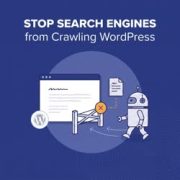
Working on a WordPress site that isn’t ready to launch yet? You probably don’t want unfinished pages showing up in search results before you’re ready. In this guide, we will show you how to control search engine crawling and indexing in WordPress. We’ll also explain… Read More »
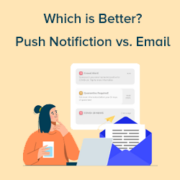
Imagine you have an important message to share with your audience. Do you send a quick ping directly to their devices, grabbing their attention instantly? Or do you craft a thoughtfully designed email that lands in their inbox, waiting to be opened? At WPBeginner, we… Read More »
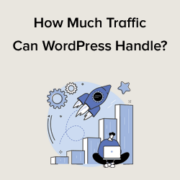
WordPress is a powerful platform that can manage a lot of web traffic. With the right tools, its capacity to handle visitors is virtually limitless. We’ve seen WordPress sites sustain billions of impressions each month. This article will discuss the traffic capacity of a WordPress… Read More »
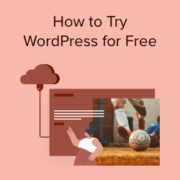
Many people want to explore WordPress before investing time and money into a full website setup, which is understandable. After all, diving into a new platform can be daunting. The good news is that you don’t need to purchase anything to start your WordPress journey.… Read More »
You may have heard some negative opinions about WordPress from misinformed tech consultants or influencers. This can be confusing for beginners who see conflicting views. It’s essential to ask: if WordPress is so bad, why is it so popular? Nearly half of all websites on… Read More »
Switching WordPress themes can be exciting, but it’s important to know what to expect. With so many great themes available, changing themes can be tempting. However, there are several things you should consider before making the switch. In this article, we’ll explain what happens when… Read More »
When we first started optimizing WordPress sites, we quickly realized WooCommerce stores face unique speed challenges. Unlike regular websites, online stores manage product catalogs, shopping carts, checkout, and payment systems—all of which need to run smoothly and fast. That’s why so many store owners struggle… Read More »
Ever feel like your WordPress website is trying to do too much on a single page? Maybe your ‘Services’ section has grown into a long scroll of scattered details, or your ‘Case Studies’ page feels more like a wall of text. When everything is crammed… Read More »
Google Analytics 4 (GA4) is the latest version of Google’s famous analytics platform. It is a powerful tool that helps you understand your audience. For example, we use it extensively on our website and other brands to track different metrics. However, Google Analytics 4 is… Read More »
Most website owners obsess over Google, but they are often missing out on a huge chunk of traffic from Bing. Adding your site to Bing Webmaster Tools helps you tap into this audience and ensures your content gets indexed faster. Some beginners worry that verifying… Read More »
Used to store interaction and conversion data for campaigns in conjunction with Revenue Attribution.
1 year
_gat_omTracker*
Set, controlled and used by Google Analytics to collect and store data and then send that data to Google Analytics. OptinMonster provides the name if there is no existing tracker found on that page.
-
omCountdown-{id}-{elementId}
Used for countdown elements {elementId} in campaigns {id} to determine when it should complete.
-
om-{id}-closed / omSlideClosed-{id}
Used specifically with slide-in campaigns {id} to determine if it has been closed or not by a visitor.
30 days
om-success-cookie / omSuccessCookie
Used to determine if a visitor has successfully opted in to any campaign on your site to unlock content when using our Content Locking feature.
365 days
om-success-{id} / omSuccess-{id}
Used to determine if a visitor has successfully opted in to a campaign with the ID of {id} on your site.
365 days
omSeen-{id}
Used to determine if a visitor has been shown a campaign by the slug.
30 days
om-{id}
Used to determine if a visitor has interacted with a campaign ID of {id} on your site.
30 days
_omappvs
Used to determine when a new visitor becomes a returning visitor.