Adding dark mode to WordPress websites has become a hot topic among our readers. 🌙 It’s not just about following trends. Research shows that dark mode can reduce eye strain for nighttime readers and potentially save battery life on mobile devices. While many site owners… Read More »
So, you’re diving into the online fashion world with your clothing store. Exciting times! But here’s the thing: your website is more than just a place to sell clothes. It represents your brand to the world. That’s why, to make a good clothing store website,… Read More »
Choosing between Webflow vs WordPress isn’t just about picking a website builder — it’s about deciding how much control, flexibility, and future growth you want for your site. We’ve built everything from one-page portfolios to full business websites using both platforms, and we know the… Read More »
Have you ever had that moment when you paste some text into WordPress, and your carefully planned post suddenly looks completely different? The fonts don’t match, the spacing is off, and somehow, you’ve got multiple text styles that clash with your website’s design. We’ve been… Read More »
If you work with WordPress, you probably know how important it is to test things before making changes to your live site. At WPBeginner, we often create test websites on our computers to try out new themes and plugins. This allows us to explore new… Read More »
Have you ever reached the bottom of your website and thought, “There has to be more I can do with this space”? We’ve noticed that the footer is often an overlooked area of many WordPress websites, but it holds so much potential. There are several… Read More »
We’ve been promoting our brands across social media platforms like Twitter for several years now, so we know how useful WordPress plugins can be for increasing followers, traffic, and shares. However, not every Twitter plugin can handle every use case that your business might have.… Read More »
Running an online store once meant investing heavily in inventory, storage, and shipping. But with print on demand, that barrier has been removed. After trying platforms like Printful across our test WordPress site, we’ve seen how easy it is to launch a store without managing… Read More »
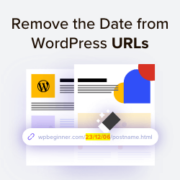
Do your WordPress URLs include dates that make your content look outdated? Long, dated URLs can clutter your site structure and make evergreen posts seem old to search engines. Many site owners want to switch to a cleaner link format, but worry about breaking their… Read More »
AI chatbots can be a huge help for any online business. They can free up time by automatically answering common customer questions and improve the user experience by offering faster support. Plus, they can even help generate leads and boost sales. At WPBeginner, we focus… Read More »
Used to store interaction and conversion data for campaigns in conjunction with Revenue Attribution.
1 year
_gat_omTracker*
Set, controlled and used by Google Analytics to collect and store data and then send that data to Google Analytics. OptinMonster provides the name if there is no existing tracker found on that page.
-
omCountdown-{id}-{elementId}
Used for countdown elements {elementId} in campaigns {id} to determine when it should complete.
-
om-{id}-closed / omSlideClosed-{id}
Used specifically with slide-in campaigns {id} to determine if it has been closed or not by a visitor.
30 days
om-success-cookie / omSuccessCookie
Used to determine if a visitor has successfully opted in to any campaign on your site to unlock content when using our Content Locking feature.
365 days
om-success-{id} / omSuccess-{id}
Used to determine if a visitor has successfully opted in to a campaign with the ID of {id} on your site.
365 days
omSeen-{id}
Used to determine if a visitor has been shown a campaign by the slug.
30 days
om-{id}
Used to determine if a visitor has interacted with a campaign ID of {id} on your site.
30 days
_omappvs
Used to determine when a new visitor becomes a returning visitor.