WordPress 6.1 was released a few hours back, and it is the last major release of 2022. This new release contains significant updates to the full site editing and the block editor experience. In this article, we’ll show you what’s new in WordPress 6.1, and… Read More »
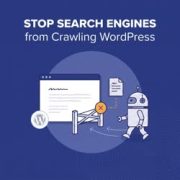
Crawl budget is the limit Google sets on how many pages it will crawl on your website. Apart from your posts and pages, WordPress generates several extra URLs that search engines can crawl and index. This means Google may spend your crawl budget on unnecessary… Read More »
Working on a WordPress site that isn’t ready to launch yet? You probably don’t want unfinished pages showing up in search results before you’re ready. In this guide, we will show you how to control search engine crawling and indexing in WordPress. We’ll also explain… Read More »
If you’ve run a speed test on your WordPress site, you’ve probably seen a warning about “serving scaled images.” Tools like Google PageSpeed and GTmetrix flag it often, but they don’t explain it clearly. All it means is your images are bigger than the space… Read More »
Used to store interaction and conversion data for campaigns in conjunction with Revenue Attribution.
1 year
_gat_omTracker*
Set, controlled and used by Google Analytics to collect and store data and then send that data to Google Analytics. OptinMonster provides the name if there is no existing tracker found on that page.
-
omCountdown-{id}-{elementId}
Used for countdown elements {elementId} in campaigns {id} to determine when it should complete.
-
om-{id}-closed / omSlideClosed-{id}
Used specifically with slide-in campaigns {id} to determine if it has been closed or not by a visitor.
30 days
om-success-cookie / omSuccessCookie
Used to determine if a visitor has successfully opted in to any campaign on your site to unlock content when using our Content Locking feature.
365 days
om-success-{id} / omSuccess-{id}
Used to determine if a visitor has successfully opted in to a campaign with the ID of {id} on your site.
365 days
omSeen-{id}
Used to determine if a visitor has been shown a campaign by the slug.
30 days
om-{id}
Used to determine if a visitor has interacted with a campaign ID of {id} on your site.
30 days
_omappvs
Used to determine when a new visitor becomes a returning visitor.