Ibland kanske du inser att en specifik inläggstyp inte passar ditt innehåll bäst. Att byta till ett annat format kan hjälpa dig att skapa en mer organiserad webbplatsstruktur och till och med öka din synlighet i sökresultaten. Anpassade inläggstyper är utformade för att organisera…
En generisk WordPress-inloggningssida kan kännas malplacerad – särskilt om du driver en medlemswebbplats, en onlinekurs eller någon webbplats där användare regelbundet loggar in. Det är ofta det första intrycket folk får efter att ha registrerat sig, och om den ser enkel eller frånkopplad ut… Läs mer »
Att lägga till en "hover effect" på dina bilder får din webbplats att känna sig polerad och professionell direkt. Det är en liten designjustering som fångar besökarnas uppmärksamhet utan att distrahera dem från ditt innehåll. Många nybörjare oroar sig för att lägga till animationer kräver komplex kodning eller dyra designverktyg. Du… Läs mer »
När det gäller att göra uppdateringar eller betydande ändringar på din WordPress-webbplats kan det vara riskabelt att göra det direkt. Det är här en staging-webbplats kommer in. Det är en perfekt klon av din live-webbplats där du säkert kan testa ändringar, felsöka problem och… Läs mer »
Att ladda upp videor direkt till WordPress kan verka bekvämt, men det saktar ofta ner din webbplats, slukar lagringsutrymme och kan skada din SEO, vilket lämnar dig frustrerad och dina besökare väntande. Du behöver inte kompromissa med prestandan för att dela videoinnehåll. Det smartare tillvägagångssättet är enkelt: hosta… Läs mer »
Nyligen frågade en WPBeginner-läsare om vår hjälp angående ett problem med bilder på deras webbplats. Allt började när användaren bytte till ett nytt tema, och temat visade miniatyrbilder bredvid utdraget av inlägget. Problemet var att alla nya… Läs mer »
WordPress menysystem har en inbyggd funktion där du kan lägga till beskrivningar med menyalternativ. Den här funktionen är dock dold som standard. Även när den är aktiverad stöds inte visning av dem utan att lägga till lite kod. De flesta teman är inte utformade med menyalternativsbeskrivningar i åtanke. I… Läs mer »
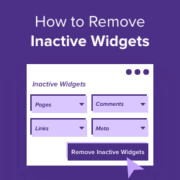
WordPress-widgetar kan göra områden som din webbplats sidofält, sidhuvud och sidfot mer engagerande för dina besökare. Men om du inte använder specifika widgetar kan din sektion för inaktiva widgetar bli rörig över tid. Genom att ta bort inaktiva widgetar kan du göra detta område enklare att… Läs mer »
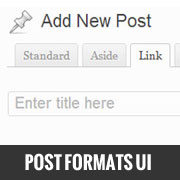
Inläggsformat introducerades i WordPress 3.1 för att erbjuda mikrobloggningsfunktionalitet i WordPress. Trots att det finns där, har de flesta nybörjare ingen aning om hur man använder det. Anledning: Eftersom det inte är lika framträdande som på Tumblr. WordPress har ett användargränssnitt… Läs mer »
Used to store interaction and conversion data for campaigns in conjunction with Revenue Attribution.
1 year
_gat_omTracker*
Set, controlled and used by Google Analytics to collect and store data and then send that data to Google Analytics. OptinMonster provides the name if there is no existing tracker found on that page.
-
omCountdown-{id}-{elementId}
Used for countdown elements {elementId} in campaigns {id} to determine when it should complete.
-
om-{id}-closed / omSlideClosed-{id}
Used specifically with slide-in campaigns {id} to determine if it has been closed or not by a visitor.
30 days
om-success-cookie / omSuccessCookie
Used to determine if a visitor has successfully opted in to any campaign on your site to unlock content when using our Content Locking feature.
365 days
om-success-{id} / omSuccess-{id}
Used to determine if a visitor has successfully opted in to a campaign with the ID of {id} on your site.
365 days
omSeen-{id}
Used to determine if a visitor has been shown a campaign by the slug.
30 days
om-{id}
Used to determine if a visitor has interacted with a campaign ID of {id} on your site.
30 days
_omappvs
Used to determine when a new visitor becomes a returning visitor.