


Do you want to display the total number of comments on your WordPress site?
Comments are one of the most significant ways users engage with your blog content. By showing off the total comment count, you can encourage more people to join the conversation.
In this article, we will show you how to easily display the total number of comments on your WordPress website.

Why Display the Total Number of Comments in WordPress?
Displaying the total number of comments in WordPress can encourage new users to leave comments on your WordPress posts. It’s like telling them, “Other people are reacting to this blog post. You should, too!”
Showing the total number of comments is also a form of social proof, as it means that you have an active comment section.
By default, WordPress will display the comment count for individual posts like so:
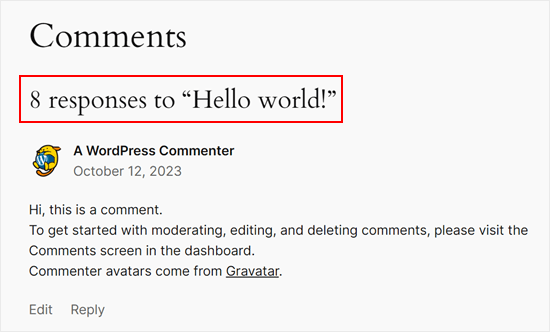
However, it doesn’t show the total number of comments that a website has received. You may want to do this on your homepage or sidebar to get more people to leave comments.
With that being said, let’s see how you can display the total number of comments on your WordPress website. Simply use the quick links below to jump straight to the method you want to use:
Method 1: Display WordPress Comment Count Using a Plugin (Easy)
The easiest way to show an accurate comment count is by using Simple Blog Stats. This plugin shows the total number of approved comments and comments in moderation. However, it doesn’t include pings and trackbacks in its count.
Many websites turn off trackbacks and pingbacks in an attempt to block spam comments in WordPress, so this may not be a big problem for your website.
However, if you want to include trackbacks and pings in your total comment count, then we recommend using method 2 instead.
To get started with this method, you will need to install and activate the Simple Blog Stats plugin. If you need help, then please see our guide on how to install a WordPress plugin.
Upon activation, you can see all the plugin’s shortcodes by going to the Settings » Simple Blog Stats page.
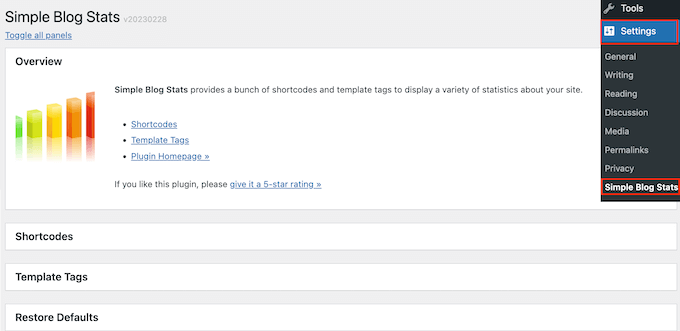
Here, simply click to expand the ‘Shortcodes’ section.
You will now see all the shortcodes you can use to show different stats like the total number of comments, registered users, number of posts, categories, and more.
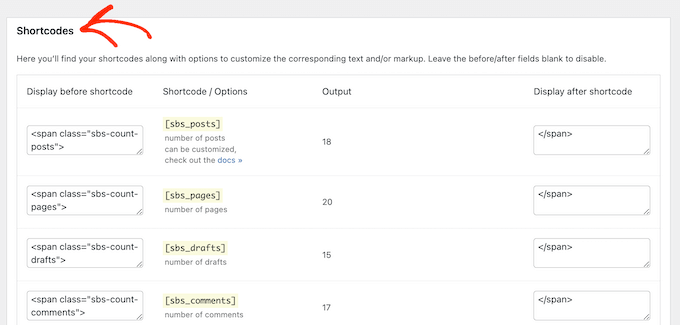
To show the total count of all approved comments on your WordPress blog, simply use the following shortcode: [sbs_approved]
If you want to show the total number of approved comments plus comments that are still in the WordPress comment moderation queue, then you can use [sbs_comments] instead.
For more information about using shortcodes, check out our article on how to add shortcodes in WordPress.
Displaying Total Comment Count in a Post or Page
When you have the shortcode you want to use, simply go to the page or post where you want to show the total number of comments.
Here, click on the ‘+’ button to add a new block. You can now start typing ‘Shortcode’ and select the right block when it appears.
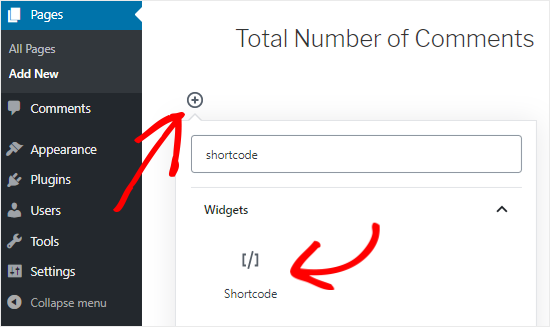
Next, simply paste the shortcode into the block.
You can add any text you want to display before or after the shortcode.
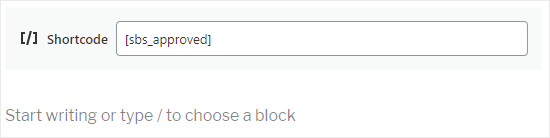
Another option is to use the shortcode inside a paragraph block.
Simply add the shortcode where you want to show the total comment count.
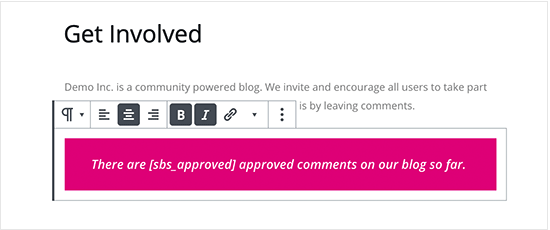
Using the paragraph block also allows you to style the total comment count using the standard text formatting settings. For example, you might make it bold or italic or change the text color.
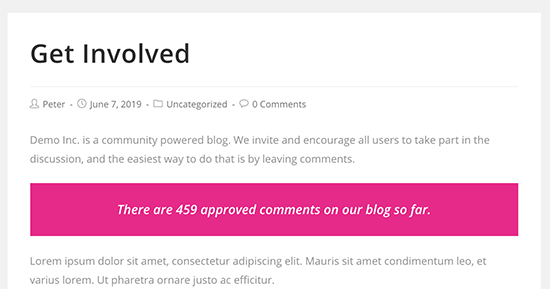
When you are finished, click on the ‘Publish’ or ‘Update’ button to save your changes. You can now visit your website to see the comment count live.
Displaying Total Comment Count in a Sidebar Widget
You can also add the total comment count shortcode to a sidebar or similar section. This is an easy way to display the comment count across your entire WordPress website, as you can see in the following image.
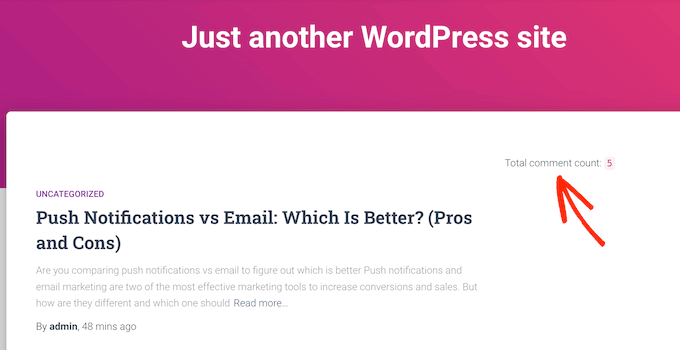
To add the comment count to a sidebar or similar section, go to Appearance » Widgets.
Here, you will see a list of all the available widget areas. For example, in the following image, we are using the ThemeIsle Hestia Pro theme, which has multiple widget-ready areas, including the sidebar, header, and footer.
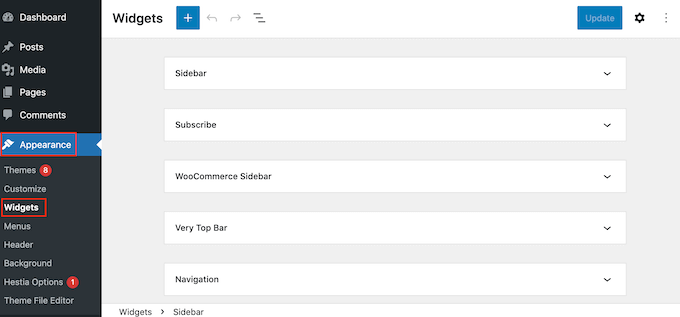
The widget-ready areas are defined by your WordPress theme, so you may see something different depending on the theme you are using.
Now, click on the blue ‘+’ button and type in ‘Paragraph.’ When the Paragraph widget shows up, drag it to the area where you want to show the comment count.
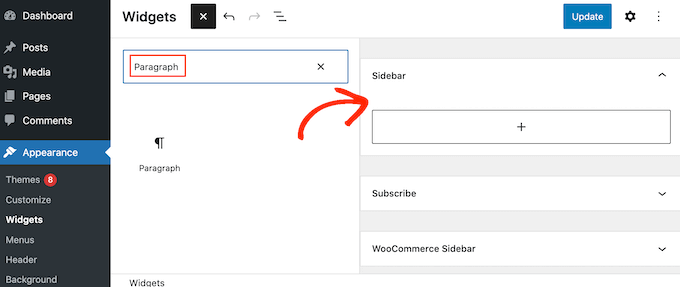
You can then paste the [sbs_approved] shortcode into the widget and type in any text you want to show before or after the total comment count.
When you’re finished, click on ‘Update’ to store your changes.
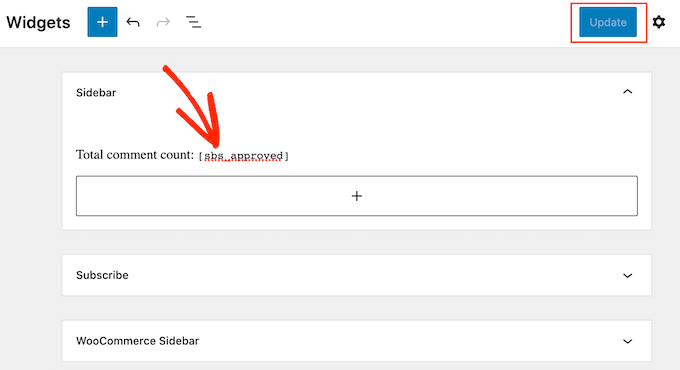
Now, if you visit your website, you’ll see the total comment count widget in action.
Note: If you’re using a block-based theme, then you can add the shortcode to a WordPress page, pattern, or template using the WordPress full site editor. Read our beginner’s guide to WordPress full site editing for more information.
Method 2: Display Comment Count Using Code (Most Accurate)
If you want to include pingbacks and trackbacks in the total comment count, then you will need to add custom code to your website.
Often, tutorials will ask you to add custom code snippets to the theme’s functions.php file. However, we don’t recommend this method, as even a small mistake in your code could cause a number of common WordPress errors or even break your site entirely.
That’s why we recommend using WPCode. It allows you to add custom code in WordPress without editing any core WordPress theme files.
The first thing you need to do is install and activate the free WPCode plugin on your website. For more details, see our step-by-step guide on how to install a WordPress plugin.
Upon activation, go to Code Snippets » Add Snippet.
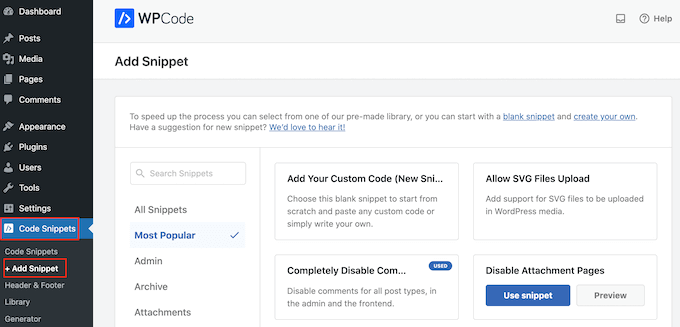
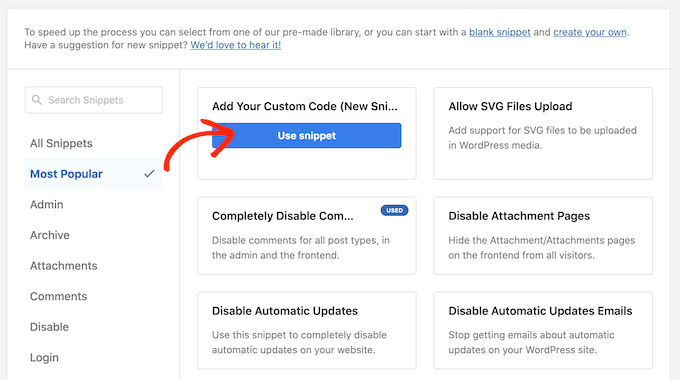
Here, you will see all the ready-made snippets that you can add to your site using WPCode. This includes code that allows you to disable attachment pages, upload SVG files, disable automatic updates, and more.
To create your own snippet, hover your mouse over ‘Add Your Custom Code,’ and then click the ‘Use snippet’ button underneath.
To start, enter a title for the custom code snippet. This is just for your reference, so it can be anything that helps you identify the snippet, like ‘Total Comment Count Display.’
Once you’ve done that, open the ‘Code Type’ dropdown and choose the ‘PHP Snippet’ option.
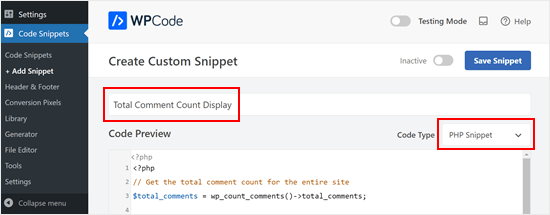
Then, paste the following snippet into the ‘Code Preview’ editor:
// Get the total comment count for the entire site
$total_comments = wp_count_comments()->total_comments;

// Output HTML for displaying the comment count
?>
<div class="comment-count-container">
    <p>
        <!-- Display the text "Total Comments". Feel free to adjust the text -->
        Total Comments:
        <!-- Display the actual comment count using the esc_html function to sanitize the output -->
        <span class="comment-count"><?php echo esc_html($total_comments); ?></span>
    </p>
</div>
Below the code box, you’ll see some insertion options: Auto Insert and Shortcode. With ‘Auto Insert,’ you can make the code run automatically on all your pages and posts.
But in this case, we recommend using the ‘Shortcode’ option so that you can display the comment count on specific pages or sections that matter the most, like your homepage or sidebar.
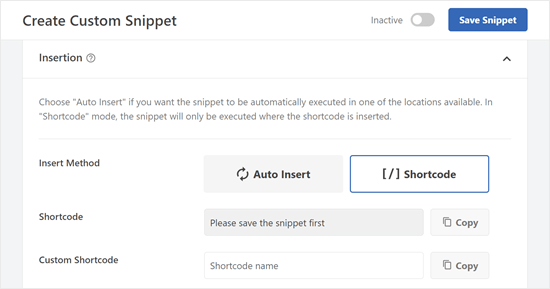
Once you’ve selected that method, you’ll be asked to save the snippet first.
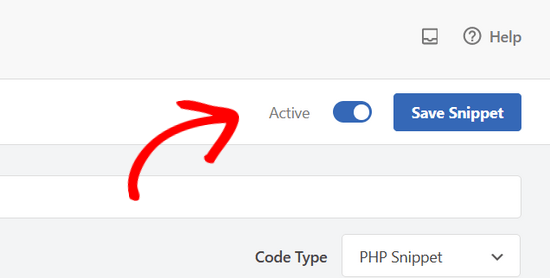
Go ahead and scroll to the top of the screen and click on the ‘Inactive’ toggle so it shows ‘Active.’ Then, click ‘Save Snippet.’
You should now see the shortcode that you can use in your pages, posts, or other widget-ready areas.
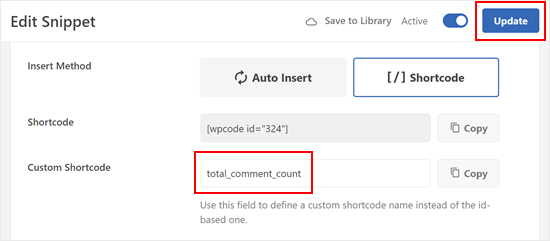
If you use a premium version of WPCode, you can also create a custom shortcode name to make the shortcode more memorable.
Just make sure to click the ‘Update’ button above so that the plugin knows you’ll be using that new shortcode name instead of the ID-based one.
Like the previous method, you can insert the shortcode in any part of your website.
Here’s what the output of the shortcode looks like on our test site:

We hope this tutorial has helped you learn how to display the total number of comments in WordPress. You may also want to check out our list of the best WordPress comment plugins and our guide on easy ways to increase your blog traffic.
If you liked this article, then please subscribe to our YouTube Channel for WordPress video tutorials. You can also find us on Twitter and Facebook.


Syed Balkhi says
Hey WPBeginner readers,
Did you know you can win exciting prizes by commenting on WPBeginner?
Every month, our top blog commenters will win HUGE rewards, including premium WordPress plugin licenses and cash prizes.
You can get more details about the contest from here.
Start sharing your thoughts below to stand a chance to win!
Jiří Vaněk says
Thanks for the PHP snippet. I will definitely like to use it on my site. I appreciate that, in addition to the possibilities using plugins, you also take the time to write PHP code, which is much more valuable to me in order to save server memory.
Henry Obilor says
Thanks for this simple hack, can I show this just at the beginning of every post automatically?
WPBeginner Support says
If you set up a widget area you certainly could automatically add it to the start of all of your posts
Admin
Rodney Lacambra says
Great article. Really helpful, especially for newbies.
thanks