


Finding out your website is down from a visitor complaint is a nightmare scenario. You immediately panic about how long it has been offline and how much traffic you have lost.
We have experienced this on our own projects, which is why we rely on automated tools to watch our servers 24/7. Monitoring your server uptime ensures you are the first to know if something goes wrong.
This simple step gives you peace of mind and allows you to fix issues before they impact your business reputation. You can focus on growth instead of worrying about whether your site is actually online.
Here is how to easily monitor your WordPress website server uptime.
Why Monitor Your WordPress Website Server Uptime?
The servers used by poor-quality hosting companies go down frequently and stay down for minutes or even hours. While many WordPress hosting companies promise 99.9% server uptime, they don’t always live up to their promises.
Whether you run a blog, online store, or any other kind of site, downtime can affect your business, website reputation, and user experience:
- More Downtime Means Losing Money: If your website remains inaccessible for a long period of time, then you will inevitably lose revenue.
- User Experience and Brand Reputation: Having your website down is like closing your door in a visitor’s face, even if you are not doing it intentionally. It creates a bad impression, and you may lose potential customers.
- Search Engine Influence: If your website is frequently down, then search engines might assume that your website is too unreliable to recommend. Often they penalize those websites that fail to maintain 24/7 uptime.
You can monitor your server’s actual uptime to track outages on your WordPress website. You use tools that will notify you immediately by email or SMS if something goes wrong with your site. This will allow you to get it fixed as soon as possible.
With that being said, let’s take a look at some of the best tools for monitoring server uptime for your website. You can use the list below to jump to the tool you are most interested in:
Monitoring Server Uptime Using UptimeRobot
UptimeRobot is a website monitoring tool that offers both a free plan that checks your website every 5 minutes and a Pro plan that checks every 60 seconds.
Pro pricing starts at $7 per month. While the free plan includes email alerts, the Pro plan adds SMS, voice calls, and other advanced notifications.
The first thing you need to do is visit the UptimeRobot website. Once there, you should click the ‘Register for FREE’ button at the top of the screen.

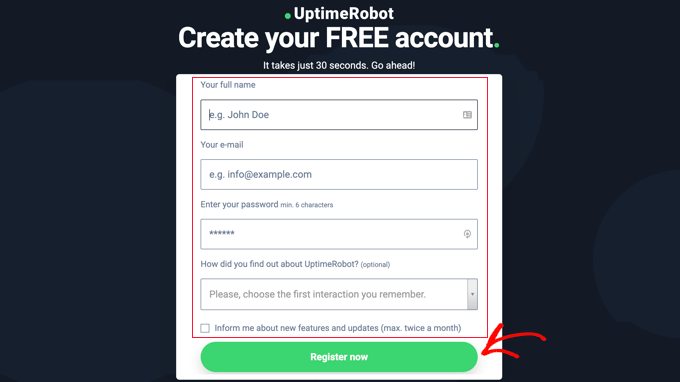
Next, you create a free UptimeRobot account.
Simply fill in your personal details and a password, and then click the ‘Register Now’ button.
A message will be displayed asking you to go to your email inbox to proceed.
You should find an email with the subject ‘UptimeRobot – Account Activation.’ It will contain a link you need to click to activate your account.
This will take you back to the UptimeRobot website. You can click on the ‘Upgrade now’ button to get a discount on the Pro plan or the ‘Maybe later’ link to choose the free plan.
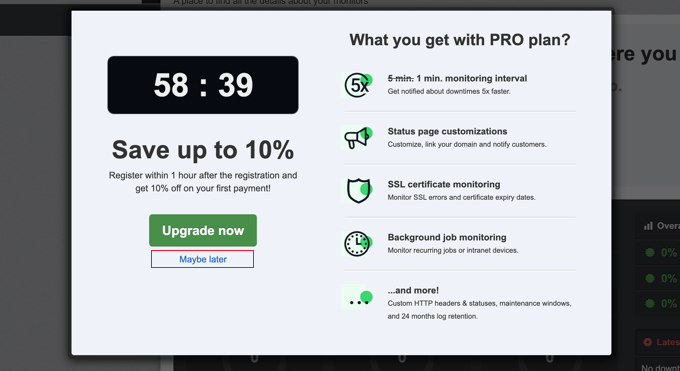
In this tutorial, we will use the free plan.
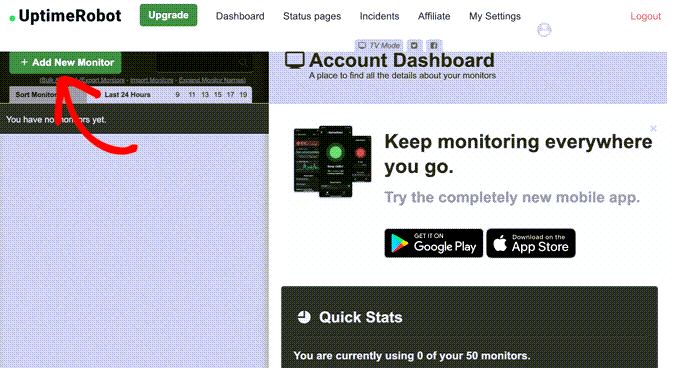
You should now see your UptimeRobot account dashboard. From here, you need to click the ‘Add New Monitor’ button.
This will bring up a popup where you can configure the monitor.
You should select ‘HTTP(s)’ for the monitor type, as this is the standard option for checking a website. Then, add the name and URL of your website. Make sure you set the monitoring interval to 5 minutes if you have the free plan or 1 minute if you are a Pro user.
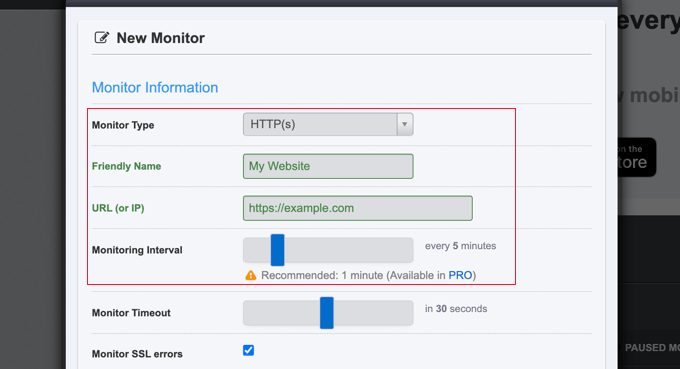
As you scroll down the popup, you need to check the box next to your email address so you are notified when your site goes down.
Clicking the gear icon reveals additional optional controls for your notifications.
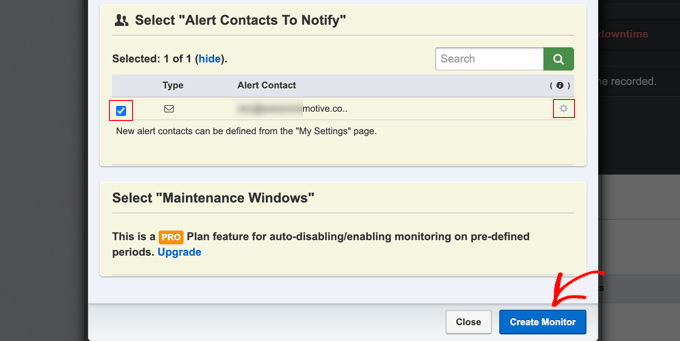
Pro users can select maintenance windows that allow you to automatically disable monitoring for predefined periods, such as when you perform maintenance on your site.
Once you are done, make sure you click the ‘Create Monitor’ button to save your changes.
UptimeRobot will now start monitoring your site’s uptime.
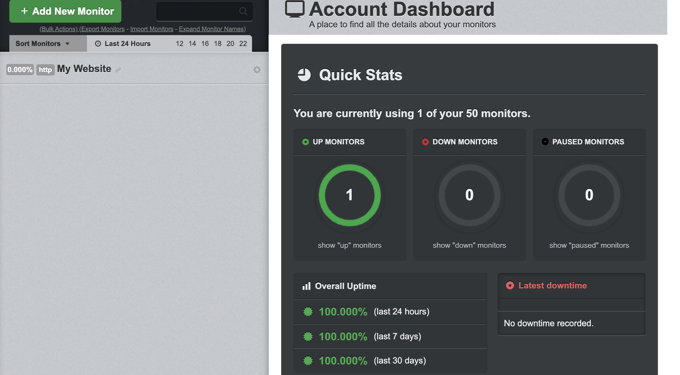
You’ll see detailed stats in your UptimeRobot account dashboard and receive alerts when your website is down.
Monitoring Server Uptime Using Pingdom
Pingdom is a popular performance monitoring tool that allows you to set up server uptime monitoring for your website. It is a paid service with plans starting from $10 per month.
Pingdom is a more robust platform offering a real-time uptime and downtime monitoring service. They offer detailed reports on response times, monitoring from various geographic locations, and more.
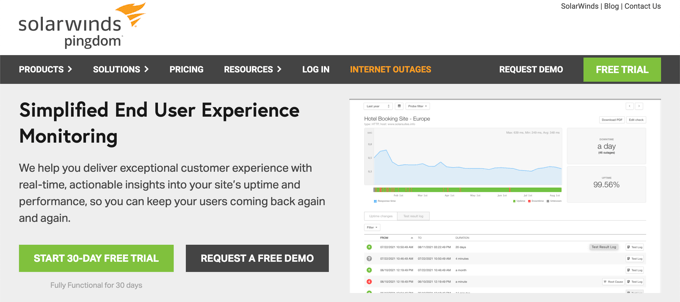
First, you need to visit the Pingdom website and click the button to start your free trial.
You’ll be asked to provide some personal details to create an account. These include your name, email address, password, and country.
When you are ready, click the ‘Start Free Trial’ button.

Next, you will be asked to fill in some additional account information, including your state and time zone.
You should carefully check the phone number and email address because that is how you will be notified if your site goes down.
Finally, add the URL of your website so that Pingdom can monitor it.
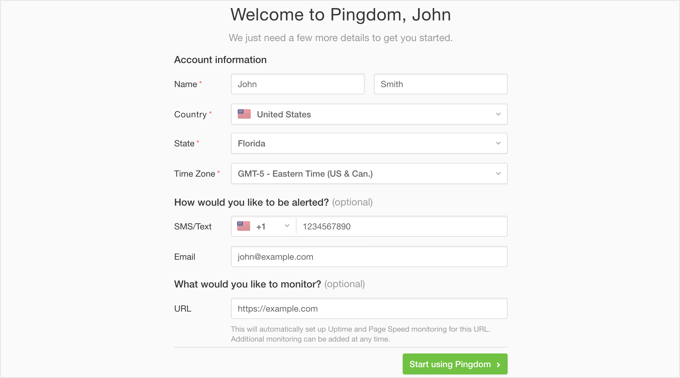
As soon as you click the ‘Start using Pingdom’ button, Pingdom will automatically set up monitoring. You will receive a test alert to your email address and cell phone.
That’s all. You have successfully set up website uptime monitoring for your website using Pingdom.
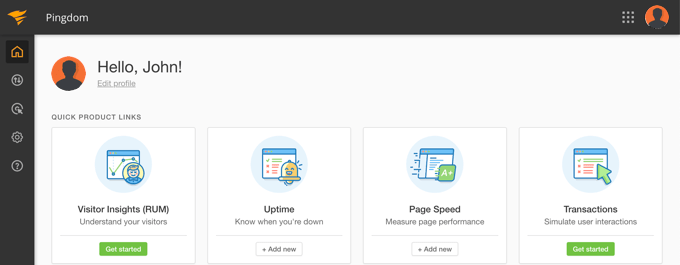
You can set multiple alerts and track various locations. Pingdom documentation and support can help you set that up, but their interface is fairly straightforward.
Pingdom also keeps your uptime history so you can evaluate your web hosting company’s performance over time.
If you like the service, then you can keep using it without interruption, starting at $10 per month.
Checking Whether Your Website Is Currently Up or Down
When you have difficulty accessing your website, you won’t know whether the site is really down or you’re simply facing internet issues. You can quickly check using IsItWP’s free tool.
Simply visit the Website Uptime Status Checker website, then enter the URL of your own site.
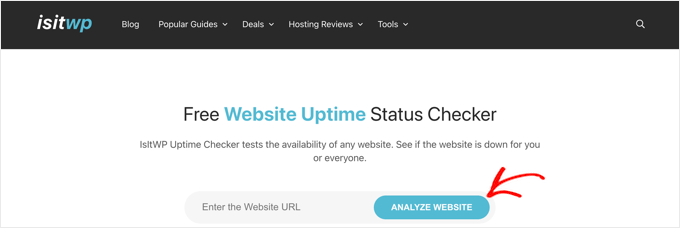
The Uptime Uptime Status Checker tool will quickly check your website and let you know if it is up or down.
You will see a message like this.

What to Do When Your Website Is Down
If your website is down and you need to figure out what to do next, then here are the step-by-step instructions you should follow.
You should start by checking your site with IsitWP’s Uptime Checker tool. This will let you know if your website is down for everyone or just for you.
What to Do if Your Website Is Down for Just You
If your website is up, but you are unable to access it, then you should first clear your browser cache and DNS cache. After that, you should try reloading the website.
If that doesn’t work, then see if you can access your website from a different IP address. The easiest way to do this is to use your mobile phone’s internet connection (make sure you are disconnected from Wi-Fi). Alternatively, you can use a VPN service.
If you can access your website this way, then this means that either your internet service provider or your hosting service has accidentally blocked your IP address. You can contact both service providers to resolve the issue.
If you recently changed your domain name’s DNS settings, then the DNS might not have updated in your location yet.
All you can do is wait until the DNS changes are updated across the internet. This may take a few hours to a day.
What to Do if Your Website Is Down for Everyone
If you have verified that your website is offline for everyone, then you need to immediately reach out to your hosting provider. They may be having issues with their server and can provide you with more details.
Most hosting companies are quick to respond to such issues, and your website should be back up again soon.
However, if your website is down frequently or you don’t get a satisfactory answer from the support team, then it may be time to switch to a better hosting provider.
What to Do if You Need a Better Hosting Provider
Due to tough competition in the hosting industry, some less reputable companies have cut costs by using outdated technologies, unskilled staff, and inadequate customer service.
If your website is frequently down, then you need to move to a better hosting provider.
Here’s our list of reliable WordPress hosting providers:
For more options, see our list of the best WordPress hosting companies.
Next, you’ll need to transfer your website to the new host. We have a complete step-by-step tutorial on how to move your website to a new hosting provider without losing SEO and without any website downtime.
Some providers, like SiteGround, offer free website migration services. You just need to ask for their support.
Frequently Asked Questions About Server Uptime
We understand that you might have a few more questions about monitoring your website’s server uptime. Below, we’ve answered some of the most common questions our readers ask to help you get started with confidence.
1. What is website uptime and why is it important?
Website uptime is the measurement of how long your website is online and available to visitors. It’s important because frequent downtime can lead to lost sales, damage your brand’s reputation, and negatively impact your search engine rankings. A reliable website that is always accessible creates a better user experience.
2. How can I monitor my WordPress website for free?
You can easily monitor your website for free using a tool like UptimeRobot. As we showed in the tutorial, their free plan allows you to set up checks that monitor your site every five minutes. If your website goes down, it will automatically send an alert to your email so you can take action.
3. What is considered good server uptime?
A good server uptime is typically 99.9% or higher. While this sounds close to perfect, even 99% uptime means your site could be down for over 3 days a year. Striving for 99.9% helps ensure your website is almost always available for your visitors and customers.
4. How do I know if my website is down for everyone or just me?
If you’re unable to access your site, the first step is to check if it’s down for everyone or if the issue is on your end. You can use a free tool like the Website Uptime Status Checker from IsItWP. Just enter your site’s URL, and it will tell you instantly if the website is up or down.
5. My website is down. What should I do first?
If you’ve confirmed your website is down for everyone, you should contact your hosting provider immediately. They can inform you of any server issues and provide an estimate for when your site will be back online. If you find your website is frequently down, you may want to consider switching to a more reliable hosting provider.
Additional Resources
We hope this article helped you learn how to monitor server uptime in WordPress. You may also want to see these additional resources:
- How to Choose the Best WordPress Hosting (Compared)
- The Ultimate Guide to Boost WordPress Speed & Performance
- How to Fix the Error Establishing a Database Connection in WordPress
- Best WordPress CDN Services (Compared)
- What Is Uptime?
If you liked this article, then please subscribe to our YouTube Channel for WordPress video tutorials. You can also find us on Twitter and Facebook.



Olaf
We have several servers running on the AWS and Azure platforms. It’s essential for us to know when a server is down because our customers’ applications are hosted on them. Uptime Robot is a pretty nice service—easy to manage, adding servers is simple, and if you have multiple servers and want the paid version, it’s not overly expensive. We’ve been using this service for notifications about the status of all our servers for about two years now, and it’s excellent. I highly recommend it.
Jiří Vaněk
I have my own VPS running a Linux operating system and installed WordPress. Since this was all new to me, I needed a service to monitor the server because I wasn’t confident it could run smoothly. Following your advice, I use Uptime Robot mainly because it also has a mobile app where I can track what’s happening with the server and whether it’s experiencing any downtime. It’s a fantastic service considering I use it completely for free for my purposes.
Samuel
Wow! Thanks for pointing out that UptimeRobot also has a mobile app which will enable to have freedom to be in anywhere with your mobile phone and able to monitor the status of your online presence. Great tool.
Terrell King
Was looking for an uptime plugin, so this is a great article!
WPBeginner Support
Glad our guide was helpful
Admin