


Sometimes, it is just easier to download an article to read later than to print it out or save the post as a bookmark in the browser.
One easy way to do this is using the Save as PDF option, which appears when you try to print something on your computer or phone.
However, many of your users may not be aware of this option or consider it.
Let’s look at how you can add a PDF download option for your posts in WordPress and encourage users to save your articles to read them later.
Why Add a PDF Download Option for Posts in WordPress?
PDF allows users to share documents among different devices and operating systems.
It ensures that the contents of the document are printed in the same way on different platforms. This makes PDF files ideal for printing documents.
A PDF download option for your posts allows users to save your content on their computers and print it when they want.
The following are some of the types of content that users may want to save and print:
- Long-form articles
- Recipes
- How-to and DIY tutorials
- Mathematical equations
- Educational material like homework guides, worksheets, and more.
You can also use the PDF download to create content upgrades for your posts to grow your email list. Additionally, you can even hide the option behind a subscription fee to make money from your website.
Having said that, let’s see how you can add a PDF download for WordPress posts.
Adding PDF Download Option for WordPress Posts
The first thing you need to do is install and activate the free PDF & Print by BestWebSoft plugin. For more details, see our step-by-step guide on how to install a WordPress plugin.
Upon activation, you need to visit the PDF & Print » Settings page in WordPress admin to configure the plugin settings.
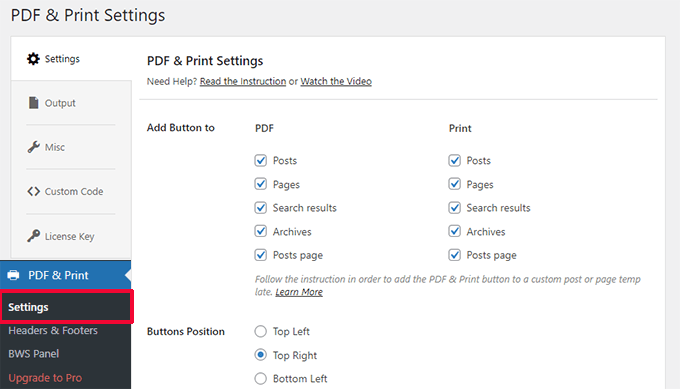
From here, you can choose the post types where you want to show PDF and Print buttons, along with the position of the buttons.
Below that, you can pick the button icon, title, and which user roles can see the button.
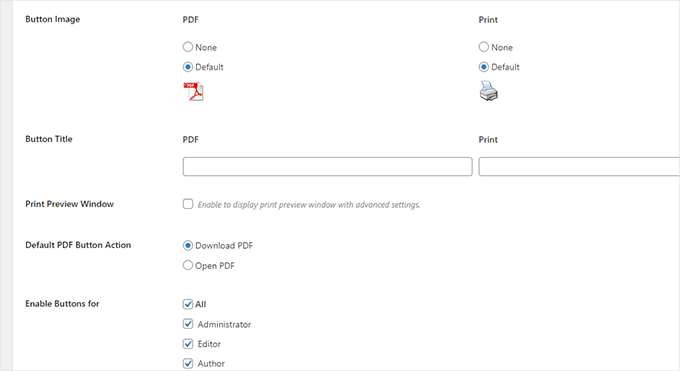
Don’t forget to click on the ‘Save Changes’ button to store your settings.
You can now visit a blog post or page on your WordPress website to see the button in action.

Troubleshooting PDF Download Issue
The plugin relies on a code library to generate PDF files. However, older versions of that library are not compatible with newer versions of PHP.
If your site is using a newer version of PHP, then trying to download the PDF may trigger a critical error.

Luckily, the error does not prevent you from using the WordPress admin area.
In your WordPress admin area, go back to the PDF & Print » Settings page and switch to the ‘Misc’ tab.
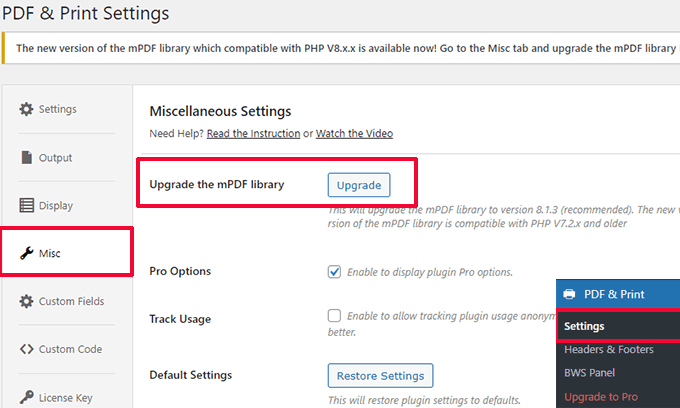
Here, click on the ‘Upgrade’ button next to the Upgrade the mPDF library option.
The plugin will download and upgrade the mPDF library that it ships with.
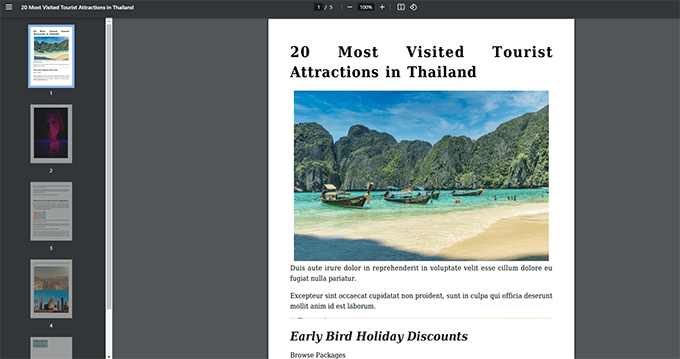
Ensure that everything is working by downloading a few PDFs. Here is how a PDF for a blog post looked on our test site.
Bonus Tip 💡: Don’t forget to set up file download tracking in WordPress to see which posts are downloaded more frequently by your users.
Using PDF Downloads as Content Upgrades
Do you want to use PDF downloads to grow your email list? PDF downloads make an excellent content upgrade offer.
When we say content upgrade, this is a marketing term that means the extra content perks you can offer your users in return for their email addresses.
This approach works well because the bonus content adds value to the user experience, and you also get leads in return. Think of it as a content bribe.
Instead of giving PDF downloads right away, you can download and upload PDF files to your website.
Next, you will need OptinMonster. It is the best conversion optimization software that helps you create beautiful marketing campaigns that convert visitors into customers and subscribers.
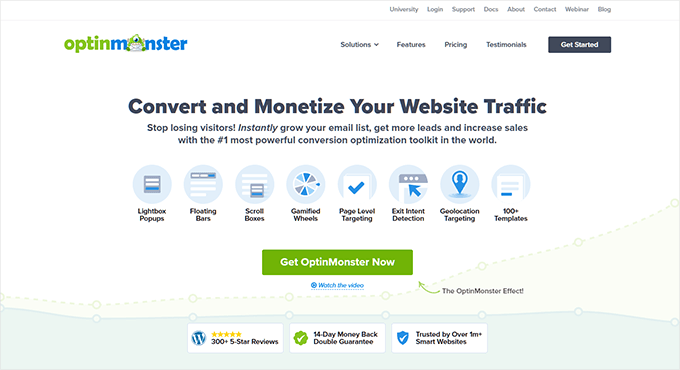
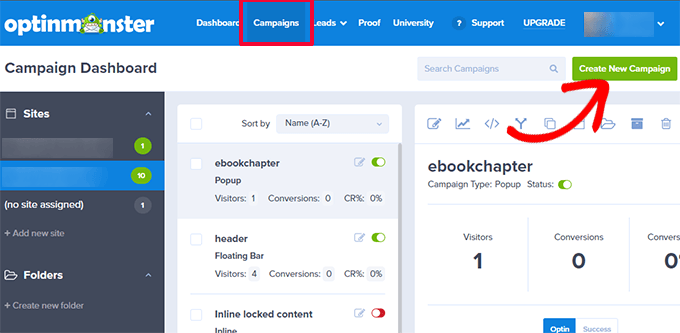
After signing up with OptinMonster, you will reach your account dashboard.
From here, you need to create a new campaign.
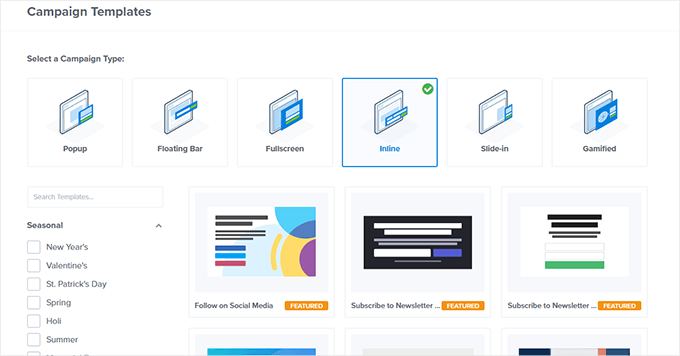
It comes with several campaign types, but for the sake of this tutorial, you need to select an inline campaign.
Choose a template. There are dozens of them. Don’t worry, you can customize them later.
After that, use the campaign builder to design your campaign.
It is an intuitive design tool where you can simply point and click to edit an item or drag and drop blocks from the left column.
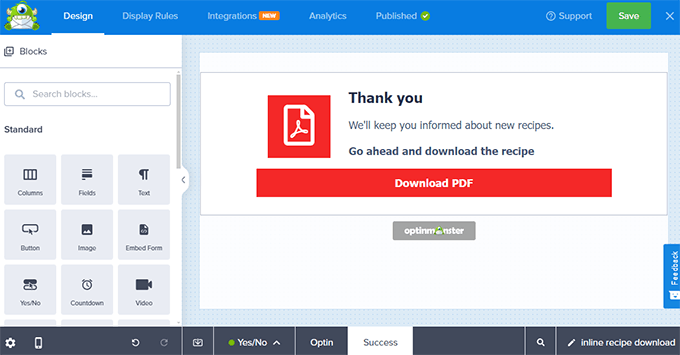
You can add a default view, a yes/no view, a signup form or optin view, and a Success view to your campaign using the options at the bottom of the campaign builder.
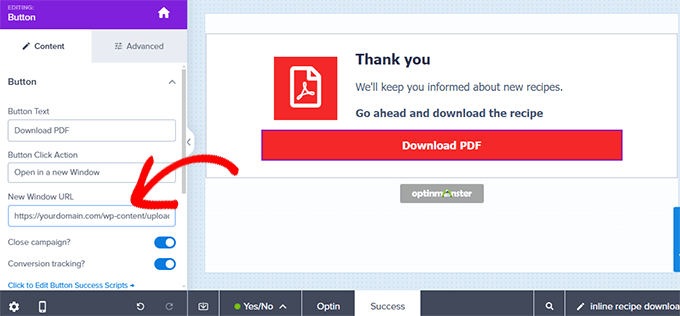
In the Success view, click on the button within the campaign and then make sure to add the PDF download link in the ‘New Window URL’ field.
Make sure that you have published your campaign.
Next, switch to your WordPress website and install and activate the OptinMonster plugin.
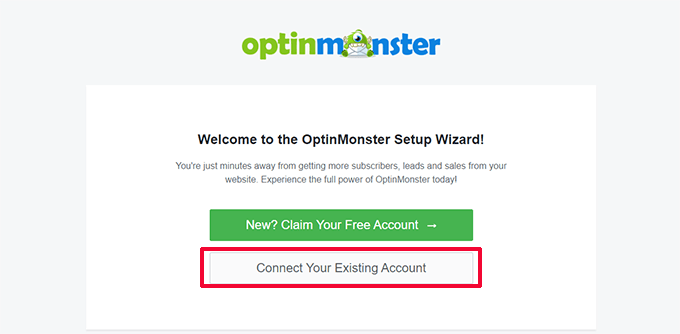
You’ll be asked to connect your WordPress site to OptinMonster.
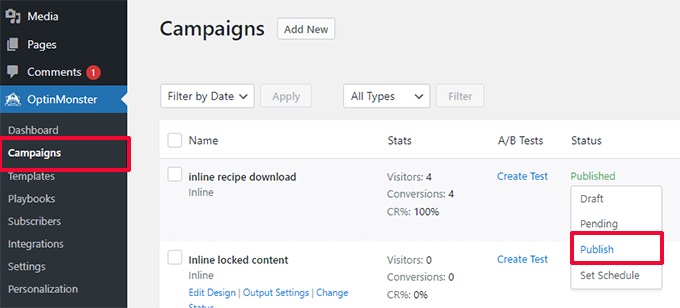
After that, go to the OptinMonster » Campaigns page and publish the inline campaign you created earlier.
This makes the campaign available on your website.
Next, edit the post or page where you want to add the content upgrade offer.
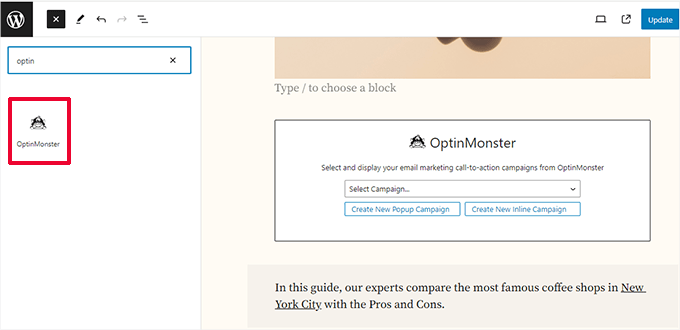
You need to add the OptinMonster block where you want to display the offer and choose your campaign from the dropdown menu.
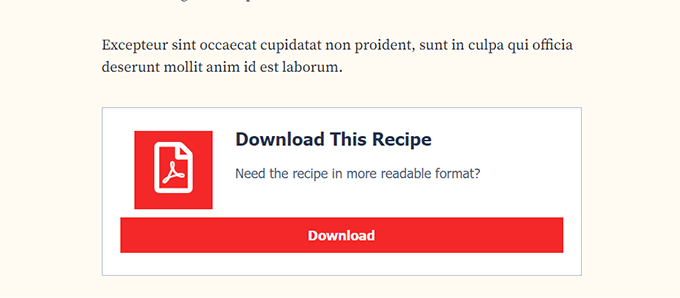
Finally, you can now visit your post and page to see the campaign in action.
Don’t forget to fill in the email form and test the download link.
OptinMonster works with all popular email marketing services. It also comes with power display rules that allow you to show personalized messages to users.
For more details, you can see our guide on how to show personalized content to different users in WordPress.
How to Monetize PDF Content in WordPress
There are many ways to monetize PDF content in WordPress. Depending on your business, you can choose one that fits your goals.
1. Create a Subscription Platform
A subscription platform allows you to sell membership plans on your website. Users on a subscription platform can get access to pay-per-view content, bonus downloads, and PDF files.
The easiest way to create a subscription-based community is by using MemberPress. It is the best membership plugin for WordPress that allows you to easily restrict content to paid members.
MemberPress lets you create multiple subscription levels and then restrict access to file downloads and other content based on a user’s subscription plan.
You can accept payments online using Stripe or PayPal. More importantly, you can set up recurring payments to automatically charge users for their subscriptions.
For details, see our guide on how to add content locking in WordPress.
2. Sell PDF Downloads in WordPress
The most direct way to monetize PDF content is by selling it as a digital download.
Easy Digital Downloads is the most straightforward way to sell digital downloads. It is a WordPress eCommerce plugin for selling digital goods like file downloads, eBooks, software, music, and more.
Easy Digital Downloads allows you to add your PDF files as products, which you can then add to your posts or pages.
Plus, each of your digital downloads can have its own product page. Then, users can easily add the downloads to their carts and check out.
Easy Digital Downloads allows you to accept payments using Stripe, PayPal, Authorize.net, and more. For details, see our article on selling digital downloads in WordPress.
We hope this article helped you learn how to add a PDF download for posts in WordPress. You may also want to see our pick of the best PDF plugins for WordPress or learn how to grow your business online without spending a fortune.
If you liked this article, then please subscribe to our YouTube Channel for WordPress video tutorials. You can also find us on Twitter and Facebook.





Syed Balkhi says
Hey WPBeginner readers,
Did you know you can win exciting prizes by commenting on WPBeginner?
Every month, our top blog commenters will win HUGE rewards, including premium WordPress plugin licenses and cash prizes.
You can get more details about the contest from here.
Start sharing your thoughts below to stand a chance to win!
Dennis Muthomi says
I’ve been including PDF links within my blog post content, but the process felt a bit clunky.
the OptinMonster tip for using PDFs as a content upgrade to grow my email list is genius – can’t wait to set that up.
I’ll definitely give that a try.
Thanks for sharing these valuable tips to improve the reader experience on my site!
Džangir Kolar says
Is it possible to have this plugin enabled just for one post?
WPBeginner Support says
You would want to reach out to the plugin’s support for the current options available
Admin
Michael says
Your plug-in wrecked the css for 50% or more of my site and didn’t show any pdf button anywhere.
Ted says
Hi, its printing only the title for a custom post, any ideas? Thanks in advance.
Soumik Sadman Anwar says
Hi, I would like to use it for growing email list for my website in a way like website visitors will have to provide their name and email address to download a post in pdf.
The download option would be attached to the subscription box (like “Download” in CTA instead of “Subscribe”).
Is there any way of doing it?
George says
Hello, thank you for this article.
Is it work only for English language ? I tried it for Russian, Georgian and get “?” instead of letters. Can I fix it somehow ?
Thank you
Ray says
this plug-in only seems to want to send the PDF through email, it doesn’t actually offer to let the users download the content to their computer ?
WPBeginner Support says
Hi Ray,
It does offer users to download PDF to their computers. Please review plugin settings.
Admin
Ellen says
Great article. I’m looking for a plugin that allows users to add a pdf generated from a web page to a portfolio/cart/book as they go through the website and then print just one file at the end. Do you know how this could be done or if there is a plugin that does what I need?
thanks
Katarina says
Can you please share how to do this for blogger?
Please, please!
Kat
Noor Nisa says
Thanks for your support WP beginner. It’s really a helpful article for me. But I don’t want “Download PDF” button on every post. I’d like to choose some posts, on which I would like to help peoples with PDF.
WPBeginner Support says
Please try one of the plugins from our list of 9 Best PDF Plugins for WordPress.
Admin
Anam says
This feature (WP advanced PDF settings) is not available in my dashboard. What can i do?
how can i link my facebook page to my wordpress website?
Nergis Parikh says
Thanks for this post. Is there a way to get someone to either give their email or to share on FB, Twitter etc before they are allowed to download a pdf version?
WPBeginner Support says
Yes it is possible. Please see our guide on how to add content upgrades in WordPress and grow your mailing list.
Admin
ali says
unfortunately this plugin does not support RTL languages such as persian or arabic.
I dont know what should I do
WPBeginner Support says
You can open a support thread on plugin’s support thread.
Admin
WPBeginner Support says
The plugin authors released a new version of the plugin with RTL support. You can select the RTL option from the body section on plugin’s settings page. Additionally, you can click on the Advanced tab to upload your own font to be used with the PDF. You can collaborate with plugin authors and help them troubleshoot any issues you may come across.
Admin
Rodwell Smith says
Eureka!
Thank you! This article is wonderfully filled with wonder! And not a moment too soon either. Each time I needed the solution I did a quick search but had to do some other type workaround.
Hate to be short, but this “how to” I do right away.
Viraj Maheshwari says
Kindly Check properly before reposting old articles. This plugin has not been updated for last two years shows warning in wordpress repository. So please verify correct plugin updates and repost or provide link of latest stable plugin
WPBeginner Support says
Plugin mentioned in the article was updated just a month ago. You probably got a cached version of the old article.
Admin