Do you want your articles to appear in Google answer boxes? Google uses answer boxes to answer questions directly on the search results page. Getting featured in them can help you get more organic clicks and boost website traffic. In this article, we will explain… Read More »
Are you trying to understand what WordPress layout terms mean? Many beginners come across WordPress layout terms and vocabulary when working on their websites. These are words used by designers and developers, and average users may find them confusing. In this guide, we will explain… Read More »
Do you want to host multiple WordPress websites on a single server? You can easily manage multiple domains from a single place by hosting them on one server. Plus, it helps save costs as you won’t need to purchase separate servers for each website. In… Read More »
Are you wondering where the php.ini file is located on your website? php.ini is a critical file in your WordPress installation. You’ll often need to edit it for better functionality and performance of your website. However, many website owners don’t know where it is located.… Read More »
Learning to code a website is a highly useful skill leading up to well paying jobs. Most website code contains HTML, CSS, and JavaScript. Learning these programming languages requires hours of studying and practice. However, if you want to code a website just for yourself,… Read More »
Do you want to better understand your website visitors? By figuring out the intent of your visitors, you can offer what they’re looking for. This helps you create more helpful content, improve your website experience, offer the right products, and more. In this article, we… Read More »
Are you wondering how to use Google Trends to improve your WordPress website? Google Trends is a tool that helps you find popular keywords, identify trending topics, and research your competitors. This allows you to build an SEO strategy and improve your website’s rankings. In… Read More »
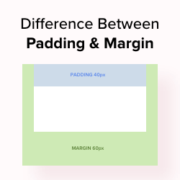
Do you want to know the difference between padding and margin in WordPress? In WordPress, padding is the space between the content and the border within a block, while margin is the space between two separate blocks. In this article, we will show you the… Read More »
Do you want to learn about WordPress site settings that are most critical for SEO success? Many different plugins can improve your search engine rankings and drive more people to your website. However, it is vital that you get your site’s foundations right by fine-tuning… Read More »
Are you looking for a product ID in WooCommerce? Each product added to your WooCommerce store has a unique identity number assigned to it. Sometimes, you may need this ID to locate a product, display it in a sales campaign, and more. In this beginner’s… Read More »