Beginner's Guide for WordPress - Start your WordPress Blog in minutes.
Choosing the Best
WordPress Hosting
How to Easily
Install WordPress
Recommended
WordPress Plugins
View all Guides

How to Arrange WordPress Posts and Custom Post Types Using Drag & Drop

How to Arrange WordPress Posts or Custom Post Types Using Drag & Drop

Because WordPress displays your posts in the same order that you published them, changing that order can be frustrating. So rather than having to go back and change the date on every post we are going to show you how you can setup a simple… Read More »

Posted on:
May 31, 2012
Filed Under:

How to Take Control of Your WordPress Admin Bar

How To Take Control of Your WordPress Admin Bar

Recently we showed you how to disable the WordPress Admin Bar for all users except administrators. Although there are times when you will want to completely disable it the WordPress Admin Bar can also be very useful in certain situations. We are going to show… Read More »

Posted on:
May 30, 2012
Filed Under:
0

How to Create and Manage Tables in WordPress Posts

How to Create and Manage Tables in WordPress Posts

One of the downsides to using the TinyMCE Editor is that it doesn’t have any options for you to make tables. So unless you are good at HTML there isn’t anyway for you to do this in the visual editor. In this article we are… Read More »

Posted on:
May 29, 2012
Filed Under:
6

How to Allow Authors to Publish Directly From WordPress Frontend

How to Allow Authors to Publish Directly From WordPress Frontend

If you’re blog has multiple contributors you may not want all of them to have access to your WordPress back-end. This can be good both for security and simplicity. By using the plugin WP User Frontend you can have subscribers/contributors create posts and manage their… Read More »

Posted on:
May 28, 2012
Filed Under:
7

How to Display the Time According to Your WordPress Blog in Admin Bar
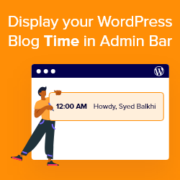
WordPress Blog Time

If you never adjusted your timezone setting in WordPress, you probably have no idea what is the time according to your WordPress blog. For a lot of people, it does not matter. However, if you have a time-sensitive post that you want to schedule, then… Read More »

Posted on:
May 25, 2012
Filed Under:
1

Enhance the Engagement of YouTube embeds using EmbedPlus for WordPress

EmbedPlus Plugin for WordPress

If you often embed videos in WordPress, you are probably aware that it is fairly easy to do with built-in support for oEmbed. While videos add a lot of value to your content, you can further enhance the engagement by using this plugin that we… Read More »

Posted on:
May 23, 2012
Filed Under:
0

Why WordPress Themes Should Not Have SEO Options and Why They Do?

SEO Options in WordPress Themes

Ever hear people recommending themes because they are “SEO Friendly”? Yes, we have recommended quite a few themes on this blog labeling it “SEO Friendly”. But what does “SEO Friendly” really mean and what some people think it means? In this article we will share… Read More »

Posted on:
May 22, 2012
Filed Under:

Automattic Revamps Code Poet to Become More Than Just a Listing Site

Code Poet

This Saturday, Automattic officially relaunched Code Poet and expanded it beyond the listing site. For those of you who do not know, previously Code Poet was just a directory of WordPress professionals brought to you by Automattic, the company behind WordPress.com. With this revamp, it… Read More »

Posted on:
May 21, 2012
Filed Under:
1

Best Practice: Check if Function Exists When Adding in WordPress Theme

Function Exists

The best part about WordPress is plugins. Theme designers also have a tendency of using WordPress plugins for adding cool features. When working on a custom WordPress theme project for a client, one thing you want to make sure is follow the best practice. Yesterday,… Read More »

Posted on:
May 18, 2012
Filed Under:
2

How to Float Your WordPress Admin Menu to Save Time

Floating WordPress Admin Menu

One of the things that Zain Balkhi complained about when we were designing our current WPBeginner design was that the WordPress admin menu doesn’t float. Which is why in our current design, we made sure that our menu scrolled with the user. Recently we got… Read More »

Posted on:
May 17, 2012
Filed Under:
4